
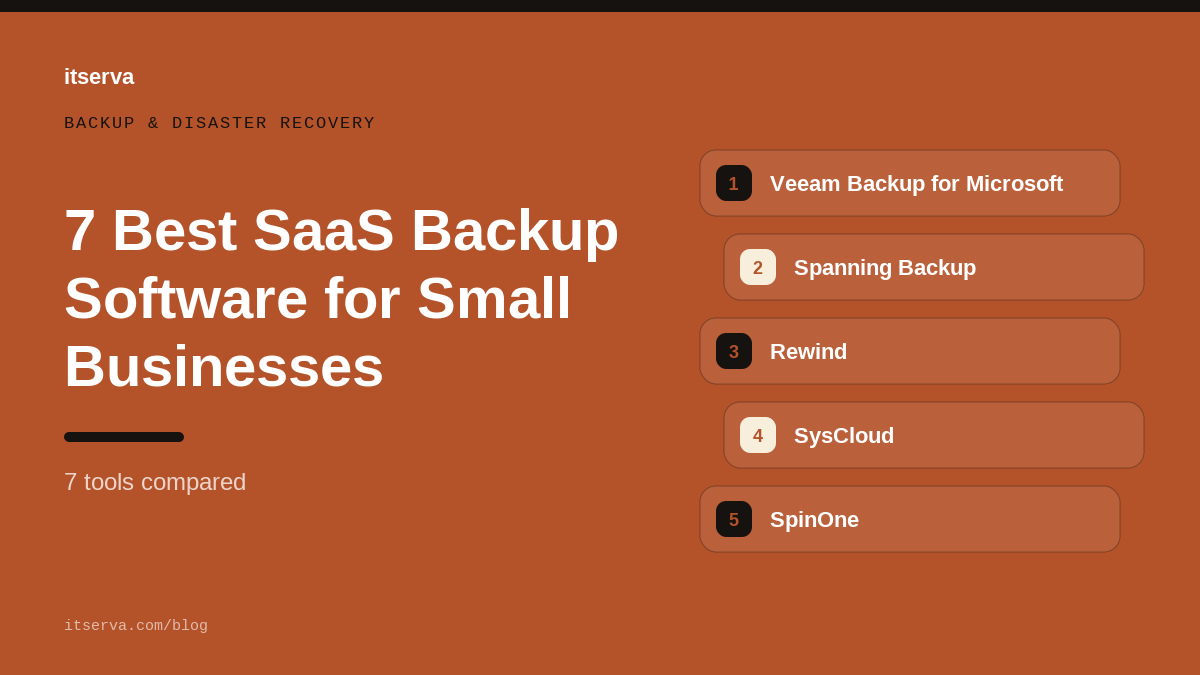
Why do small businesses need SaaS backup when Microsoft 365 and Google Workspace already store data?
Microsoft 365 and Google Workspace replicate your data so the service stays up, but replication is not backup. A deleted mailbox, a ransomware-encrypted file or an admin error can sync across every copy within minutes, and the built-in recycle bin only holds deleted items for a short window.
A SaaS backup keeps an independent copy outside the tenant, with point-in-time restore so you can roll one mailbox or file back without touching the rest. For a small team, the practical test is simple: can you recover a single deleted email from six months ago, and how long does it take?
Quick comparison
| Tool | Best for | Starting price | Free plan |
|---|---|---|---|
| Veeam Backup for Microsoft 365 | Free Microsoft 365 backup for up to 10 users | $1.80/user/month (billed annually) | Yes (Community Edition, up to 10 users) |
| Spanning Backup | Simple backup for Google Workspace and Microsoft 365 | Custom pricing | No (14-day trial) |
| Rewind | Backup for Shopify, GitHub and other SaaS apps | $19/month (Shopify Backup + Restore) | No (7-day trial) |
| SysCloud | Multi-app backup with ransomware checks | $25/license/year | No (30-day trial) |
| SpinOne | Backup plus ransomware response | $3/user/month (SpinBackup) | No (15-day trial) |
| Acronis Cyber Protect | Backup plus endpoint security in one agent | From $85/year (Standard, per workload) | No (30-day trial) |
| AvePoint Cloud Backup | Microsoft 365 backup with governance and compliance | Custom pricing | No (request a demo) |
The 7 best SaaS backup tools for small businesses
#1
Veeam Backup for Microsoft 365
- Best for
- Free Microsoft 365 backup for up to 10 users
- Starting price
- $1.80/user/month (billed annually)
- Free plan
- Yes (Community Edition, up to 10 users)
Veeam Backup for Microsoft 365 is the free starting point for a very small team. The Community Edition costs nothing for up to 10 users, 10 teams and 1 TB of SharePoint data, and it covers Exchange Online, SharePoint Online, OneDrive for Business and Teams. The paid product starts at $1.80 per user per month billed annually, and a 30-day trial is available.
The trade-off is setup. The paid product is self-managed, so your team chooses the storage and runs the backup server instead of getting a fully managed cloud service. Support and scale cost extra beyond the free tier, and every user past 10 needs a paid license. Veeam Backup for Microsoft 365 fits very small teams that want proven Microsoft 365 backup free while they test restores.
What we like
- Free Community Edition for up to 10 users
- Covers Exchange, SharePoint, OneDrive and Teams
- Granular restore down to one item
- Paid plan from $1.80 per user per month
Watch out for
- Self-managed setup needs storage decisions
- Free tier caps at 10 users and 10 teams
- No fully managed cloud option in this product
#2
Spanning Backup
- Best for
- Simple backup for Google Workspace and Microsoft 365
- Starting price
- Custom pricing
- Free plan
- No (14-day trial)
Spanning Backup is the simplest backup on this list to run day to day. It covers Microsoft 365, Google Workspace and Salesforce, with backup and restore for Exchange, SharePoint, OneDrive, Gmail, Drive and CRM records. The 14-day trial includes the full feature set, and buyers request a quote because Spanning publishes no list price.
The trade-off is price transparency. Spanning publishes no list price and asks buyers to request a quote, so budgeting needs a sales conversation and the final rate depends on seat count and term. That makes it hard to compare against tools that list $1.80 or $3 per user per month. Spanning Backup fits small teams that want backup to run quietly in the background with no infrastructure to manage.
What we like
- Covers Microsoft 365, Google Workspace and Salesforce
- Backup and restore for mail, Drive and CRM records
- 14-day trial with the full feature set
- No infrastructure to manage
Watch out for
- No published price, quote needed
- Final rate depends on seat count and term
#3
Rewind
- Best for
- Backup for Shopify, GitHub and other SaaS apps
- Starting price
- $19/month (Shopify Backup + Restore)
- Free plan
- No (7-day trial)
Rewind is the backup for the apps that email-first tools do not cover. It backs up Shopify stores, GitHub repositories, Jira, Confluence and QuickBooks Online with automated daily backups and item-level restore, so one bad import does not force a full rollback. Backups for Shopify starts at $19 per month for stores with up to 300 orders per month, with a 7-day trial and 365-day version history.
The trade-off is per-app pricing. Each app family is priced on its own, so a team protecting Shopify, GitHub and Jira pays three separate prices instead of one flat rate. Retention and compliance features also vary by app and plan, so the bill depends on which apps matter most. Rewind fits small businesses whose revenue or product work lives in Shopify, GitHub or Jira rather than in email alone.
What we like
- Covers Shopify, GitHub, Jira and QuickBooks Online
- Item-level restore without full rollback
- Daily automated backups
- Published per-app pricing
Watch out for
- Each app is priced separately
- Retention varies by app and plan
#4
SysCloud
- Best for
- Multi-app backup with ransomware checks
- Starting price
- $25/license/year
- Free plan
- No (30-day trial)
SysCloud is a single console for backup across Google Workspace, Microsoft 365, Slack, HubSpot, Salesforce and Box. Retention is unlimited on every plan, and each license adds 75 GB of pooled storage. Snapshots are checked for ransomware, so admins can restore a clean version instead of guessing which copy predates an attack. The price is $25 per license per year, with a 30-day trial.
The trade-off is the minimum. SysCloud costs $25 per license per year, but new paid accounts need at least 100 licenses across all apps, so a 10-person team pays $2,500 a year before volume discounts. That floor suits larger teams better than a three-person shop, even though the per-license price looks low. SysCloud fits teams of 100 or more that want one backup console for many SaaS apps with ransomware checks built in.
What we like
- One console for many SaaS apps
- Ransomware checks on backup snapshots
- Unlimited retention on every plan
- 30-day free trial
Watch out for
- 100-license minimum for new paid accounts
- Per-license price hides the yearly floor
#5
SpinOne
- Best for
- Backup plus ransomware response
- Starting price
- $3/user/month (SpinBackup)
- Free plan
- No (15-day trial)
SpinOne is backup with ransomware response built into the same console. SpinBackup costs $3 per user per month and backs up Google Workspace, Microsoft 365, Salesforce and Slack once a day, with 30 GB of storage per license and fast recovery backed by a 99.9% service level. A 15-day trial is available.
The trade-off is the floor. SpinBackup lists $3 per user per month, but the minimum subscription is $5,000 per year, so a 10-person team pays $5,000 a year rather than $360. Higher tiers add more frequent backup, and the full SpinOne platform is priced through sales. SpinOne fits teams that want backup and ransomware response in one product and can clear the yearly minimum.
What we like
- Backup and ransomware response in one console
- $3 per user per month for SpinBackup
- 30 GB of storage per license
- 99.9% recovery service level
Watch out for
- $5,000 yearly minimum subscription
- Daily backup only on the base plan
- Full platform pricing needs a sales quote
#6
Acronis Cyber Protect
- Best for
- Backup plus endpoint security in one agent
- Starting price
- From $85/year (Standard, per workload)
- Free plan
- No (30-day trial)
Acronis Cyber Protect is backup and endpoint security in a single agent. The Standard edition starts at $85 per year per workload at the regular price, adding anti-malware, patch checks and vulnerability scans to disk-image backup. It protects workstations, servers, virtual machines, Microsoft 365 and Google Workspace from one console, with a 30-day trial.
The trade-off is scope creep. The console mixes backup, security and management, so first setup takes longer than a backup-only tool, and the higher editions cost more than Standard. That breadth suits teams that want protection in one place, but it is more to learn than a backup-only tool. Acronis Cyber Protect fits small teams that want one agent for backup and basic endpoint security instead of two separate products.
What we like
- Backup and anti-malware in one agent
- Published price from $85 per year
- Covers devices, servers and Microsoft 365
- 30-day free trial
Watch out for
- Higher editions cost more than Standard
- Console takes longer to learn
#7
AvePoint Cloud Backup
- Best for
- Microsoft 365 backup with governance and compliance
- Starting price
- Custom pricing
- Free plan
- No (request a demo)
AvePoint Cloud Backup is the governance-minded pick for Microsoft 365. It covers Microsoft 365, Google Workspace, Salesforce and other SaaS apps, with granular restore down to a single item and immutable, air-gapped copies for ransomware recovery. Storage can use AvePoint hosting or your own cloud or FTP destination, and buyers request a demo because no list price is published.
The trade-off is buying effort. AvePoint Cloud Backup publishes no list price, so a small team must request a quote and compare it against tools that list $3 per user per month or $25 per license per year. The platform also covers far more than backup, so a team that only needs mailbox restore may pay for breadth it never uses. AvePoint Cloud Backup fits growing businesses that expect compliance questions soon and want backup plus governance in one purchase.
What we like
- Strong Microsoft 365 coverage including Teams
- Granular restore to a single item
- Governance and compliance reporting included
- Storage on your own cloud or FTP destination
Watch out for
- No published list price, quote needed
- Broader platform than backup-only tools
How we chose
We compared SaaS backup tools that protect Microsoft 365, Google Workspace or other business apps for small teams, ranked by fit for a business with no dedicated IT staff. We weighted a free plan or low starting price first, then coverage of the apps a small team actually uses, then restore speed and ransomware protection. Prices come from vendor pricing pages checked in November 2026. No vendor paid for placement, and we did not run hands-on tests; we compare published information.
Check the minimum before the headline price
The cheapest per-user price can hide the real bill. SpinOne lists $3 per user per month, but its $5,000 yearly minimum means 10 people cost $5,000 a year, not $360. SysCloud lists $25 per license per year, but new paid accounts need 100 licenses, so a 10-person team pays $2,500 a year before volume discounts.
Veeam works the other way: the free Community Edition covers 10 users, then every user past 10 needs a paid license at $1.80 per user per month. Ask for the total for your exact seat count, including any minimum, before you compare headline rates.
How to choose
Start with the app that holds your money or your work. If revenue runs through Shopify, shortlist Rewind first; if everything lives in Microsoft 365, start with Veeam Backup for Microsoft 365 or Spanning Backup, and add AvePoint Cloud Backup only if compliance reporting matters.
Next, price your exact seat count, not the headline rate. Add the minimum subscription, the per-user price and any add-ons for archiving or eDiscovery, then compare yearly totals for 10 users. A tool that looks cheap per user can cost $5,000 a year once its minimum applies.
Finally, run a real restore during the trial. Delete a test email or file, restore it from a backup that is at least a week old, and time how long it takes. If restore is slow or confusing, the backup will fail you on the day you actually need it.