
What should enterprise backup actually protect?
Enterprise backup covers far more than office files. A modern estate mixes virtual machines, physical servers, cloud workloads, SaaS apps such as Microsoft 365 and Salesforce, databases and endpoints, and every one of them needs a tested way back after ransomware, hardware failure or a bad update.
The buying question is therefore recovery, not storage. Ask how much data you can afford to lose, measured in time, and how fast each system must be back online, then check whether the price covers those workloads or only the cheapest ones.
Quick comparison
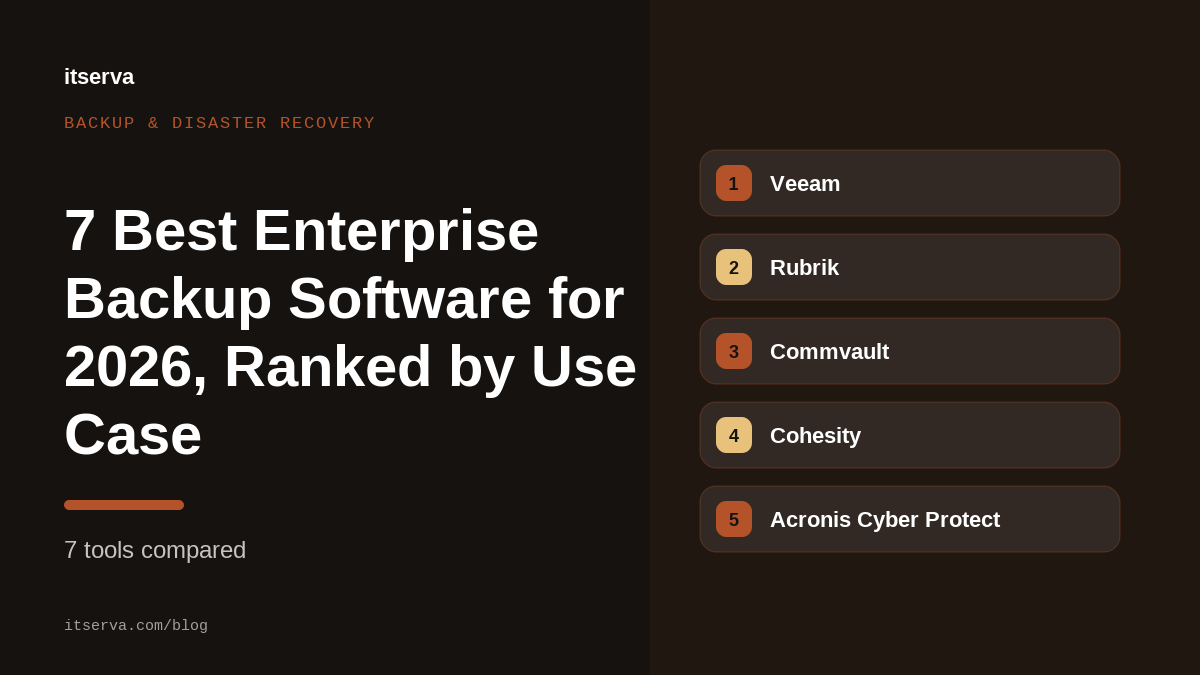
| Tool | Best for | Starting price | Free plan |
|---|---|---|---|
| Veeam | Best overall for virtualized estates | Custom pricing | No free plan (free trial available) |
| Rubrik | Best for ransomware recovery | Custom pricing | No free plan |
| Commvault | Best for large mixed estates | From $1.70/user/month (Microsoft 365 Backup Standard) | No free plan |
| Cohesity | Best for consolidating backup platforms | Custom pricing | No free plan |
| Acronis Cyber Protect | Best backup with built-in cybersecurity | Custom pricing | No free plan |
| Zerto | Best for continuous replication and near-zero data loss | Custom pricing | Yes (free 14-day license) |
| NAKIVO | Best value backup for mid-size teams | From $1.95/workload/month (Pro Essentials, billed annually) | Yes (free edition and free trial) |
The 7 best enterprise backup software tools
#1
Veeam
- Best for
- Best overall for virtualized estates
- Starting price
- Custom pricing
- Free plan
- No free plan (free trial available)
Veeam is the default enterprise backup platform for virtualized estates. It protects cloud, Kubernetes, SaaS, on-premises and identity workloads from one platform, with immutable-by-design backups and automated malware scanning so restores come back clean. Veeam says recovery runs up to 5 times faster than before, and true data portability lets teams move or restore workloads anywhere without lock-in.
The trade-off is pricing and licensing complexity. Veeam publishes no list price for its Data Platform, so every enterprise deal runs through a quote or a reseller, and working out which edition covers a mixed estate takes real effort. The platform also assumes teams already run virtualization at scale. Veeam fits large IT teams that run serious virtualization and want one proven platform for it.
What we like
- Immutable-by-design backups
- Automated malware scanning
- True data portability
- Covers cloud, Kubernetes, SaaS and on-premises
Watch out for
- No public list price
- Licensing takes effort to map to an estate
#2
Rubrik
- Best for
- Best for ransomware recovery
- Starting price
- Custom pricing
- Free plan
- No free plan
Rubrik is a security-first backup platform built around recovery from ransomware. It keeps immutable, air-gapped backups that attackers cannot encrypt or delete, scans them for signs of compromise, and pinpoints the most recent clean recovery point. Rubrik protects AWS, Azure, Google Cloud and Oracle Cloud, plus VMware, Hyper-V and SaaS apps such as Microsoft 365, Salesforce and Workday.
The trade-off is cost and buying effort. Rubrik publishes no list price, so budgets start with a sales conversation, and the platform is built for enterprises rather than small teams with simple backup needs. Security-led buying also means more stakeholders in the decision. Rubrik fits enterprises whose boards ask how fast the business recovers after ransomware, not just whether backups exist.
What we like
- Immutable, air-gapped backups
- Pinpoints the most recent clean recovery point
- Covers cloud, on-premises and SaaS
- Customer Active Directory recovery in 3 hours, down from 11 days
Watch out for
- No public list price
- Built for enterprises, not small teams
#3
Commvault
- Best for
- Best for large mixed estates
- Starting price
- From $1.70/user/month (Microsoft 365 Backup Standard)
- Free plan
- No free plan
Commvault is the veteran platform for the largest and most mixed estates. Its cloud service covers Microsoft 365, Salesforce, Dynamics 365, virtual machines, Kubernetes, databases, endpoints and file and object data, with Microsoft 365 Backup starting at $1.70 per user per month for 5 GB per user. Database backup starts at $90 per TB per month, and file and object backup starts at $58.50 per TB per month.
The trade-off is cost predictability. The SaaS service bills each workload separately, from $1.70 per user per month for Microsoft 365 Backup to $90 per TB per month for databases, so a mixed estate needs a careful total before signing. Volume discounts only apply above set thresholds, such as 750 users or 50 TB, so smaller estates pay the listed rates. Commvault fits enterprises with twenty years of accumulated infrastructure that only one platform can protect.
What we like
- Microsoft 365 Backup from $1.70 per user per month
- Database backup from $90 per TB per month
- Covers VMs, Kubernetes, endpoints and SaaS
- Volume discounts above 750 users or 50 TB
Watch out for
- Per-workload billing complicates totals
- No free plan
#4
Cohesity
- Best for
- Best for consolidating backup platforms
- Starting price
- Custom pricing
- Free plan
- No free plan
Cohesity is a single platform for backup, disaster recovery, file and object services and data security. It protects more than 1,000 workloads across cloud, on-premises and SaaS environments, so teams can stop running separate point products for each estate. Threat detection and automated cyber recovery sit alongside backup, with data insights to help teams understand what they hold.
The trade-off is breadth and buying. A platform that does this much takes longer to evaluate, and Cohesity publishes no list price, so costs come from a sales quote shaped by capacity and deployment model. Teams that only need backup for one workload type will find simpler tools faster to adopt. Cohesity fits organizations consolidating several backup products onto one platform.
What we like
- Protects more than 1,000 workloads
- One platform for backup, recovery and file services
- Automated cyber recovery
- Threat detection built in
Watch out for
- No public list price
- Broad platform takes longer to evaluate
#5
Acronis Cyber Protect
- Best for
- Best backup with built-in cybersecurity
- Starting price
- Custom pricing
- Free plan
- No free plan
Acronis Cyber Protect is backup and cybersecurity in one agent. It combines full-image backup with anti-malware, patch management and remote management, and covers workstations, servers, virtual machines and Microsoft 365. Licenses apply per workload, and the subscription includes a free amount of Acronis-hosted cloud storage of 50 to 250 GB, depending on the protected workload.
The trade-off is pricing clarity. Acronis prices vary by region, workload type and deployment model, so the final number comes from a tailored quote from Acronis or an authorized partner rather than a public price list. Cloud storage also varies by workload, from 50 to 250 GB included. Acronis Cyber Protect fits mid-size teams that want one practical tool instead of three products to integrate.
What we like
- Backup and anti-malware in one agent
- Per-workload licensing
- 50 to 250 GB of cloud storage included
- Patch management included
Watch out for
- No public price list
- Prices vary by region and workload
#6
Zerto
- Best for
- Best for continuous replication and near-zero data loss
- Starting price
- Custom pricing
- Free plan
- Yes (free 14-day license)
Zerto is the disaster recovery specialist on this list. Its continuous data protection journals every change, so teams can rewind to seconds before an outage or ransomware event instead of restoring last night's backup. It supports VMware, Microsoft Hyper-V, Microsoft Azure and AWS, with orchestrated recovery, non-disruptive testing and workload mobility across hybrid cloud environments.
The trade-off is focus and price. Zerto is a replication engine rather than a long-term backup archive, so it works best inside a broader data protection strategy, and HPE publishes no list price, with buying handled through HPE experts and partners. A free 14-day license helps teams try it first. Zerto fits organizations where minutes of data loss cost real money.
What we like
- Continuous data protection with recovery points seconds apart
- Journal-based recovery
- Non-disruptive recovery testing
- Free 14-day license
Watch out for
- No public list price
- Replication, not long-term backup archiving
#7
NAKIVO
- Best for
- Best value backup for mid-size teams
- Starting price
- From $1.95/workload/month (Pro Essentials, billed annually)
- Free plan
- Yes (free edition and free trial)
NAKIVO is the value pick for mid-size teams that find the big suites overkill. Its Backup and Replication product covers VMware, Hyper-V, Nutanix AHV, Proxmox VE, Amazon EC2, physical machines and Microsoft 365, with instant VM boot, instant granular recovery and immutable storage. Subscriptions start at $1.95 per workload per month for Pro Essentials, billed annually upfront, with free 24/7 support included.
The trade-off is tiering. The cheapest subscription covers the core feature set only, while backup to cloud, native backup to tape, site recovery and multi-tenant mode sit on Enterprise Essentials, and Enterprise Plus is priced by custom quote. Teams should map their must-have features to the right edition before buying. NAKIVO fits mid-size organizations that want solid backup and recovery without the premium price.
What we like
- From $1.95 per workload per month
- Free edition and free trial
- Free 24/7 support included
- Instant VM boot and granular recovery
Watch out for
- Enterprise Plus priced by custom quote
- Core features only on the cheapest tier
How we chose
We compared enterprise backup tools that protect virtual machines, physical servers, cloud workloads and SaaS apps, ranked by fit for large and mixed estates. We weighted breadth of workload coverage first, then ransomware recovery, then price transparency. Prices come from vendor pricing pages checked in November 2026, and tools without a published price are listed as custom pricing. Free trials and free editions are noted only where the vendor page shows them. No vendor paid for placement, and we did not run hands-on tests; we compare published information.
Why most enterprise backup prices are quotes, not price tags
Five of the seven tools here publish no list price at all, and the two that do publish rates cover only part of the platform. Vendors price by protected capacity, workload type and deployment model, so two companies with the same headcount can get very different quotes.
Treat a per-user or per-TB rate as a starting point, not a total. Add storage, support, retention and any recovery add-ons, then ask for the full first-year figure in writing before you compare vendors.
How to choose
Start with your recovery targets, not a vendor shortlist. List the systems that must be back in minutes, the data you can afford to lose, and the workloads that matter most, then check each tool against that list before you look at prices.
Next, price a realistic estate. Add every workload type you run, not just virtual machines, and ask each vendor for the full first-year total including storage, support and retention, so quotes can be compared like for like.
Finally, test recovery before you sign. Run a trial restore of a real system, time it, and check that the clean recovery point is easy to find, because a backup you cannot restore quickly is only storage.