
What does fixed asset management software actually do?
Fixed asset management software records the physical assets a business owns, such as laptops, vehicles and machinery, and tracks them from purchase through assignment, maintenance and disposal. Some products also calculate depreciation, while others only record location, custody and audit history.
The split matters because no single tool on this list does both jobs equally well. Tracking tools shine at finding equipment and running audits, while accounting-focused products handle book value, disposals and tax schedules.
Quick comparison
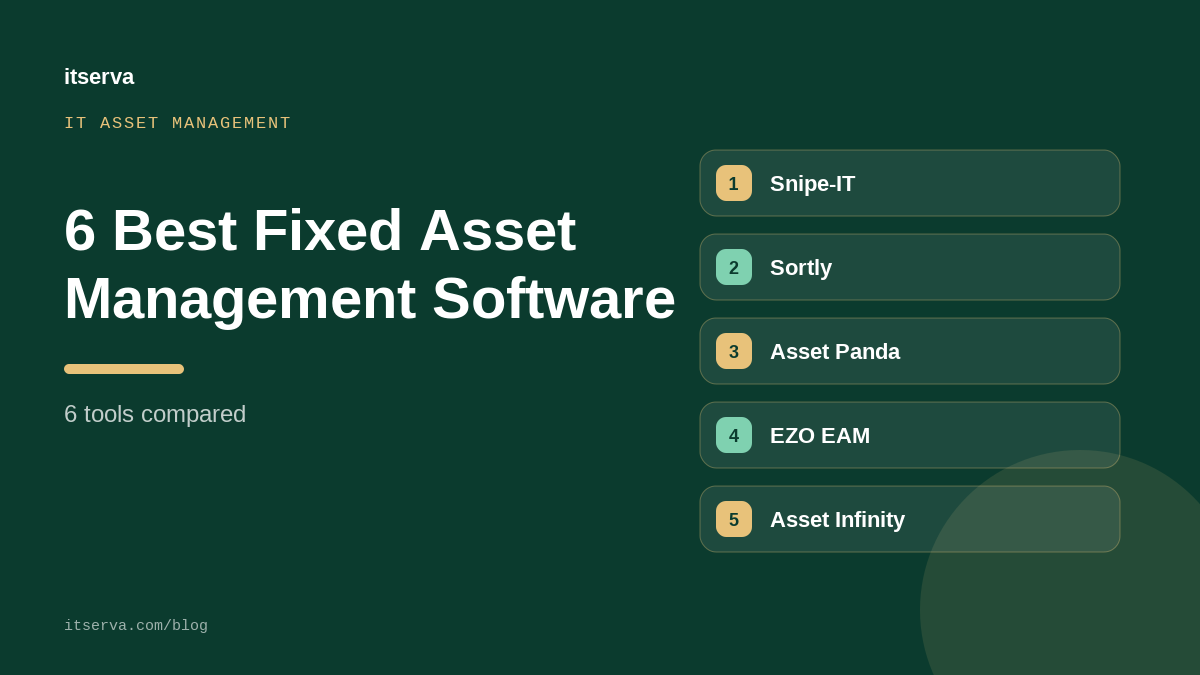
| Tool | Best for | Starting price | Free plan |
|---|---|---|---|
| Snipe-IT | Best overall for IT teams on a budget | $39.99/month (Basic Hosting) | Yes (free self-hosted) |
| Sortly | Simplest register for small teams | $49/month (Advanced, monthly billing) | Yes (1 user, 100 items) |
| Asset Panda | Custom workflows across many asset types | Custom pricing | No (free demo) |
| EZO EAM | Unlimited users for equipment-heavy teams | $81.41/month (Essential, 500 items) | No (14-day free trial) |
| Asset Infinity | Depreciation and finance-led asset registers | $130/month (asset register, 500 assets) | No (14-day free trial) |
| Wasp Asset | Lifecycle costing with bundled barcode hardware | Custom pricing | No (no free plan listed) |
The 6 best fixed asset management software tools
#1
Snipe-IT
- Best for
- Best overall for IT teams on a budget
- Starting price
- $39.99/month (Basic Hosting)
- Free plan
- Yes (free self-hosted)
Snipe-IT is a free, open-source IT asset management system with hosted plans for teams that would rather not run their own server. Basic Hosting costs $39.99 per month, or $399.99 billed annually, and every plan includes unlimited users and unlimited assets. Hosted plans also cover upgrades, backups, server maintenance and email support.
The trade-off is setup effort for the free version. Self-hosting means your team handles installation, upgrades and security, and support is community-based through GitHub and Discord unless you pay for a hosted plan. Snipe-IT fits IT teams that want low, flat costs and full control over their asset data.
What we like
- Free self-hosted version
- Unlimited users and assets on every plan
- Flat hosting prices
- Hosted plans include maintenance and backups
Watch out for
- Self-hosting needs technical skill
- Support is community-based on the free plan
#2
Sortly
- Best for
- Simplest register for small teams
- Starting price
- $49/month (Advanced, monthly billing)
- Free plan
- Yes (1 user, 100 items)
Sortly is a visual inventory and asset register that starts with a free plan covering 100 unique items, 1 user license and 2 active jobs. Paid plans start with Advanced at $49 per month on monthly billing, which raises the limits to 500 items, 2 users and 5 jobs and adds unlimited QR code label creation. Higher tiers add purchase orders, custom roles and a QuickBooks Online integration.
The trade-off is depth. Sortly is built for inventory, so it tracks where things are rather than calculating depreciation or producing audit-grade fixed asset schedules. Item and user caps on each plan also mean growing teams move up tiers quickly. Sortly fits small teams that need a simple, photo-friendly asset list rather than full accounting.
What we like
- Free plan for 1 user
- Fast setup with photos and QR labels
- Clear published prices
Watch out for
- First-year discount hides the $49 renewal price
- Item and user caps push growing teams up tiers
- Higher tiers needed for purchase orders and custom roles
#3
Asset Panda
- Best for
- Custom workflows across many asset types
- Starting price
- Custom pricing
- Free plan
- No (free demo)
Asset Panda is a cloud-based asset tracking platform built around custom fields and workflows, so teams can shape it around laptops, vehicles, tools, furniture or leased equipment. Its pricing page offers a quote rather than published prices, and a free demo is available before you talk to sales. Mobile scanning, notifications and unlimited users are part of the pitch.
The trade-off is budget certainty. Without published prices you cannot compare Asset Panda against flat-priced rivals until sales replies, and small teams may find the quote hard to justify for a modest asset count. Asset Panda fits mid-size organizations that track many asset types and need deep customization.
What we like
- Custom fields and workflows
- Mobile scanning for audits
- Cloud-based with a free demo
Watch out for
- No published prices
- Quote requires a sales conversation
- Small teams may find the quote hard to justify
#4
EZO EAM
- Best for
- Unlimited users for equipment-heavy teams
- Starting price
- $81.41/month (Essential, 500 items)
- Free plan
- No (14-day free trial)
EZO EAM is a cloud asset management platform priced by item count rather than by user, with unlimited users on every paid plan under a fair-usage policy. Essential costs $81.41 per month for 500 items and covers asset tracking, check-outs, multi-location support, barcode and QR labels, and a mobile app, with up to 5,000 stock units. Advanced costs $117.11 per month for 500 items and adds RFID, purchase orders, custom fields and audits.
The trade-off is that the bill rises with the item count, so a growing register moves the monthly price up even though users stay free. Full maintenance work orders need a separate CMMS add-on or the Enterprise plan, and Enterprise itself is quote-based. EZO EAM fits equipment-heavy teams that lend items out and need unlimited users without per-seat charges.
What we like
- Unlimited users on every paid plan
- Priced by item count, not per seat
- Barcode, QR and RFID tracking
- 14-day free trial with no credit card
Watch out for
- Price rises as the item count grows
- Full maintenance needs a CMMS add-on
- Enterprise plan is quote-based
#5
Asset Infinity
- Best for
- Depreciation and finance-led asset registers
- Starting price
- $130/month (asset register, 500 assets)
- Free plan
- No (14-day free trial)
Asset Infinity is a cloud asset platform built around a register priced by asset count, with unlimited users included. The register costs $130 per month for 500 assets and covers equipment, vehicles, IT and furniture in one place. Depreciation books are an add-on at $30 per user per month, while maintenance costs $25 per user per month, and a 14-day free trial is available.
The trade-off is modular pricing. Each feature area is billed per user who needs it, so the total climbs as more people need maintenance, purchasing or finance, and setup and onboarding cost three times the monthly cloud price with a $1,000 minimum. Asset Infinity fits finance-led teams that want depreciation and asset tracking in one register.
What we like
- Asset register with unlimited users
- Depreciation books for book and tax
- Public prices with no discount games
- 14-day free trial
Watch out for
- Features are billed per user on top of the register
- Setup costs three times the monthly price
- Over 10,000 assets needs an Enterprise plan
#6
Wasp Asset
- Best for
- Lifecycle costing with bundled barcode hardware
- Starting price
- Custom pricing
- Free plan
- No (no free plan listed)
Wasp Asset is a per-user asset tracking system offered in cloud and on-premise versions, with no extra charges for sites, assets tracked or transaction volumes. It tracks full lifecycle cost, including purchase price, maintenance spend, depreciation schedule and warranty data, and ships with more than 60 prebuilt reports. The vendor also sells barcode scanners, mobile computers, printers and tags as one bundle.
The trade-off is price transparency. Wasp Asset does not publish a starting price, and the vendor states that exact pricing requires a direct quote, so you cannot compare its total against flat-priced rivals without a sales conversation. Wasp Asset fits mid-size teams that want lifecycle costing, bundled hardware and an on-premise option.
What we like
- Full lifecycle cost and depreciation tracking
- Cloud and on-premise versions
- More than 60 prebuilt reports
- Barcode hardware sold as one bundle
Watch out for
- No published starting price
- Exact pricing needs a direct quote
- Per-user licensing can climb with team size
How we chose
We compared fixed asset management tools that track physical assets across their lifecycle, ranking them by fit for different team sizes and budgets. We weighted published pricing and free options first, then breadth of tracking features, then how clearly each vendor states its prices. Prices come from vendor pricing pages checked in November 2026. Tools without a public price were kept only when the vendor's own page made the quote-based model clear. No vendor paid for placement, and we did not run hands-on tests; we compare published information.
Why published prices matter more than feature lists
A tool with no public price can still be the right choice, but it costs you time: every quote means a sales call, a demo and a wait before you can compare totals. Flat-priced tools such as Snipe-IT let you budget in minutes, while quote-based tools such as Asset Panda need a conversation first.
Also watch renewal terms. Sortly's first-year discount cuts Advanced to $24 per month, but the regular $49 monthly price is what you pay afterwards, so a first-year quote can mislead a multi-year budget.
How to choose
Start with the problem that costs you most: lost or unaccounted equipment points to a tracking tool such as Snipe-IT or Sortly, while depreciation schedules and tax reporting point to an accounting-focused product. Write down how many assets, users and locations you have before you compare prices.
Next, count the real monthly cost, including the plan tier your asset count actually needs and any labels, scanners or onboarding fees. A free plan with a 100-item cap stops being free the week you pass it.
Finally, run a small pilot with real assets. Import 50 to 100 items, print labels, run a mock audit and check the export, because a clean export matters the day you switch tools.