
What does IT inventory management software actually track?
IT inventory management software keeps a live record of every device, license and accessory your organization owns, who holds each item, where it sits and when its warranty or license runs out. It replaces the spreadsheet that goes stale the moment someone forgets to update it.
The tools differ mainly in how records get in. Some rely on manual entry and barcode scans, others discover devices on the network automatically, and a few pull data from dozens of other systems. Match that method to your estate before you compare prices.
Quick comparison
| Tool | Best for | Starting price | Free plan |
|---|---|---|---|
| Snipe-IT | Best free IT inventory management software | Free (self-hosted); hosted from $39.99/month | Yes (free self-hosted edition) |
| Lansweeper | Best automated network discovery | $299/month (Starter, billed annually) | Yes (free plan up to 100 assets) |
| ManageEngine AssetExplorer | Best value with published prices | $115/month (cloud, 250 assets, billed annually) | Yes (free edition up to 50 assets) |
| InvGate | Best ITSM and ITAM combination | $1,499/year (Starter, 500 IP devices) | No (30-day trial) |
| Freshservice | Best asset management inside a service desk | $19/agent/month (Starter, billed annually) | No (14-day trial) |
| Asset Panda | Best mobile barcode and QR tracking | Custom pricing | No (7-day trial) |
| EZOfficeInventory | Best equipment check-out and reservations | $44.75/month (Essential, billed annually, 100 items) | No (14-day trial) |
| Oomnitza | Best enterprise asset intelligence | Custom pricing | No |
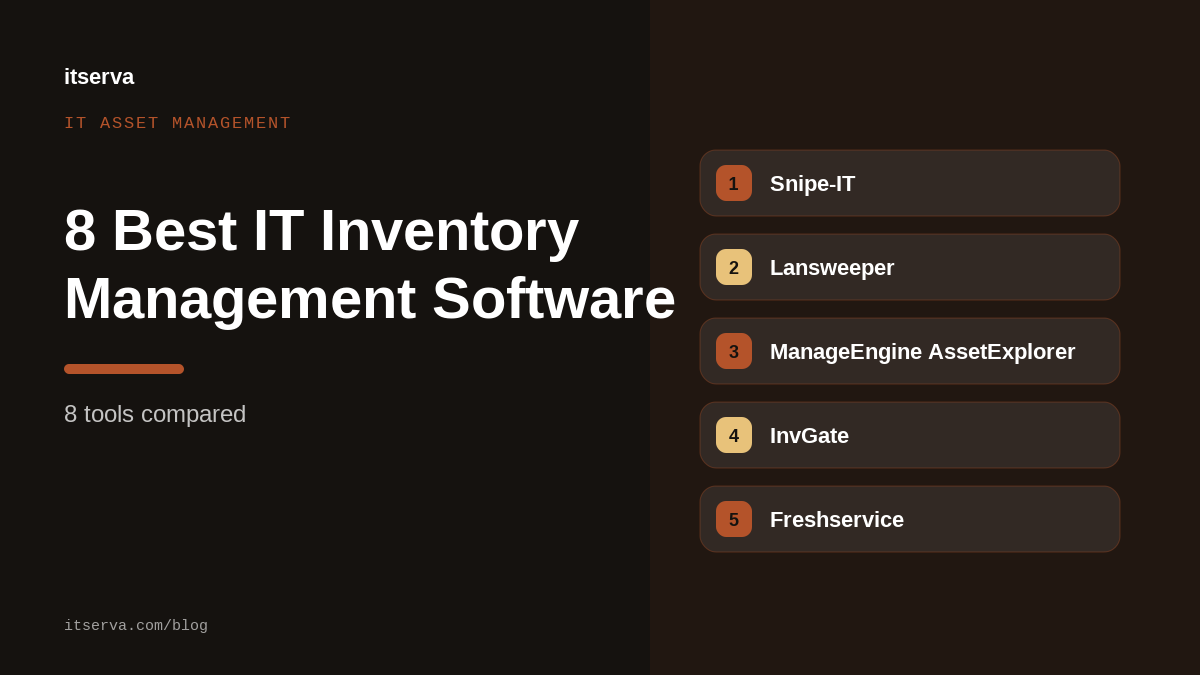
The 8 best IT inventory management software
#1
Snipe-IT
- Best for
- Best free IT inventory management software
- Starting price
- Free (self-hosted); hosted from $39.99/month
- Free plan
- Yes (free self-hosted edition)
Snipe-IT is a free, open source IT asset management system that tracks hardware, software licenses, accessories, consumables, users and locations from one web console. The self-hosted edition costs nothing and has no cap on users or assets, while hosted plans start at $39.99 per month for Basic, $99.99 for Small Business and $249.99 for Dedicated, all with unlimited users and assets.
The trade-off is that self-hosting puts the server, backups, upgrades and security in your hands, and Snipe-IT has no automated network discovery of its own, so devices enter through imports, the API or manual entry. Snipe-IT fits small and mid-size IT teams, schools and nonprofits that want a full asset register without a license bill.
What we like
- Free self-hosted edition with unlimited users and assets
- License, accessory and consumable tracking included
- Check-in and check-out workflows with audit trails
- Hosted plans from $39.99 per month
Watch out for
- You run the server, backups and upgrades yourself
- No built-in network discovery
- Support depends on the plan you choose
#2
Lansweeper
- Best for
- Best automated network discovery
- Starting price
- $299/month (Starter, billed annually)
- Free plan
- Yes (free plan up to 100 assets)
Lansweeper is a cyber asset intelligence platform that discovers managed and unmanaged technology across IT, OT and cloud, then builds a single inventory from what it finds. Starter costs $299 per month billed annually and includes 2,000 assets, one installation, single sign-on and service desk ticket enrichment, while Pro starts at $528 per month and adds vulnerability and lifecycle insights.
The trade-off is asset-based pricing. The bill follows the number of assets discovered, so a growing estate can push you into a higher band, and the Enterprise plan for 10,000 assets or more is custom priced. Lansweeper fits mid-size and large IT and security teams that need a trusted, continuously updated view of everything connected.
What we like
- Agentless discovery across IT, OT and cloud
- Free plan covering up to 100 assets
- Unlimited user seats on paid plans
- Vulnerability and lifecycle insights on Pro
Watch out for
- Price rises with the number of assets found
- Enterprise pricing is custom
- All plans are billed annually
#3
ManageEngine AssetExplorer
- Best for
- Best value with published prices
- Starting price
- $115/month (cloud, 250 assets, billed annually)
- Free plan
- Yes (free edition up to 50 assets)
ManageEngine AssetExplorer is an IT asset management tool that covers discovery, hardware and software inventory, software license compliance, purchase orders and contracts. Cloud plans start at $115 per month billed annually for 250 assets and rise to $1,545 per month for 10,000 assets, while the on-premises edition starts at $955 per year for 250 assets.
The trade-off is that the price follows the asset count, so a large estate costs far more than the entry figure, and remote control is a paid add-on at $315 per concurrent session per year. ManageEngine AssetExplorer fits IT teams that want clear published prices and a choice of cloud or on-premises deployment.
What we like
- Published prices from 250 to 10,000 assets
- Free edition that never expires
- License compliance and purchase order tracking
- Cloud or on-premises deployment
Watch out for
- Price climbs steeply with asset count
- Remote control costs extra
- 30-day trial covers up to 250 assets
#4
InvGate
- Best for
- Best ITSM and ITAM combination
- Starting price
- $1,499/year (Starter, 500 IP devices)
- Free plan
- No (30-day trial)
InvGate is a no-code platform that pairs InvGate Asset Management with InvGate Service Management, so incidents, changes and assets share one system. Asset Management Starter costs $1,499 per year for a fixed package of 500 IP devices, with each IP device including two non-IP devices such as monitors and headsets at no extra cost.
The trade-off is the fixed Starter package. It has no add-ons or customization, and teams above 500 IP devices move to Professional, which starts at $2,500 per year, while Enterprise starts at $12,000 per year. InvGate fits mid-size IT teams that want asset data inside their service desk without enterprise complexity.
What we like
- Assets linked directly to tickets and changes
- Published per-device pricing
- Each IP device includes 2 non-IP devices
- 30-day free trial with no credit card
Watch out for
- Starter is a fixed package with no add-ons
- Professional starts at $2,500 per year
- Discovery is thinner than dedicated discovery tools
#5
Freshservice
- Best for
- Best asset management inside a service desk
- Starting price
- $19/agent/month (Starter, billed annually)
- Free plan
- No (14-day trial)
Freshservice is Freshworks' IT service management platform, and its asset management features sit inside the same system as incidents, problems and changes. Starter costs $19 per agent per month billed annually, Growth costs $49 and Pro costs $99, while Enterprise is custom priced and adds a sandbox, audit logs and Freddy AI features.
The trade-off is that you buy a service desk to get the asset module, and asset management is licensed separately in asset units sold in packs of 500. Freshservice fits IT teams that are buying ITSM anyway and want asset records tied to tickets, not a standalone inventory tool.
What we like
- Assets tied to incidents, problems and changes
- Clear per-agent pricing from $19
- 14-day free trial of all features
- Unlimited requesters on every plan
Watch out for
- Asset units are licensed separately in packs of 500
- Change management needs the $99 Pro plan
- Freddy AI Copilot costs $29 per agent extra
#6
Asset Panda
- Best for
- Best mobile barcode and QR tracking
- Starting price
- Custom pricing
- Free plan
- No (7-day trial)
Asset Panda is a cloud-based asset tracking platform built around mobile barcode and QR scanning, so field teams can scan a device and see its full record on a phone. It covers assignments, check-outs, transfers, inspections, maintenance and depreciation, with custom fields and workflows that adapt to how each team works.
The trade-off is pricing transparency. Asset Panda does not publish a starting price on its site, so budgeting requires a quote, and its breadth covers vehicles, tools and facilities as well as IT gear. Asset Panda fits operations-heavy teams that audit physical assets in the field and need strong mobile scanning.
What we like
- Mobile-first barcode and QR scanning
- Custom fields and workflows
- Inspection and audit trail features
- Tracks IT and physical assets together
Watch out for
- No published starting price
- No free plan
- Broader than pure IT asset management
#7
EZOfficeInventory
- Best for
- Best equipment check-out and reservations
- Starting price
- $44.75/month (Essential, billed annually, 100 items)
- Free plan
- No (14-day trial)
EZOfficeInventory is an asset tracking system, now sold under the EZO brand, built for teams that lend equipment out and need it back. Essential costs $44.75 per month billed annually for 100 items and covers check-in and check-out, reservations, barcode and QR labels, multi-location support and depreciation tracking, with unlimited users on every plan.
The trade-off is that the price follows the item count, so 500 items costs $81.41 per month billed annually on Essential, and preventive maintenance needs the CMMS add-on or the Enterprise plan. EZOfficeInventory fits IT and operations teams that manage loaner laptops, projectors and shared equipment.
What we like
- Check-out, reservations and availability calendar
- Unlimited users on every plan
- Barcode, QR and RFID support
- Multi-location and depreciation tracking
Watch out for
- Price rises with the number of items tracked
- Maintenance needs the CMMS add-on
- No network discovery for installed software
#8
Oomnitza
- Best for
- Best enterprise asset intelligence
- Starting price
- Custom pricing
- Free plan
- No
Oomnitza is an enterprise asset intelligence platform that reconciles data from IT, security, HR, finance and cloud systems into one governed record for each asset. It covers hardware and software lifecycle management, software spend control, compliance and audit readiness, with Essentials allowing up to 10 integrations and Enterprise offering unlimited integrations.
The trade-off is enterprise process and price. Oomnitza is sold by quote with separately licensed modules, there is no free plan or self-serve trial, and implementation is a project rather than a signup. Oomnitza fits large organizations where asset data drives finance, security and compliance decisions.
What we like
- Reconciles asset data across many systems
- Strong lifecycle, compliance and audit features
- Unlimited integrations on Enterprise
- Software asset management on Enterprise
Watch out for
- Custom pricing only, no published price
- No free plan or self-serve trial
- Overkill for straightforward laptop tracking
How we chose
We compared IT inventory tools that track hardware, software licenses and asset assignments, ranked by fit for different team sizes and use cases. We weighted discovery method first, then published pricing, free plans and lifecycle coverage, using each vendor's own pricing page checked in November 2026. Where a vendor published no price, we recorded custom pricing rather than guessing a figure. We also checked whether each tool offered a free plan or a trial before ranking it. No vendor paid for placement, and we did not run hands-on tests; we compare published information.
Why asset-based pricing catches buyers out
Most tools on this list charge by asset, device or item, not by user. That means the headline price only holds for the asset band it quotes, and a discovery scan that finds forgotten devices can push the bill up.
Count your estate before you ask for a quote, including monitors, printers, servers and virtual machines, and ask whether each one counts toward the limit. A tool that looks cheap at 250 assets can cost several times more at 2,000.
How to choose
Start with how asset records will get into the system. If you need devices found automatically, shortlist Lansweeper or InvGate; if your team scans equipment by hand, Snipe-IT, Asset Panda or EZOfficeInventory will fit better.
Next, price your real estate, not the entry band. Add up every device, monitor and license you own, then compare the plan that covers that count, including any separate asset-unit or module charges. If your team also runs a service desk, read our guide on AI help desk software before you buy a standalone inventory tool.
Finally, trial two tools with your own data. Import a sample of real assets, run a discovery scan or a check-out workflow, and check whether warranties, owners and license counts stay accurate after a week of normal use.