
What counts as enterprise asset management software?
Enterprise asset management software tracks physical assets across their whole life, from purchase and installation through maintenance, repair and disposal. It keeps a register of every asset, schedules preventive work, manages spare parts and records the cost of each job.
The enterprise label covers two different buys. Full EAM platforms handle lifecycle costing, reliability programs and deep ERP integration for asset-heavy industries, while cloud maintenance tools handle work orders and preventive schedules for facilities and plants. This list focuses on the second group, with quote-based tools for the first.
Quick comparison
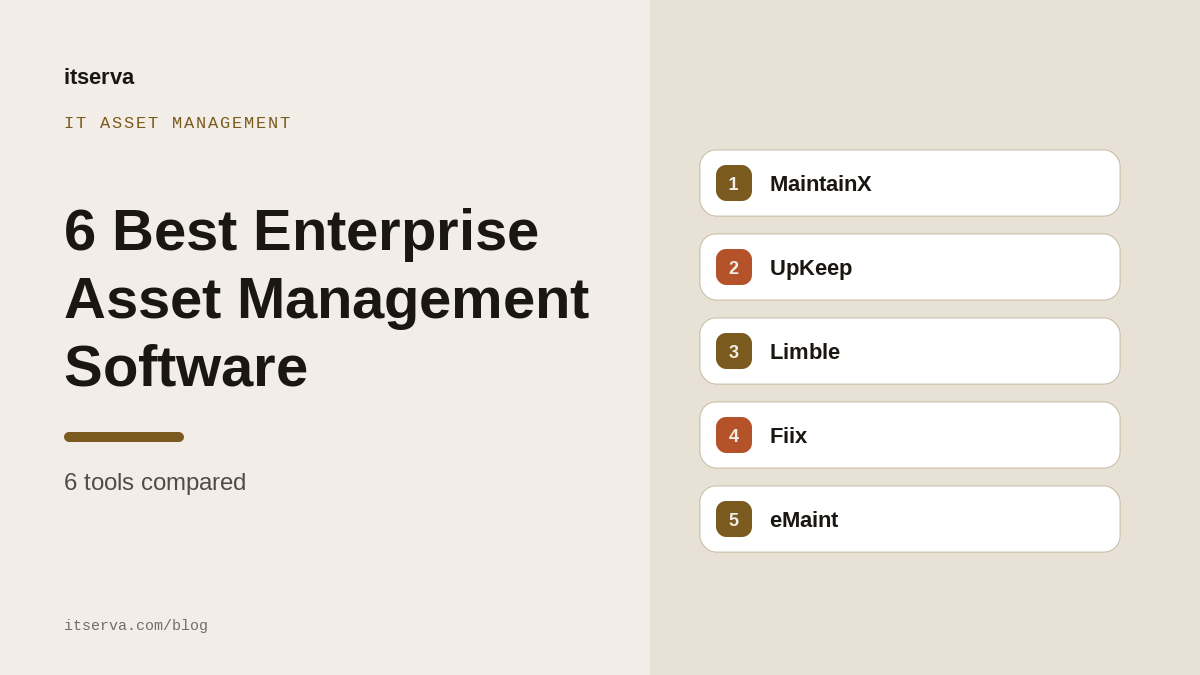
| Tool | Best for | Starting price | Free plan |
|---|---|---|---|
| MaintainX | Best free start for frontline teams | $20/user/month (Essential, billed annually) | Yes (Basic free forever) |
| UpKeep | Best mobile-first maintenance | $24/user/month (Essential) | No (free trial) |
| Limble | Easiest CMMS to learn | Custom pricing | No |
| Fiix | Best modern cloud CMMS for manufacturing | Custom pricing | No (free tour) |
| eMaint | Best configurable maintenance platform | Custom pricing | No |
| Asset Panda | Best asset tracking and audits | Custom pricing | No (free demo) |
The 6 best enterprise asset management tools
#1
MaintainX
- Best for
- Best free start for frontline teams
- Starting price
- $20/user/month (Essential, billed annually)
- Free plan
- Yes (Basic free forever)
MaintainX is a mobile-first maintenance platform built around work orders that read like messages, so frontline workers can follow procedures, attach photos and update jobs from a phone. The Basic plan is free forever and covers unlimited work orders, unlimited procedures and unlimited requester users. Essential costs $20 per user per month billed annually and adds unlimited repeating work orders and longer access to advanced analytics.
The trade-off is depth at the top end. The free Basic plan limits work orders with attached procedures to 2 per month, and the strongest reliability tools, such as meter-based maintenance and parts inventory, sit on Premium at $65 per user per month. MaintainX fits frontline maintenance teams that want a free start and a simple mobile workflow.
What we like
- Free Basic plan with unlimited work orders
- Chat-like work orders technicians adopt fast
- Essential starts at $20 per user per month
- Real-time messaging built in
Watch out for
- Attached procedures capped at 2 per month on Basic
- Parts inventory needs Premium at $65 per user
- Enterprise reliability tools cost extra
#2
UpKeep
- Best for
- Best mobile-first maintenance
- Starting price
- $24/user/month (Essential)
- Free plan
- No (free trial)
UpKeep is an asset operations platform built for technicians who work from a phone, with unlimited work orders and locations on every paid plan. Essential costs $24 per user per month and includes Nova AI, while Premium at $55 per user per month adds preventive maintenance scheduling, parts and inventory management, and time and labor tracking. View-only and requester users do not need a paid license.
The trade-off is that the higher tiers hide their prices. Professional and Enterprise both require a quote, and the deepest tools, such as asset lifecycle tracking, workflow automation and multi-site support, sit on those quoted plans. UpKeep fits mobile-first maintenance teams that want a low starting price and fast technician adoption.
What we like
- Low starting price at $24 per user per month
- Unlimited work orders on every paid plan
- Strong mobile app for technicians
- Free view-only and requester users
Watch out for
- Professional and Enterprise prices need a quote
- Asset lifecycle tracking sits on higher tiers
- Full analytics history needs Professional
#3
Limble
- Best for
- Easiest CMMS to learn
- Starting price
- Custom pricing
- Free plan
- No
Limble is a cloud maintenance platform built for ease of use, with unlimited assets, work orders and preventive maintenance on its Standard plan. Its pricing page lists three tiers, Standard, Premium+ and Enterprise, and invites buyers to calculate a price rather than publishing a dollar rate. Premium+ adds offline mobile mode, spare parts management, vendor and purchase order tools, and an open API.
The trade-off is price transparency and depth. No starting price is published, so budgeting needs a quote, and the most advanced controls, such as custom roles, multi-location reporting and 21 CFR compliance, sit on Enterprise. Limble fits maintenance teams replacing paper or spreadsheets that want software technicians learn quickly.
What we like
- Very easy for technicians to learn
- Unlimited assets and work orders on Standard
- Offline mobile mode on Premium+
- Open API on Premium+
Watch out for
- No published starting price
- Advanced controls need Enterprise
- Smaller integration ecosystem than some rivals
#4
Fiix
- Best for
- Best modern cloud CMMS for manufacturing
- Starting price
- Custom pricing
- Free plan
- No (free tour)
Fiix is a cloud maintenance platform from Rockwell Automation that covers work orders, preventive maintenance scheduling, asset hierarchies and parts management in one place. Plans are subscription-based, with a choice of month-to-month or annual billing, and the Performance tier is priced for each enterprise customer. A free tour lets buyers try the Professional version before talking to sales.
The trade-off is that no starting price is published. Buyers must contact sales for a figure, and the most advanced features, including the Fiix Foresight AI engine, sit above the standard plans. Fiix fits manufacturing and facilities teams that want modern cloud maintenance without the weight of a legacy enterprise platform.
What we like
- Modern cloud interface
- Rockwell Automation backing
- Month-to-month or annual billing
- Free tour of the Professional version
Watch out for
- No published starting price
- Advanced AI features sit above standard plans
- Less depth than legacy enterprise EAM
#5
eMaint
- Best for
- Best configurable maintenance platform
- Starting price
- Custom pricing
- Free plan
- No
eMaint is a configurable maintenance platform from Fluke built for organizations whose workflows do not fit standard templates. Its two tiers, Professional and Enterprise, both cover unlimited assets, unlimited work orders, meter readings, QR and barcode scanning, and downtime tracking. Pricing is customized for each buyer, and both plans are billed as a prepaid annual commitment.
The trade-off is setup effort and the lack of a published price. Deep configuration takes time and expertise, and buyers must ask for a quote before they can compare costs with other tools on this list. eMaint fits regulated or unusual operations that need the software shaped to their process rather than the other way around.
What we like
- Highly configurable workflows and fields
- Unlimited assets and work orders on both tiers
- Strong calibration and downtime tracking
- Fluke backing
Watch out for
- No published starting price
- Configuration takes time and expertise
- Annual prepaid billing only
#6
Asset Panda
- Best for
- Best asset tracking and audits
- Starting price
- Custom pricing
- Free plan
- No (free demo)
Asset Panda is an asset tracking platform for teams that need to know what they own and where it is, covering IT equipment, facilities assets, tools and inventory. Its mobile app supports barcode scanning and audit workflows, and custom fields and actions adapt the system to almost any asset type without coding. Pricing is by quote, and the pricing page invites buyers to request one.
The trade-off is maintenance depth. Work orders and preventive maintenance exist but lack the depth of true maintenance platforms, so it suits tracking first and upkeep second. Asset Panda fits schools, IT teams and facilities groups that need fast audits and a clear record of every asset.
What we like
- Flexible tracking for almost any asset type
- Mobile barcode scanning and audits
- Custom fields without coding
- Free demo available
Watch out for
- Maintenance tools are lighter than a CMMS
- No published starting price
- Not a full enterprise EAM platform
How we chose
We compared enterprise asset management and maintenance tools that cover asset registers, work orders and preventive maintenance, ranked by fit for different teams. We weighted a usable free or low-cost starting plan first, then mobile access for technicians, then depth of maintenance features. Prices come from vendor pricing pages checked in November 2026, and tools without a published price are listed as custom pricing. No vendor paid for placement, and we did not run hands-on tests; we compare published information.
Why four tools here show no price
Four of the six tools on this list publish no starting price, and that is normal for enterprise maintenance software. Vendors price by user count, sites, asset volume and implementation work, so a single headline figure would mislead more than it helps.
Treat a quote as part of the trial. Ask for the price of a realistic team size, the cost of adding a second site, and whether implementation and training are included. A low license fee with paid onboarding can cost more in year one than a higher-priced plan that includes setup.
How to choose
Start with the problem you are solving. If the main pain is knowing what you own and where it is, shortlist Asset Panda first. If the pain is keeping equipment running, start with MaintainX, UpKeep or Limble and compare their work order and preventive maintenance tools.
Next, price a realistic month. Count every technician who needs a paid license, check whether requesters and viewers are free, and add the cost of a second site if you run more than one. For the four quote-based tools, get the quote in writing before you compare totals.
Finally, trial the shortlist with real technicians. Give them a week of actual work orders, check whether they update jobs from their phones, and confirm that reports show completed work, costs and overdue preventive tasks clearly.