
What should bank reconciliation software cover?
Bank reconciliation is the monthly check that the transactions in your books match the transactions at your bank. A good tool imports bank and card activity, suggests matches against ledger entries, and leaves a clear trail for anything that does not match.
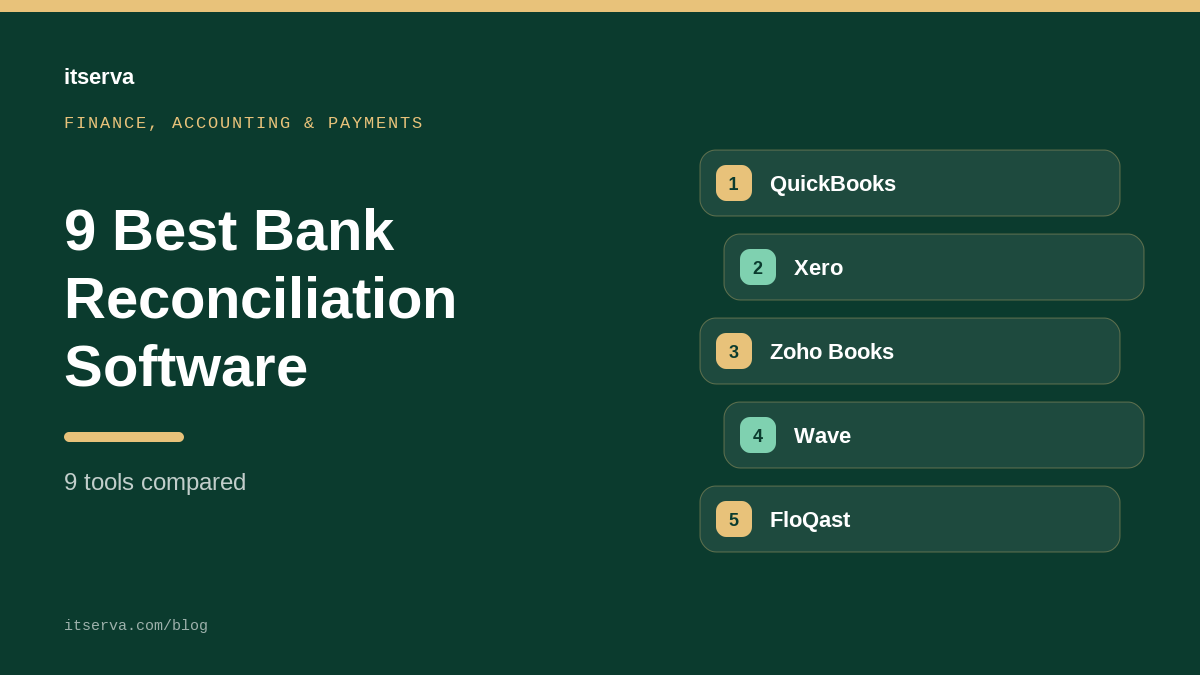
For most small businesses, that work already happens inside accounting software such as QuickBooks, Xero, Zoho Books or Wave. A separate reconciliation platform becomes useful around 5 to 10 bank accounts, or when several entities share one close and spreadsheets can no longer keep up.
Quick comparison
| Tool | Best for | Starting price | Free plan |
|---|---|---|---|
| QuickBooks | Best all-round bank reconciliation for small business | $38/month (Simple Start) | No (free trial) |
| Xero | For small teams that want unlimited users | $27/month (Early) | No (30-day trial) |
| Zoho Books | Free plan with bank reconciliation | $20/month (Standard) | Yes (1 user, under $50K revenue) |
| Wave | Simplest free accounting for freelancers | $20/month (Pro) | Yes (invoicing, accounting, receipts) |
| FloQast | Month-end close management for teams | Custom/year (quote-based) | No |
| BlackLine | Enterprise financial close and reconciliation | Custom/year (quote-based) | No |
| AutoRek | High-volume transaction matching | Custom/year (quote-based) | No |
| ReconArt | Flexible reconciliation for corporate teams | Custom/year (quote-based) | No |
| Sage Intacct | Mid-market ERP with strong reconciliation | Custom/year (quote-based) | No |
The 9 best bank reconciliation software tools
#1
QuickBooks
4/5 on G2 (3,880 reviews, checked Nov 2026)
- Best for
- Best all-round bank reconciliation for small business
- Starting price
- $38/month (Simple Start)
- Free plan
- No (free trial)
QuickBooks is the default accounting choice for many US small businesses, and reconciliation is central to its appeal. Daily bank feeds stream in from thousands of institutions, the software suggests matches against your books, learns categorization rules, and flags transactions it cannot match for review.
The trade-off is the rising cost of higher tiers. Plus now costs $140 a month and Advanced costs $340 a month, while payroll and payments are separate add-ons, and Simple Start covers only 1 user. QuickBooks fits one-to-three-person businesses that want the largest accountant network behind them.
What we like
- Bank feeds from thousands of institutions
- Auto-matching and bank rules
- Largest US accountant ecosystem
- Your accountant almost certainly knows it
Watch out for
- Pricey upper tiers, Plus $140 and Advanced $340
- Per-seat costs grow with team
- Add-ons push the total up
#2
Xero
4.4/5 on G2 (1,832 reviews, checked Nov 2026)
- Best for
- For small teams that want unlimited users
- Starting price
- $27/month (Early)
- Free plan
- No (30-day trial)
Xero is a small-business accounting platform with a fast reconciliation workflow built around daily bank feeds. One-click matching clears batches quickly, cash coding handles bulk transactions, and bank rules improve over time, while every plan allows unlimited users. Early costs $27 a month.
The trade-off is the Early plan cap. It limits you to 20 invoices and 5 bills a month, so growing businesses move to Growing at $59 a month, and US payroll needs Gusto. Xero fits teams of two to fifty people who want clean bank reconciliation with unlimited users.
What we like
- Unlimited users on every plan
- Excellent bank feed matching
- One-click matching clears batches fast
- 30-day free trial
Watch out for
- Early caps invoices and bills
- US payroll needs Gusto
- No phone support
#3
Zoho Books
4.4/5 on G2 (329 reviews, checked Nov 2026)
- Best for
- Free plan with bank reconciliation
- Starting price
- $20/month (Standard)
- Free plan
- Yes (1 user, under $50K revenue)
Zoho Books is one of the most functional free accounting plans available, with bank reconciliation included at no cost. The free plan covers one user plus an accountant and up to 1,000 invoices a year, for businesses under $50,000 in annual revenue. The first paid tier, Standard, costs $20 a month.
The trade-off is the free plan's bank feeds. Without automated feeds you import statements manually, and Standard is needed for automatic bank and credit card feeds. That manual step adds time each month as transaction volume grows. Zoho Books fits freelancers and micro-businesses that want real reconciliation at $0.
What we like
- Genuine free plan including bank reconciliation
- Per-organization pricing, not per seat
- Strong international tax support
- Standard still undercuts QuickBooks by nearly half
Watch out for
- Automated bank feeds need the paid Standard plan
- Payroll not included
- Smaller US accountant network
#4
Wave
4.3/5 on G2 (328 reviews, checked Nov 2026)
- Best for
- Simplest free accounting for freelancers
- Starting price
- $20/month (Pro)
- Free plan
- Yes (invoicing, accounting, receipts)
Wave is the no-budget option that still reconciles. The free plan covers invoicing, accounting, receipt scanning and manual bank statement imports, which is enough for a freelancer to stay reconciled. Wave Pro at $20 a month adds automatic bank connections and receipt auto-import.
The trade-off is depth. There is no inventory, reporting is limited and multi-currency support is thin, and support is email-first. That gap matters once you need stock tracking or deeper analysis. Wave fits a business that is you plus a laptop, starting here and upgrading when the limits pinch.
What we like
- Free invoicing, accounting and receipts
- Easy for non-accountants
- Honest double-entry bookkeeping
- Paid Pro plan adds bank connections
Watch out for
- No inventory management
- Limited reporting
- Support is email-first
#5
FloQast
4.6/5 on G2 (1,417 reviews, checked Nov 2026)
- Best for
- Month-end close management for teams
- Starting price
- Custom/year (quote-based)
- Free plan
- No
FloQast is not accounting software; it is the layer that manages the close. It connects to your ERP, organizes every reconciliation and close task into checklists with owners and deadlines, and applies AI-assisted matching to clear routine reconciliations automatically. It also gives finance leaders clear status for every account throughout the close.
The trade-off is scope and price. Pricing is quote-based and aimed squarely at accounting departments, typically mid-market and up, and implementation takes planning. Expect a planned rollout before the first close runs smoothly. FloQast fits teams where the close involves multiple preparers, reviewers and entities.
What we like
- Purpose-built close checklist and task management
- Integrates with major ERPs
- AI-assisted reconciliation matching
- Real-time visibility into close status
Watch out for
- Quote-based pricing
- Aimed at teams, not solo bookkeepers
- Implementation takes planning
#6
BlackLine
4.5/5 on G2 (1,070 reviews, checked Nov 2026)
- Best for
- Enterprise financial close and reconciliation
- Starting price
- Custom/year (quote-based)
- Free plan
- No
BlackLine is the enterprise standard for the financial close. Its account reconciliation module automates balance-sheet reconciliations across entities, its transaction matching engine clears millions of transactions, and the platform is built for audit scrutiny with segregation of duties and full trails.
The trade-off is the enterprise buying motion. Pricing is quote-based with a sales-led process, and implementation is measured in months rather than days. Staff training adds further time before the platform goes live. BlackLine fits public companies and large multi-entity organizations that run their closes on it.
What we like
- Market-leading close automation
- Transaction matching at scale
- Strong audit and compliance controls
- Auto-certification of clean accounts
Watch out for
- Enterprise pricing and sales cycle
- Overkill below mid-market
- Implementation is a project
#7
AutoRek
4/5 on G2 (1 reviews, checked Nov 2026)
- Best for
- High-volume transaction matching
- Starting price
- Custom/year (quote-based)
- Free plan
- No
AutoRek is built for the hardest reconciliation problem: enormous transaction volumes. Banks, insurers, payment processors and asset managers use it to match millions of records across systems with configurable rules, exception workflows and full auditability. Its rules engine handles complex matching logic without manual spreadsheets.
The trade-off is focus. If your reconciliation pain is volume, this is purpose-built for it; if your pain is a monthly close across entities, FloQast or BlackLine fit better. General accounting teams will find its scope narrower than a full platform. AutoRek fits financial-services teams where scale is the binding constraint.
What we like
- Built for millions of transactions
- Strong in financial services and insurance
- Configurable matching rules
- Full auditability on every match
Watch out for
- Quote-based pricing
- Financial-services focus narrows fit
- Not a general accounting tool
#8
ReconArt
3.6/5 on G2 (5 reviews, checked Nov 2026)
- Best for
- Flexible reconciliation for corporate teams
- Starting price
- Custom/year (quote-based)
- Free plan
- No
ReconArt is a dedicated reconciliation tool that sits between the accounting platforms and the enterprise giants. It ingests data from any source, applies no-code matching rules, and manages exceptions with workflow. Corporate finance teams use it for bank, credit card, intercompany and balance-sheet reconciliations.
The trade-off is that it needs clean source data to shine, and pricing is quote-based like the rest of this tier. It also has only 5 reviews on G2, a far smaller base than its rivals. ReconArt fits mid-market teams outgrowing spreadsheet reconciliation but not ready for BlackLine.
What we like
- Handles any data source and format
- No-code matching rules
- Good mid-market fit
- Every reconciliation type in one platform
Watch out for
- Quote-based pricing
- Smaller vendor than BlackLine
- Needs clean source data to shine
- Only 5 reviews on G2
#9
Sage Intacct
4.3/5 on G2 (4,521 reviews, checked Nov 2026)
- Best for
- Mid-market ERP with strong reconciliation
- Starting price
- Custom/year (quote-based)
- Free plan
- No
Sage Intacct is a cloud financial management system for mid-market companies, and bank reconciliation comes as part of the package. Automated feeds and matching rules sit inside true multi-entity, multi-currency accounting, and consolidation rolls reconciled balances into group reporting. Reporting stays consistent for each entity in the group.
The trade-off is commitment. Pricing is quote-based, implementation is measured in weeks to months, and it needs a finance team to run it. Finance staff should also budget time for configuration and training. Sage Intacct fits companies graduating from QuickBooks or Xero because entities and currencies outgrew them.
What we like
- True multi-entity, multi-currency accounting
- Automated bank reconciliation inside the ERP
- Deep financial reporting
- Consolidation rolls reconciled balances up
Watch out for
- Quote-based pricing
- Implementation project
- More ERP than most small businesses need
How we chose
We compared accounting platforms with built-in reconciliation and dedicated close-management tools, ranked by overall fit for each buyer. We weighted matching quality and bank-feed reliability first, then price and free-plan value, then team and multi-entity fit. We also checked free-plan limits, trial length and user counts where the vendor publishes them. Prices come from vendor pricing pages, checked in November 2026, and ratings come from G2 with review counts. No vendor paid for placement, and we did not run hands-on tests; we compare published information.
How to read quote-based reconciliation pricing
Five of the nine tools here publish no starting price, so a headline comparison stops at the small-business tools. Quote-based vendors price by transaction volume, entity count and implementation scope, which is why two buyers can receive very different figures for the same product.
Before a sales call, count your monthly transactions, bank accounts and entities, and ask what implementation, training and support cost in the first year. A $27 monthly plan costs $324 in a year, while a quote-based platform can run into five figures once those extras are added.
How to choose
Start with your transaction volume and entity count, then check the price. One entity with two accounts is accounting software territory, while 5 to 10 accounts or several entities is where dedicated platforms earn their keep.
Next, test your actual bank feed during a free trial. Connect your real bank and watch for dropped or duplicated transactions, then check how the tool handles the messy exceptions: duplicates, split payments and unidentified deposits.
Finally, add up the real first-year cost. Include the subscription, any implementation fee and add-ons such as payroll or payments, and confirm whether automatic bank feeds are included on the plan you would actually buy.