
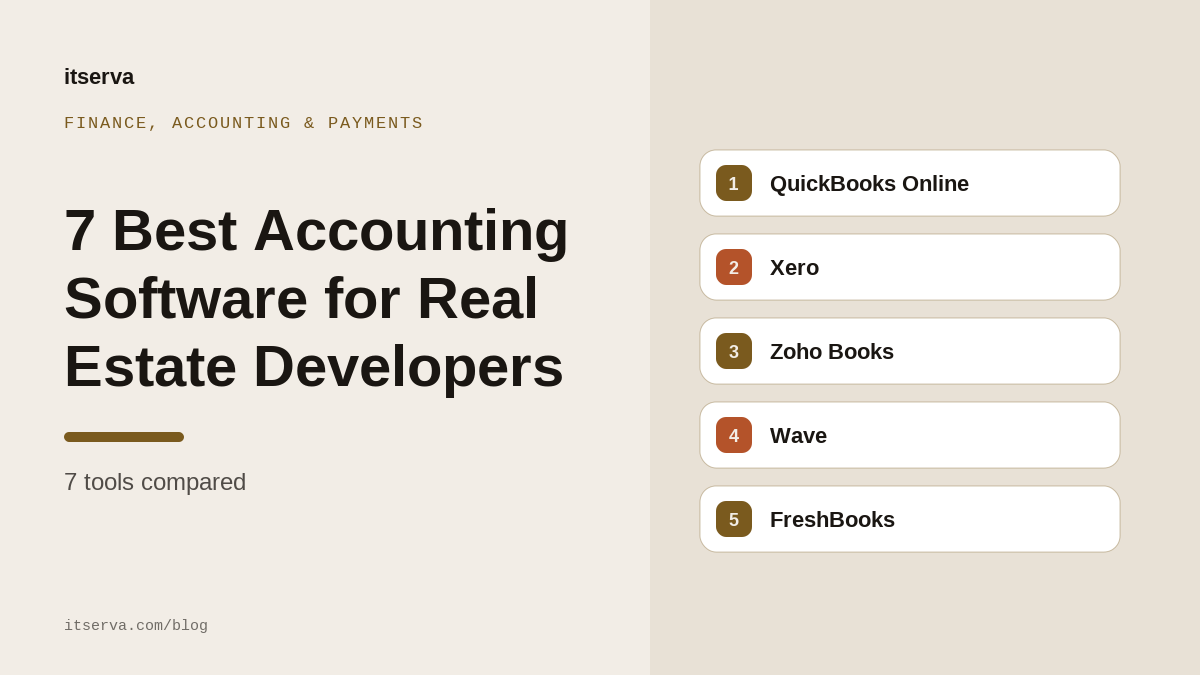
What do real estate developers need from accounting software?
Development rarely runs on one flat profit-and-loss sheet. A developer juggles land acquisition, permits, construction draws, subcontractor bills and a separate legal entity or joint venture for each parcel.
Project or job costing matters most, so you can see whether a specific build stays on budget or loses margin to change orders. Class or location tags help separate individual developments, buildings or LLCs without rebuilding the chart of accounts.
Cash timing is tight during construction and lease-up. Clean accounts payable controls, recurring billing, bank reconciliation and exportable reports keep lenders, partners and bookkeepers aligned, so check whether project profitability sits on the base tier or a higher plan before committing.
Quick comparison
| Tool | Best for | Starting price | Free plan |
|---|---|---|---|
| QuickBooks Online | Best overall for job costing and accountant access | $38/month (Simple Start) | No free plan |
| Xero | Best for clean bank reconciliation and growing teams | $27/month (Early) | No free plan |
| Zoho Books | Best budget pick for annual billing | $15/month (Standard, annual billing) | Yes ($0 free tier) |
| Wave | Best for free core bookkeeping on small projects | $19/month (Pro) | Yes ($0 Starter plan) |
| FreshBooks | Best for simple client billing and expense tracking | $23/month (Lite) | No (30-day trial) |
| Buildium | Best for developers transitioning into property management | $65/month (Essential) | No (free trial) |
| NetSuite | Best for multi-entity mid-market and enterprise developers | From ~$999/month (base, plus seats) | No free plan |
The 7 best accounting software for real estate developers
#1
QuickBooks Online
4.3/5 on Capterra (8,555 reviews, checked Nov 2026)
- Best for
- Best overall for job costing and accountant access
- Starting price
- $38/month (Simple Start)
- Free plan
- No free plan
QuickBooks Online is cloud accounting software used across small and mid-sized businesses, with Simple Start priced at $38 per month in the US for 1 user plus accountant access. Bank feeds, expense tracking, invoicing and core financial reports come standard, while Essentials costs $85 per month for 3 users and Plus costs $140 per month for 5 users.
The trade-off is that project tracking and class or location tags are not on the $38 per month Simple Start plan, so they require Plus at $140 per month, or $1,680 per year at list price. QuickBooks Online fits developers who want wide accountant familiarity and structured project profitability tracking.
What we like
- Wide familiarity among bookkeepers and CPAs
- Automated bank feeds and standard financial reports
- Project profitability and class tracking on Plus
- Up to 25 users on the Advanced tier
Watch out for
- Simple Start is limited to 1 user and lacks project tracking
- Higher tiers add noticeable monthly cost at list price
- Customer support gets mixed marks in user reviews
#2
Xero
4.4/5 on Capterra (3,341 reviews, checked Nov 2026)
- Best for
- Best for clean bank reconciliation and growing teams
- Starting price
- $27/month (Early)
- Free plan
- No free plan
Xero is online accounting software built around bank feeds, invoicing and bill tracking, with the US Early plan priced at $27 per month. It covers quotes, basic cash flow views and entry-level bookkeeping, before Growing at $55 per month and Established at $90 per month.
The trade-off is that the $27 per month Early plan caps you at 20 invoices and 5 bills, while project tracking sits on the $90 per month Established plan. Xero fits lean development teams that want clean reconciliation and plan to step up tiers as volume grows.
What we like
- Straightforward bank reconciliation and cash flow views
- Lower entry price than QuickBooks Online in the US
- Projects and expense claims available on Established
- Large third-party integration directory
Watch out for
- Early plan caps monthly invoices at 20 and bills at 5
- Projects require stepping up to the $90 per month Established plan
- Payroll is a separate add-on in the US
#3
Zoho Books
4.4/5 on Capterra (684 reviews, checked Nov 2026)
- Best for
- Best budget pick for annual billing
- Starting price
- $15/month (Standard, annual billing)
- Free plan
- Yes ($0 free tier)
Zoho Books is cloud accounting software for small businesses, with a $0 free tier for micro businesses and Standard at $15 per month billed annually, or $20 per month on monthly billing, in the US. Core features cover invoicing, expenses, bank reconciliation and standard financial reports.
The trade-off is that project tracking requires the Professional plan at $40 per month billed annually, or $50 per month monthly, and extra users or scans add fees. Zoho Books fits cost-conscious operators who already use or plan to use Zoho apps.
What we like
- Low entry pricing at $15 per month billed annually on Standard
- Free plan available for very small starting setups
- Tight integration with wider Zoho business apps
- Clear tiered progression up to Ultimate
Watch out for
- Project tracking is not included on the cheapest paid plan
- Additional users and add-ons increase monthly spend
- Ecosystem outside Zoho feels narrower than larger rivals
#4
Wave
4.4/5 on Capterra (1,732 reviews, checked Nov 2026)
- Best for
- Best for free core bookkeeping on small projects
- Starting price
- $19/month (Pro)
- Free plan
- Yes ($0 Starter plan)
Wave is small-business accounting software with a $0 Starter plan covering unlimited estimates, invoices, bills and basic bookkeeping records. Its US Pro plan is $19 per month, or $190 per year billed annually, with a promotional discount on initial months.
The trade-off is that Wave lacks dedicated construction job costing or multi-entity project accounting, and payment processing carries transaction fees on every collection. Wave fits solo developers or small holding entities needing basic income and expense records without complex reporting needs.
What we like
- $0 Starter tier covers basic invoicing and bill tracking
- Pro plan is inexpensive at $19 per month or $190 per year in the US
- Automated bank transaction import and categorization on Pro
- Simple interface for basic bookkeeping tasks
Watch out for
- No specialized real estate development or job-costing suite
- Card and payment processing fees apply on collections
- Limited customization for complex entity structures
#5
FreshBooks
4.5/5 on G2 (982 reviews, checked Nov 2026)
- Best for
- Best for simple client billing and expense tracking
- Starting price
- $23/month (Lite)
- Free plan
- No (30-day trial)
FreshBooks is cloud accounting software focused on invoicing, expense tracking, time tracking and basic reporting, with Lite at $23 per month in the US and a 10 percent discount on annual billing. It also offers a 30-day free trial and steps up through Plus and Premium tiers.
The trade-off is that Lite caps billable clients at 5 and is built more around service billing than multi-phase real estate development or inventory. FreshBooks fits small development consultants or boutique firms with straightforward billing needs and a small client roster.
What we like
- Clean interface with fast invoicing and expense capture
- 30-day trial and 10 percent annual billing discount
- Strong mobile app for receipts and on-the-go tracking
- Project profitability tools available on higher tiers
Watch out for
- Lite plan restricts billable clients to 5
- Extra team seats add per-user monthly charges
- Not tailored for heavy construction or development accounting
#6
Buildium
4.5/5 on Capterra (2,236 reviews, checked Nov 2026)
- Best for
- Best for developers transitioning into property management
- Starting price
- $65/month (Essential)
- Free plan
- No (free trial)
Buildium is property management and accounting software designed for residential and association portfolios, starting at $65 per month on the Essential plan. It combines property-level accounting with leasing, maintenance and online payment workflows in one system for owners and managers.
The trade-off is that pricing scales with unit count and add-on fees apply for screenings, payments and setup, so costs rise as a portfolio grows. Buildium fits developers who hold completed rentals and want property accounting paired with property operations.
What we like
- Purpose-built property accounting alongside leasing tools
- Strong user rating across more than 2,200 Capterra reviews
- Growth and Premium plans include more business bank accounts
- Free trial available to test workflows
Watch out for
- Monthly cost rises as unit count grows across tiers
- Transaction and screening add-ons carry separate fees
- Focused on property management rather than ground-up construction
#7
NetSuite
4.2/5 on Capterra (2,086 reviews, checked Nov 2026)
- Best for
- Best for multi-entity mid-market and enterprise developers
- Starting price
- From ~$999/month (base, plus seats)
- Free plan
- No free plan
NetSuite is a cloud ERP platform that unifies general ledger accounting, multi-entity consolidation, purchasing and reporting, with base platform estimates starting around $999 per month before user seats. It handles complex subsidiary structures and custom financial workflows at scale for growing finance teams.
The trade-off is high total cost once per-user licenses, modules and implementation services are added on top of the base platform fee, which pushes the annual total well above the headline starting price. NetSuite fits larger developers with multiple entities, complex reporting needs and dedicated implementation resources.
What we like
- Built for multi-entity and multi-subsidiary accounting
- Deep custom reporting, workflows and saved searches
- Scales across finance, procurement and operations
- Strong fit for complex mid-market and enterprise teams
Watch out for
- High base cost plus per-seat and module fees
- Implementation takes longer and often needs partner help
- Steeper learning curve than small-business accounting apps
How we chose
We compared established cloud accounting and real estate software with broad public review coverage and active US pricing, ranked by fit for developers tracking projects, entities and construction costs. We weighted project or job costing first, then multi-entity support, then total annual cost for a small team. Prices and ratings come from vendor pricing pages and public review directories, checked in November 2026. No vendor paid for placement, and we did not run hands-on tests; we compare published information for this guide.
Development job costing vs. ongoing property management
Ground-up development and post-completion property management have different accounting priorities. During construction, you track land costs, soft costs, contractor draw requests and project budgets.
Once buildings lease or sell, recurring rent or HOA billing, tenant ledgers and unit-level operating expenses take over. Choose software that matches your primary stage, or plan to pair dedicated construction or property tools with your general ledger.
How to choose
Start with your entity and project structure. List how many LLCs, joint ventures or developments you track, so you know whether classes, project tags or full multi-entity ERP is required.
Next, check where project and budget tracking sit. Confirm whether job or project tracking is included on the entry tier or locked behind a higher monthly plan, then calculate the real annual cost, including active team users, add-ons, payment processing fees and any post-promotional price resets.
Finally, verify export and accountant workflows. Make sure your bookkeeper or CPA can easily review ledgers, reconcile bank accounts and pull clean project or entity reports before you commit.