
What do convenience stores need from accounting software?
A convenience store takes many small cash, card, fuel and lottery payments every day, alongside frequent vendor deliveries. Most owners run a dedicated point-of-sale system for barcodes and shift drawers, then record daily summary totals in cloud accounting software.
Inventory and cost of goods sold matter because shelf turnover and vendor price changes move margins fast. Entry plans often leave out detailed stock tracking or cap bills and users, so check whether inventory, purchase orders or POS links need a mid-tier plan, and whether payroll is included or billed separately.
Quick comparison
| Tool | Best for | Starting price | Free plan |
|---|---|---|---|
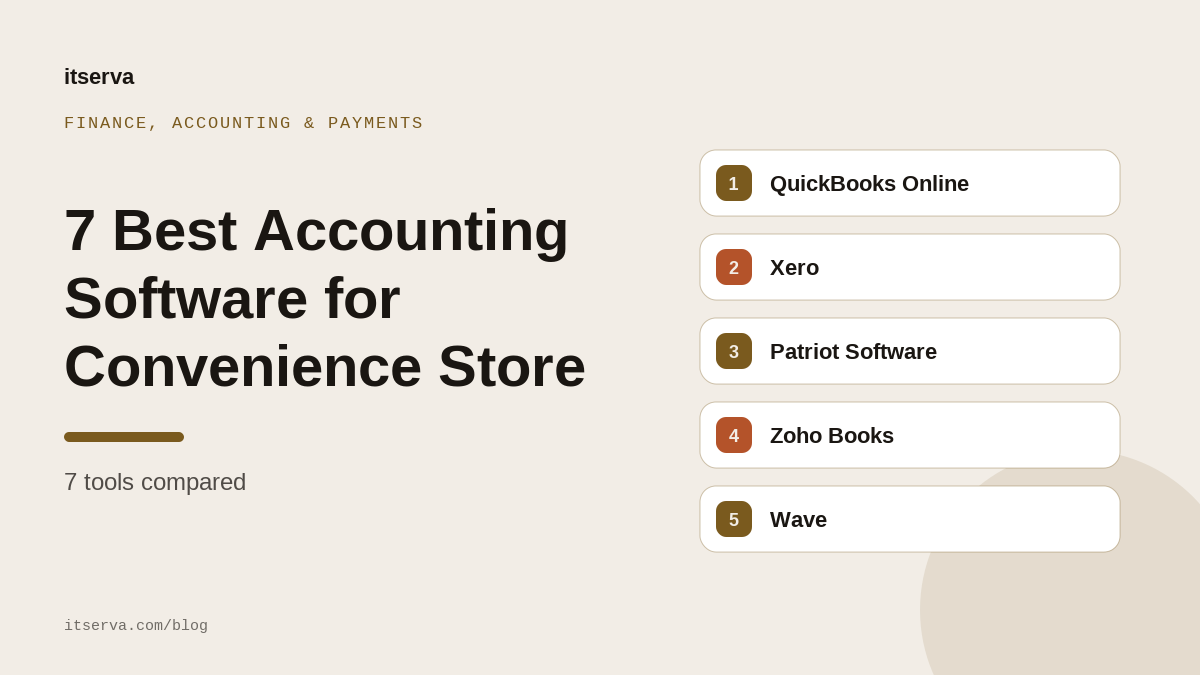
| QuickBooks Online | Best overall for store bookkeeping and add-ons | $38/month (Simple Start) | No (30-day trial) |
| Xero | Best for clean bank reconciliation and reporting | $27/month (Early) | No (trial available) |
| Patriot Software | Best low-cost pairing with payroll for staff | $20/month (Accounting Basic) | No (30-day trial) |
| Zoho Books | Best free starter option for small turnover | $20/month (paid plans from) | Yes ($0, 1 user + accountant) |
| Wave | Best zero-cost start for basic bookkeeping | $19/month (Pro) | Yes ($0 Starter) |
| FreshBooks | Best simple interface for expense and bill capture | $23/month (Lite, regular) | No (30-day trial) |
| Sage 50 | Best hybrid desktop-cloud option for stock control | $124.42/month (Pro) | No (trial availability varies) |
The 7 best accounting software for convenience store
#1
QuickBooks Online
4.3/5 on Capterra (8,555 reviews, checked Nov 2026)
- Best for
- Best overall for store bookkeeping and add-ons
- Starting price
- $38/month (Simple Start)
- Free plan
- No (30-day trial)
QuickBooks Online is a cloud accounting platform widely used by small retailers, and its US Simple Start plan costs $38 per month for one user plus accountant access. It covers bank feeds, expense categorisation, receipt capture, sales tax tracking, and basic profit and loss reports for a store. Higher tiers add multi-user access, inventory tracking, and wider add-on choices for payroll and payments.
The trade-off is that inventory sits on higher plans, so a store that needs stock control pays more than the $38 entry rate. Payroll and payment processing are add-ons, and short-term promos can hide the regular monthly cost. QuickBooks Online fits convenience store owners who want wide POS and bookkeeper compatibility.
What we like
- Wide integration support with retail POS systems and tax software
- Clear progression from Simple Start to multi-user and inventory tiers
- Sales tax tracking, receipt capture and 1099 contractor records
- Large review base on Capterra
Watch out for
- Simple Start is limited to one user plus accountant access
- Monthly costs climb when adding payroll, extra users or inventory tiers
- Reviews flag occasional auto-categorisation cleanup and support friction
#2
Xero
4.4/5 on G2 (1,863 reviews, checked Nov 2026)
- Best for
- Best for clean bank reconciliation and reporting
- Starting price
- $27/month (Early)
- Free plan
- No (trial available)
Xero is a cloud accounting platform serving 5.1 million customers worldwide, with its US Early plan starting at $27 per month. Early includes bank reconciliation, quotes, up to 20 invoices and up to 5 bills per month, sales tax tools, and real-time reports. It also includes purchase orders and inventory features across its plans, which helps a store track vendor orders.
The trade-off is that the Early caps push a busy store toward higher tiers at $59 per month or more, depending on plan updates and add-ons. Payroll and some features also need add-ons or a higher tier, and some reviewers note mixed support response times. Xero fits store operators who want straightforward bank reconciliation and clean financial dashboards.
What we like
- Straightforward bank reconciliation and financial reporting
- Purchase orders and inventory features across plans
- Strong adoption among bookkeepers and cloud app ecosystems
Watch out for
- Early plan restricts monthly bill and invoice counts
- Payroll and some features need add-ons or higher tiers
- Some reviewers note mixed customer support response times
#3
Patriot Software
4.8/5 on G2 (630 reviews, checked Nov 2026)
- Best for
- Best low-cost pairing with payroll for staff
- Starting price
- $20/month (Accounting Basic)
- Free plan
- No (30-day trial)
Patriot Software is a small business accounting and payroll provider, with Accounting Basic priced at $20 per month and unlimited users at no extra per-user fee. It supports cash or accrual accounting, income and expense tracking, and tight integration with Patriot payroll for hourly and salaried staff. Payroll starts from $17 per month plus $4 per worker, which keeps staff costs visible.
The trade-off is that Patriot focuses on core accounting and payroll rather than deep retail stock control or heavy third-party POS integrations. Accounting Premium at $30 per month is needed for extra invoicing and add-ons, so growing stores should check that step. Patriot Software fits convenience stores with hourly cashiers that want low-cost payroll alongside simple books.
What we like
- Flat $20 per month entry accounting price with unlimited users
- Smooth integration with Patriot payroll for hourly and salaried staff
- High user satisfaction for straightforward setup and support
Watch out for
- Lacks built-in retail inventory management for shelf stock
- Fewer native integrations than larger accounting suites
- Accounting Premium at $30 per month is needed for extra invoicing and add-ons
#4
Zoho Books
4.4/5 on G2 (332 reviews, checked Nov 2026)
- Best for
- Best free starter option for small turnover
- Starting price
- $20/month (paid plans from)
- Free plan
- Yes ($0, 1 user + accountant)
Zoho Books is a double-entry cloud accounting platform with a $0 free plan for eligible small businesses, covering one user plus an accountant. Paid tiers start at $20 per month and add extra seats, automated workflows, bank reconciliation, and item tracking with reorder alerts on higher tiers. It handles expense tracking, bank feeds, and recurring transactions in one ledger.
The trade-off is that the free plan limits users and caps annual invoice volume, while advanced inventory and marketplace integrations sit on higher tiers. External POS connections outside Zoho can also need extra setup, and some reviewers report slower support in busy periods. Zoho Books fits smaller convenience stores or startups watching monthly overhead while keeping double-entry records.
What we like
- Free plan available for a single-user setup plus an accountant
- Competitive entry pricing starting at $20 per month
- Automated workflows, bank reconciliation and item tracking
Watch out for
- Free plan limits users and caps annual invoice volume
- External POS connections outside Zoho can need extra setup
- Some reviewers report slower support responses during busy periods
#5
Wave
4.3/5 on G2 (328 reviews, checked Nov 2026)
- Best for
- Best zero-cost start for basic bookkeeping
- Starting price
- $19/month (Pro)
- Free plan
- Yes ($0 Starter)
Wave is a cloud accounting and invoicing tool with a $0 Starter plan for basic invoices, bills, and financial reports. Its Pro plan costs $19 per month or $190 per year and adds automated bank transaction imports, receipt scanning, and accountant access per business. The interface stays simple, with minimal accounting jargon for a single-owner shop.
The trade-off is that automated bank feeds and accountant access require the $19 per month Pro plan, and Wave has no built-in inventory tracking. Payment processing and payroll add-ons carry extra fees and rules, so a store with shelf stock needs another system for counts. Wave fits micro-stores or single-owner shops logging daily POS totals manually without complex stock tracking.
What we like
- Free Starter plan covers basic bookkeeping and financial statements
- Low $19 per month Pro plan for automated bank imports
- Simple interface with minimal accounting jargon
Watch out for
- No inventory management or retail stock tracking built in
- Bank feeds and accountant access sit on the paid Pro tier
- Payment processing and payroll add-ons carry extra fees and rules
#6
FreshBooks
4.5/5 on G2 (983 reviews, checked Nov 2026)
- Best for
- Best simple interface for expense and bill capture
- Starting price
- $23/month (Lite, regular)
- Free plan
- No (30-day trial)
FreshBooks is a user-friendly cloud accounting platform, with its US Lite plan at a $23 per month regular price for up to 5 billable clients. It handles expense tracking, receipt capture, invoicing, estimates, payment acceptance, and basic financial reports through a clean interface and mobile app. Promotional discounts sometimes apply to the first months, so the regular rate is the safer comparison.
The trade-off is that FreshBooks is built mainly around service billing rather than retail stock or high-volume store inventory. Additional users cost extra on top of the base subscription, and accountant access with deeper accounting features sits on higher plans. FreshBooks fits convenience store owners who want easy expense logging and clean reports alongside a separate POS.
What we like
- Clean, approachable interface and mobile app for expense tracking
- Straightforward invoicing, estimates and payment acceptance tools
- High overall usability rating among small business reviewers
Watch out for
- Designed for service businesses rather than retail inventory
- Additional users cost extra on top of the base subscription
- Accountant access and deeper accounting features sit on higher plans
#7
Sage 50
3.7/5 on Capterra (547 reviews, checked Nov 2026)
- Best for
- Best hybrid desktop-cloud option for stock control
- Starting price
- $124.42/month (Pro)
- Free plan
- No (trial availability varies)
Sage 50 is a desktop-rooted accounting platform with cloud-connected features, listed from $124.42 per month for Pro Accounting on Capterra. It provides inventory tracking, vendor bill management, audit trails, job costing, and detailed financial reporting for an established shop. Premium and Quantum tiers add more users and expanded controls for larger operations.
The trade-off is a higher starting cost at $124.42 per month and a more traditional desktop workflow than browser-first tools. It also has a steeper learning curve and a less modern web interface, while multi-user or higher tiers raise the total cost further. Sage 50 fits established convenience stores or multi-register operators that want desktop-grade inventory and audit controls.
What we like
- Built-in inventory tracking and structured vendor bill management
- Detailed reporting and audit trails favoured by traditional accountants
- Handles multi-step financial records reliably for established shops
Watch out for
- Higher monthly starting price than entry cloud subscriptions
- Steeper learning curve and less modern web interface than newer tools
- Multi-user or higher tiers increase total cost
How we chose
We compared seven accounting platforms used by small retail businesses, ranked by fit for convenience store bookkeeping. We weighted POS and inventory fit first, then starting price, free-plan value, and payroll options for shift staff. Prices and ratings come from vendor pricing pages and review directories, checked in November 2026, with list rates rather than short-term promos. Ratings come from G2 and Capterra with review counts shown for each tool. No vendor paid for placement, and we did not run hands-on tests; we compare published information.
How to sync POS sales into your books
Most store POS systems track item barcodes, fuel pumps, lottery tickets and shift cash counts at the register. Recording every single sale inside accounting software creates clutter and slows reconciliation.
Store owners usually summarise daily POS Z-reports or batch settlements into gross sales, sales tax collected, payment processing fees, and cash or card deposits. Confirm how your POS exports daily summaries before you choose, since a clean export saves hours every week.
How to choose
Start with your POS export. Confirm whether your register system exports clean daily sales, tax and tender summaries that match your bank deposits, because a messy export creates weekly reconciliation work.
Next, decide how much inventory depth you need. If your POS already tracks stock counts, your accounting tool may only need cost of goods sold and expense accounts; if not, check which tier adds inventory, purchase orders and reorder alerts.
Finally, count payroll and user seats before you commit. Add store managers, bookkeepers and cashiers who need access or payroll runs, then ask your bookkeeper which ledger exports and tax reports they prefer before you migrate historical balances.