
Why does flipping need different accounting than renting?
Each flip behaves like a short project with heavy upfront spending, contractor draws, holding costs and closing adjustments. Material receipts, labor bills and loan interest all need to land against one property so the true profit is visible before the sale closes.
Investor-focused tools organize transactions by property or entity, while general ledgers rely on project or class tags to do the same job. Flippers who also hold rentals often need a tool that keeps rehab spending separate from ongoing operating costs without spreadsheet work.
Quick comparison
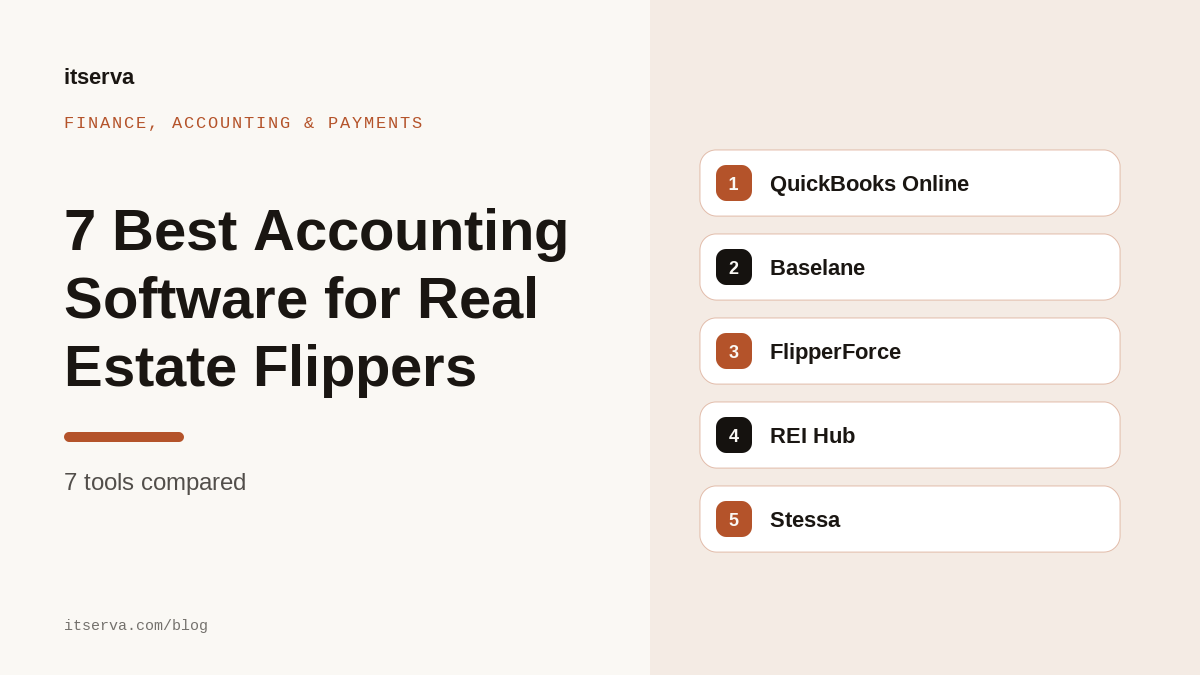
| Tool | Best for | Starting price | Free plan |
|---|---|---|---|
| QuickBooks Online | Best overall for CPA familiarity and job costing | $38/month (Simple Start) | No (30-day trial) |
| Baselane | Best free option for property banking and bookkeeping | $20/month billed annually (Smart) | Yes (Core, $0/month) |
| FlipperForce | Best dedicated fix-and-flip budget and project tracker | $79/month (Solo, monthly) | No (30-day trial) |
| REI Hub | Best low-cost investor ledger for small portfolios | $15/month (Professional, monthly) | Yes (up to 3 units) |
| Stessa | Best free dashboard for property income and expenses | $15/month (Manage, monthly) | Yes (Essentials, $0/month) |
| Xero | Best double-entry alternative to QuickBooks | $27/month (US Early) | No |
| FreshBooks | Best lightweight interface for expense and contractor tracking | $23/month (Lite) | No |
The 7 best accounting software for real estate flippers
#1
QuickBooks Online
4.3/5 on Capterra (8,546 reviews, checked Nov 2026)
- Best for
- Best overall for CPA familiarity and job costing
- Starting price
- $38/month (Simple Start)
- Free plan
- No (30-day trial)
QuickBooks Online is a cloud accounting platform used by many small businesses and tax preparers, with Simple Start at $38 per month for one user plus accountant access. It covers bank feeds, income and expense tracking, receipt capture and standard financial reports, and a 30-day free trial lets flippers try it first.
The trade-off is that project profitability and class tracking need Plus at $140 per month, and list prices climb across the higher plans. QuickBooks Online fits flippers who work closely with a CPA and want an established general ledger for every flip.
What we like
- Widely supported by US bookkeepers and CPAs
- Automated bank feeds and mobile receipt capture
- Project profitability and class tracking on Plus
- Large review base on Capterra
Watch out for
- Project tracking sits on higher-priced tiers
- Monthly pricing rises as you add users or features
#2
Baselane
4.7/5 on Capterra (18 reviews, checked Nov 2026)
- Best for
- Best free option for property banking and bookkeeping
- Starting price
- $20/month billed annually (Smart)
- Free plan
- Yes (Core, $0/month)
Baselane is a real estate banking and bookkeeping platform whose free Core plan includes unlimited checking and savings accounts, expense tracking and tax reporting. It lets investors separate property funds and follow cash flow by property or entity in one place.
The trade-off is that custom categories, AI transaction tagging and auto-receipt matching sit on Smart at $20 per month billed annually, and fees apply to some transfers such as wires or mailed checks. Baselane fits investors who want separate property accounts alongside bookkeeping.
What we like
- Free Core plan with unlimited property accounts
- Property- and entity-level cash flow tracking
- Optional syncs with QuickBooks and Xero
- Highest Capterra rating here
Watch out for
- Custom categories need the Smart plan
- Some banking actions carry extra fees
- Small review base on Capterra
#3
FlipperForce
4.8/5 on Capterra (64 reviews, checked Nov 2026)
- Best for
- Best dedicated fix-and-flip budget and project tracker
- Starting price
- $79/month (Solo, monthly)
- Free plan
- No (30-day trial)
FlipperForce is a fix-and-flip platform that combines deal analysis, rehab estimating, project scheduling and budget-versus-actual expense tracking. Solo starts at $79 per month billed monthly, or $59 per month on annual billing, and it includes an AI receipt analyzer and per-project profit and loss views.
The trade-off is that there is no free plan after the 30-day trial, and Solo covers one user and up to 50 leads and projects. FlipperForce fits active house flippers who manage rehab budgets alongside project tasks and want profit tracked per property.
What we like
- Built specifically for fix-and-flip deals
- AI receipt analysis and project profit and loss
- 30-day free trial and lower annual billing
- Highest Capterra rating here
Watch out for
- No permanent free tier after the trial
- Higher starting cost than general bookkeeping tools
#4
REI Hub
4.5/5 on Capterra (2 reviews, checked Nov 2026)
- Best for
- Best low-cost investor ledger for small portfolios
- Starting price
- $15/month (Professional, monthly)
- Free plan
- Yes (up to 3 units)
REI Hub is a real estate accounting platform with property-based tracking and a free plan for up to 3 units covering basic revenue and expense tracking. It offers real-estate-specific categorization, loan tracking and tax reports for investors with small portfolios.
The trade-off is that automated transaction imports, automatic booking rules and full tax reports sit on paid plans starting at $15 per month monthly, or $9 per month annually for up to 3 units. REI Hub fits investors tracking property-level expenses who may hold properties after rehab.
What we like
- Free plan for up to 3 units
- Real estate expense categories and loan tracking
- Plans scale transparently by unit count
- 14-day free trial on paid plans
Watch out for
- Automated imports need a paid plan
- Very small review sample on Capterra
#5
Stessa
4.5/5 on Capterra (104 reviews, checked Nov 2026)
- Best for
- Best free dashboard for property income and expenses
- Starting price
- $15/month (Manage, monthly)
- Free plan
- Yes (Essentials, $0/month)
Stessa is a real estate financial tracking platform whose free Essentials plan covers property income and expense tracking, cash flow dashboards and banking features. Investors can view property-level performance and organize transactions in one place without paying anything to start.
The trade-off is that Schedule E tax reports, unlimited receipt scanning and advanced reports require paid tiers starting with Manage at $15 per month monthly, or $12 per month annually. Stessa fits investors who want a free starting hub for property transactions and holds.
What we like
- Free Essentials tier for income and expense tracking
- Clear property-level reporting
- Lower cost than full accounting suites
- Real estate banking options
Watch out for
- Schedule E reports need a paid upgrade
- Less general-ledger depth than full accounting tools
#6
Xero
4.4/5 on Capterra (3,343 reviews, checked Nov 2026)
- Best for
- Best double-entry alternative to QuickBooks
- Starting price
- $27/month (US Early)
- Free plan
- No
Xero is a cloud accounting platform offering bank transaction reconciliation, bill tracking, document capture and financial reporting, with the US Early plan at $27 per month. It helps flippers track contractor bills, expense claims and cash flow inside a clean double-entry ledger.
The trade-off is that the US Early plan caps users at 20 invoices and 5 bills per month before a higher tier is needed, and it has no built-in rehab estimating. Xero fits flippers who want a clean double-entry ledger and can stay within low monthly bill counts.
What we like
- Straightforward bank reconciliation and bill entry
- 1099 reporting and cash flow forecasting on US plans
- Strong third-party app ecosystem
- Large review base on Capterra
Watch out for
- Early plan limits monthly invoice and bill counts
- No native rehab estimating or deal analysis
#7
FreshBooks
4.5/5 on Capterra (4,534 reviews, checked Nov 2026)
- Best for
- Best lightweight interface for expense and contractor tracking
- Starting price
- $23/month (Lite)
- Free plan
- No
FreshBooks is a cloud accounting tool focused on expense tracking, invoicing, time logs and financial reports, starting with Lite at $23 per month. Users can log expenses on the go, track mileage and share access with an accountant at no extra cost.
The trade-off is that Lite caps billable clients at 5 and project profitability tracking requires Premium at $70 per month, while extra team seats cost more. FreshBooks fits solo flippers who prefer a simple expense and billing interface for a one-person operation.
What we like
- Clean interface with expense and mileage tracking
- Lower starting price than QuickBooks or FlipperForce
- Free accountant access across plans
- Large review base on Capterra
Watch out for
- Lite restricts billable clients to 5
- Not tailored to rehab budgets or property ledgers
How we chose
We compared accounting and real estate finance platforms commonly used by house flippers, covering general ledgers, investor bookkeeping tools and flip-specific project software. We weighted fit for rehab workflows first, then price at regular rates, then free plans and Capterra ratings. Prices and ratings come from vendor pricing pages and Capterra, checked in November 2026 in US dollars. We also noted free plans and trial lengths, and how paid tiers scale as a flipper adds properties. No vendor paid for placement, and we did not run hands-on tests; we compare published information.
How to track rehab costs per flip
A common mistake is mixing demolition, framing, plumbing and staging expenses into one lump category across several houses. Giving each property its own code or project tag makes it easier to compare estimated rehab budgets against actual contractor payouts.
Keep every receipt, draw request and closing statement tied to the specific property address. That way you can calculate net flip profit accurately and hand clean records to your accountant at tax time.
How to choose
Start with your CPA. If your accountant already works inside QuickBooks or Xero every day, starting there can save cleanup hours at tax season.
Next, decide whether you need project budgets or pure bookkeeping. Flippers tracking contractor draws and rehab budgets against estimates may prefer FlipperForce or QuickBooks Plus, while lighter ledgers fit simpler transaction volume. Also verify tier limits before signing up, since project tracking, receipt scanning and extra users often sit on higher plans.
Finally, compare regular monthly and annual rates across a full flip cycle. Look past short-term introductory discounts and calculate what you will pay at regular rates, then trial the shortlist on a real flip before committing.