
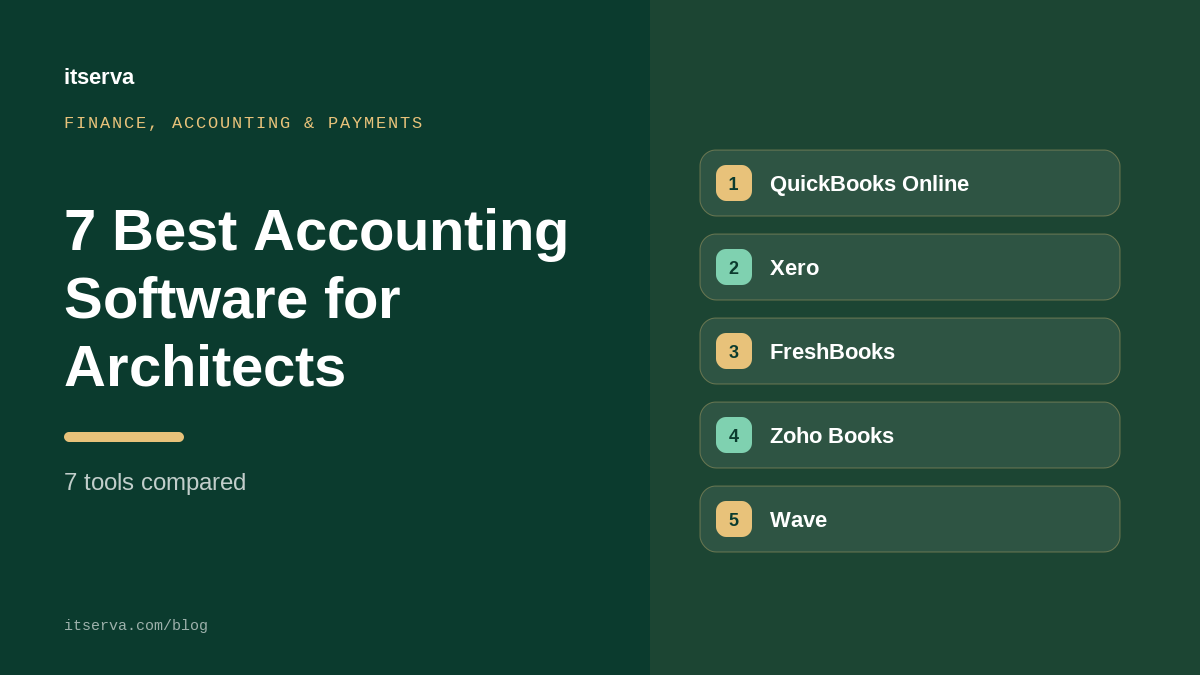
What do architecture firms need from accounting software?
Architecture work rarely bills on a single simple invoice. One building design can span schematic design, design development, construction documents and construction administration, each with its own fees, consultant bills and reimbursable expenses.
A general ledger handles bank reconciliation, accounts payable, tax reporting and financial statements, while phase budgeting tracks hours and expenses against each stage. Many small studios pair a core ledger with project or time-tracking tools instead of forcing one app to do both.
Quick comparison
| Tool | Best for | Starting price | Free plan |
|---|---|---|---|
| QuickBooks Online | Best for project tracking and accountant compatibility | $38/month (Simple Start) | No (30-day trial) |
| Xero | Best for unlimited users on every plan | $27/month (Early) | No |
| FreshBooks | Best for solo architects tracking billable hours | $23/month (Lite) | No |
| Zoho Books | Best budget pick with a free micro-business plan | $15/month (Standard, annual) | Yes ($0, 1 user + accountant) |
| Wave | Best free ledger for simple invoicing and receipts | $19/month (Pro) | Yes ($0 Starter plan) |
| Kashoo | Best single-plan pricing with unlimited users | $30/month | No |
| Sage Intacct | Best for larger multi-entity architecture practices | Custom (annual quote) | No |
The 7 best accounting software for architects
#1
QuickBooks Online
4.0/5 on G2 (3,860 reviews, checked Nov 2026)
- Best for
- Best for project tracking and accountant compatibility
- Starting price
- $38/month (Simple Start)
- Free plan
- No (30-day trial)
QuickBooks Online is a cloud ledger that covers invoicing, bill tracking, bank feeds and financial reporting for architecture studios. Simple Start lists at $38 per month for one user plus accountant access, while Plus lists at $140 per month for five users and adds project profitability tracking with up to 40 classes. A 30-day free trial lets a firm try the ledger before paying.
The trade-off is that project profitability and class tracking need the $140 per month Plus tier, not the $38 entry plan, and introductory discounts expire after the opening period. Entry seats are also limited, so a growing studio pays more as it adds users and tiers. QuickBooks Online fits architecture studios that want wide accountant familiarity and job-level cost tracking.
What we like
- Widely supported by bookkeepers and accountants
- Plus adds project profitability and up to 40 classes
- Connects with practice and time-tracking tools
- 30-day free trial
Watch out for
- Entry plan lacks project tracking and extra seats
- Higher tiers add noticeable monthly cost
- Introductory discounts expire
#2
Xero
4.4/5 on G2 (1,834 reviews, checked Nov 2026)
- Best for
- Best for unlimited users on every plan
- Starting price
- $27/month (Early)
- Free plan
- No
Xero is a cloud general ledger with bank reconciliation, invoicing, bill entry and financial reporting, and every United States plan includes unlimited users. Early lists at $27 per month and covers up to 20 invoices and 5 bills each month. A Projects add-on starts from $7 per month, while the Established plan at $97 per month adds multi-currency, expenses and project tracking.
The trade-off is that Early caps monthly invoices at 20 and bills at 5, so a busy studio can outgrow it quickly. Multi-currency and broader reporting also sit on Established at $97 per month or on optional add-ons. Xero fits small architecture practices that need several team logins without per-seat fees.
What we like
- Unlimited user seats without per-user fees
- Clean bank reconciliation and reporting
- Projects add-on from $7 per month
Watch out for
- Early caps invoices at 20 and bills at 5 per month
- Multi-currency needs the $97 Established tier
#3
FreshBooks
4.5/5 on G2 (983 reviews, checked Nov 2026)
- Best for
- Best for solo architects tracking billable hours
- Starting price
- $23/month (Lite)
- Free plan
- No
FreshBooks is a cloud invoicing and accounting tool built around time tracking, expense logging, estimates and client billing. Lite lists at $23 per month and includes unlimited time tracking, expenses and invoicing for up to 5 billable clients. Plus at $43 per month and Premium at $70 per month raise client limits and add retainers and project profitability.
The trade-off is that Lite counts archived clients toward its 5-client cap, so a solo architect with a long client history can hit the limit fast. Extra team members also cost $11 per month each on paid plans. FreshBooks fits independent architects and micro studios billing hourly or by project retainer with a small active client list.
What we like
- Straightforward time tracking and client invoicing
- Unlimited time entries and expense tracking
- Plus and Premium add retainers and profitability
Watch out for
- Lite limits billable clients to 5, including archived ones
- Extra team members cost $11 per month each
#4
Zoho Books
4.4/5 on G2 (333 reviews, checked Nov 2026)
- Best for
- Best budget pick with a free micro-business plan
- Starting price
- $15/month (Standard, annual)
- Free plan
- Yes ($0, 1 user + accountant)
Zoho Books is a cloud accounting platform covering invoices, quotes, expenses, bills and financial reports. Its free plan costs $0 per month for 1 user and 1 accountant, with up to 1,000 invoices per year. Standard costs $15 per month billed annually, or $20 per month billed monthly, for 3 users.
The trade-off is that the free tier lacks automatic bank feeds and caps annual invoices at 1,000, while project tracking sits on higher tiers. Invoice and expense volume limits also apply per tier, so a growing firm should check them before committing. Zoho Books fits cost-conscious solo architects and small teams wanting low-cost multi-user bookkeeping.
What we like
- Free plan for 1 user and 1 accountant
- Low paid entry at $15 per month billed annually
- Integrates with broader Zoho business apps
Watch out for
- Free plan has no automatic bank feeds
- Invoice and expense volume limits apply per tier
#5
Wave
4.3/5 on G2 (328 reviews, checked Nov 2026)
- Best for
- Best free ledger for simple invoicing and receipts
- Starting price
- $19/month (Pro)
- Free plan
- Yes ($0 Starter plan)
Wave is an accounting and invoicing platform with a $0 Starter plan for estimates, invoices, bills and basic bookkeeping records. Pro lists at $19 per month, or $190 per year, and adds automated bank feeds and receipt capture. Setup is simple for non-accountants, with unlimited estimates, invoices and bills on the free Starter plan.
The trade-off is that automated bank feeds need the $19 per month Pro plan, and Wave has no built-in architectural phase budgeting or work-in-progress reporting. Payroll and in-house bookkeeping also cost extra. Wave fits sole proprietors who want straightforward invoicing and basic financial statements without heavy setup.
What we like
- Starter plan is $0 per month
- Pro adds automated bank feeds and receipt capture
- Easy setup for non-accountants
Watch out for
- No built-in phase budgeting or work-in-progress reporting
- Payroll and bookkeeping cost extra
#6
Kashoo
4.6/5 on G2 (55 reviews, checked Nov 2026)
- Best for
- Best single-plan pricing with unlimited users
- Starting price
- $30/month
- Free plan
- No
Kashoo is a cloud bookkeeping app with one plan at $30 per month, or $324 per year, covering unlimited invoices, bank feeds, sales tax and multi-currency. It includes unlimited users on that single plan rather than gating team access behind higher tiers. Setup stays straightforward for income, expenses and tax reports.
The trade-off is a simpler feature set with no tiered plans or specialised architectural project accounting. There is also no free plan or lower-cost starter tier for a firm that only needs the basics. Kashoo fits small studios that want predictable single-plan pricing and unlimited team access.
What we like
- Single plan includes unlimited users and multi-currency
- Straightforward setup for income, expenses and tax
- Annual billing lowers the rate to $324 per year
Watch out for
- No free plan or lower-cost starter tier
- Less specialised for multi-phase project billing
#7
Sage Intacct
4.3/5 on G2 (3,000+ reviews, checked Nov 2026)
- Best for
- Best for larger multi-entity architecture practices
- Starting price
- Custom (annual quote)
- Free plan
- No
Sage Intacct is a cloud financial management and enterprise resource planning platform built for multi-entity accounting, dimensional reporting and automated workflows. It uses modular custom quotes based on selected modules, users and business entities rather than a flat self-serve tier. The platform suits mid-size to multi-office firms with complex reporting needs.
The trade-off is custom quote pricing, longer implementation and higher complexity than small-business ledgers. There is no public self-serve price to compare, and the learning curve is steeper for a small studio. Sage Intacct fits larger or multi-office architecture practices with complex entities and detailed reporting needs.
What we like
- Strong multi-entity consolidation and dimensional reporting
- Modular configuration tailored to size and workflows
- High satisfaction across 3,000+ G2 reviews
Watch out for
- No public self-serve pricing; custom quote only
- Steeper learning curve and setup time
How we chose
We compared seven established cloud accounting platforms commonly used by architecture firms and small professional service businesses, ranked by fit for studio billing and project tracking. We weighted project and phase cost tracking first, then user seats and invoice caps, then total cost at regular prices. Prices and G2 ratings come from vendor pricing pages and public review listings, checked in November 2026. No vendor paid for placement, and we did not run hands-on tests; we compare published information for this list.
General ledger tools versus practice tools
General accounting platforms focus on double-entry bookkeeping, bank reconciliation, accounts payable and tax-ready reports. Many firms pair one of these ledgers with dedicated practice or time-tracking software to manage phase budgets, staffing plans and fee proposals.
Before paying for a complex system, check whether your studio needs phase-by-phase work-in-progress tracking inside the ledger or only clean monthly statements for your accountant. The answer decides whether a simple ledger or a larger platform is the better buy.
How to choose
Start with how your studio bills. Fixed phase milestones, hourly time and materials, and retainers each need different tracking, so decide whether project profitability must live in the ledger or can sit in an external tool.
Next, check user seats and caps. Compare per-user add-ons against unlimited-user plans, and check limits on billable clients, monthly invoices and bills before you sign up, since those caps often decide the real cost.
Finally, separate introductory promos from regular renewals. Many tools discount the first three or four months heavily, so budget around standard monthly or annual rates and confirm that your accountant works comfortably with the platform.