
What does cloud uptime actually mean?
Uptime is the share of time a cloud service stays reachable and working, usually written as a percentage such as 99.99%. That figure comes from the provider's service level agreement, which is a contract term, not a measurement of past performance. A 99.99% commitment allows about 52 minutes of downtime a year, while 99.9% allows more than 8 hours.
The same provider can offer very different guarantees for different services and setups. A single virtual machine carries a weaker commitment than the same machine spread across availability zones, and a multi-region setup is stronger still. That is why the headline figure on a home page is only a starting point: check the agreement for the exact services and the exact region you plan to use.
Quick comparison
| Tool | Best for | Starting price | Free plan |
|---|---|---|---|
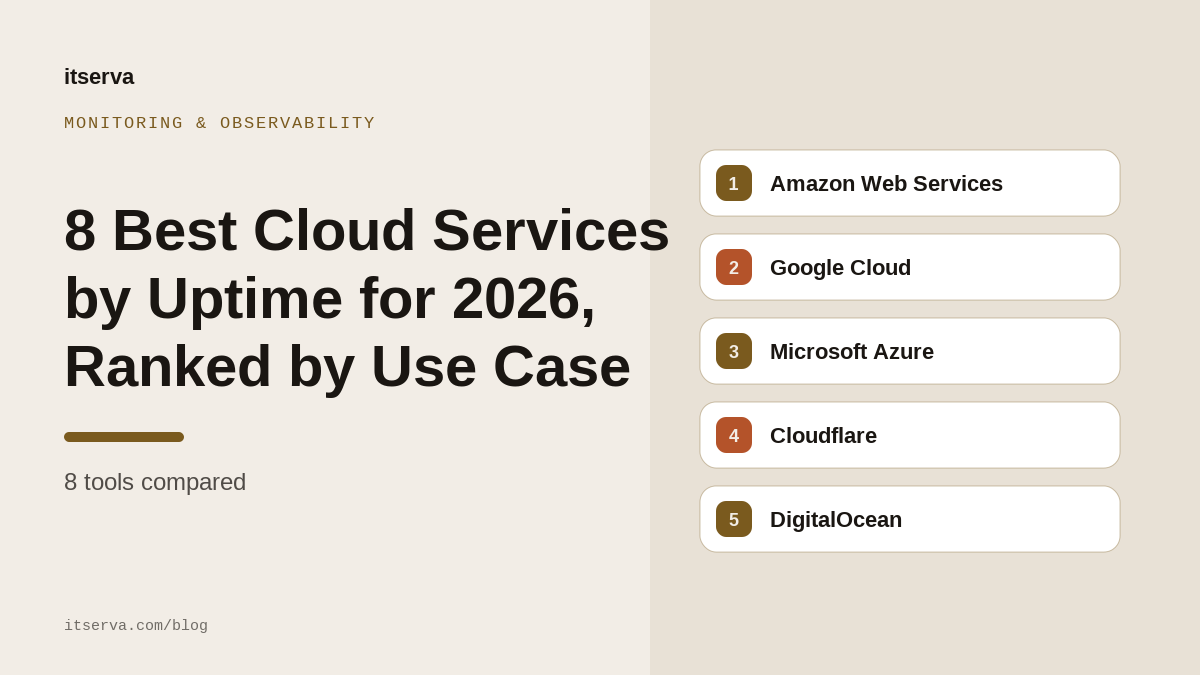
| Amazon Web Services | Best cloud service for uptime overall | Pay as you go (per-service pricing) | Yes (free tier) |
| Google Cloud | Low-latency networking and live migration | Pay as you go (per-service pricing) | Yes ($300 in free credits, 20+ free products) |
| Microsoft Azure | Most regions and Microsoft workloads | Pay as you go (per-service pricing) | Yes (free account) |
| Cloudflare | Edge network uptime and DDoS protection | $20/month (Pro, billed annually) | Yes ($0 Free plan) |
| DigitalOcean | Simple virtual machines for small teams | $4/month (Droplets, starting price) | No ($5 trial credit) |
| Oracle Cloud | Enterprise databases and predictable pricing | $54/month (4 vCPU AMD VM) | Yes (free services; 10 TB egress free monthly) |
| IBM Cloud | Regulated industries and hybrid setups | Pay as you go (per-service pricing) | Yes (Free and Lite plans) |
| Akamai Connected Cloud | Edge delivery and simple compute | $0.0075/hour (1 GB VM) | No (promotional credit on signup) |
The 8 best cloud services by uptime
#1
Amazon Web Services
- Best for
- Best cloud service for uptime overall
- Starting price
- Pay as you go (per-service pricing)
- Free plan
- Yes (free tier)
Amazon Web Services is the largest cloud provider on this list, with 33 or more regions and 105 or more availability zones. Its multi-zone compute deployments carry a 99.99% uptime commitment, and its load balancer carries the same figure. AWS also offers health checks, auto scaling and failover tools that help teams build redundancy without writing custom code.
The trade-off is cost and complexity. AWS pricing is pay as you go, with a separate price for each service you use, so bills are hard to predict without the pricing calculator, and paid support is a separate tiered cost. A single instance carries a weaker guarantee than a multi-zone setup. Amazon Web Services fits teams that need the widest service range and the most zones.
What we like
- 105 or more availability zones
- 99.99% multi-zone compute SLA
- Health checks, auto scaling and failover built in
- Free tier for getting started
Watch out for
- Pay-as-you-go bills are hard to predict
- Paid support is a separate tiered cost
- Single instances carry a weaker guarantee
#2
Google Cloud
- Best for
- Low-latency networking and live migration
- Starting price
- Pay as you go (per-service pricing)
- Free plan
- Yes ($300 in free credits, 20+ free products)
Google Cloud is built on the same private global fiber network that carries Google Search, YouTube and Gmail. Its live migration feature moves virtual machines between host systems during maintenance without shutting them down, which removes one common source of downtime. For multi-zone compute, Google Cloud publishes a 99.99% uptime commitment, matching the top tier of its largest rivals.
The trade-off is region count and price clarity. Google Cloud runs fewer regions than Azure, with 40 or more regions and 120 or more zones, and its per-service pricing varies by product and usage. Google Cloud fits teams that put network performance and maintenance without downtime first.
What we like
- Private global fiber network
- Live migration during maintenance
- 99.99% multi-zone compute SLA
- $300 in free credits for new accounts
Watch out for
- Fewer regions than Azure
- Pricing varies by product and usage
#3
Microsoft Azure
- Best for
- Most regions and Microsoft workloads
- Starting price
- Pay as you go (per-service pricing)
- Free plan
- Yes (free account)
Microsoft Azure is the region leader on this list, with 60 or more announced regions, the highest count of any major provider. For virtual machines spread across availability zones, Azure publishes a 99.99% uptime commitment, and its load balancer and SQL Database carry similar top-tier figures. Azure also fits Microsoft workloads well, with tuned performance for SQL Server and .NET applications.
The trade-off is that not every Azure region offers the full service catalog, so a region count alone does not guarantee that your chosen services run there. Azure pricing is pay as you go in US dollars worldwide, and buyers estimate costs with the pricing calculator. Microsoft Azure fits teams that need broad region coverage or deep Microsoft integration.
What we like
- 60 or more regions, the most of any major provider
- 99.99% multi-zone VM SLA
- Strong fit for SQL Server and .NET
- Hybrid tools with Azure Arc
Watch out for
- Not every region offers every service
- Portal can confuse new users
- Pay-as-you-go costs need the calculator to predict
#4
Cloudflare
- Best for
- Edge network uptime and DDoS protection
- Starting price
- $20/month (Pro, billed annually)
- Free plan
- Yes ($0 Free plan)
Cloudflare is different from the three large providers, because its strength is the edge network rather than general compute. Its network spans 300 or more cities, and it absorbs large DDoS attacks that would take down a single origin server. The free plan already includes unmetered DDoS protection, a CDN and a universal SSL certificate, and the Pro plan starts at $20 a month billed annually.
The trade-off is scope. Cloudflare Workers and Pages cover many web workloads, but teams that need managed databases or large virtual machines still need a general cloud provider behind it. The Business plan at $200 a month adds a 100% uptime SLA, while the free and Pro plans carry none. Cloudflare fits teams that want their site or API to stay reachable through attacks and traffic spikes.
What we like
- Network in 300 or more cities
- Unmetered DDoS protection on the free plan
- 100% uptime SLA on Business
- Free plan with CDN, DNS and SSL
Watch out for
- Not a full general compute cloud
- No uptime SLA on Free or Pro
- Advanced features need higher plans
#5
DigitalOcean
- Best for
- Simple virtual machines for small teams
- Starting price
- $4/month (Droplets, starting price)
- Free plan
- No ($5 trial credit)
DigitalOcean is the simplest cloud on this list, built around virtual machines called Droplets with clear monthly pricing. Droplets start at $4 a month, and the pricing page lists free DNS management, free cloud firewalls and 3 free static sites. Its Droplet SLA reaches 99.99% for multi-region or high availability setups, and managed databases and Kubernetes carry published uptime terms too.
The trade-off is scale and catalog. DigitalOcean runs fewer regions than AWS, Azure or Google Cloud, and its managed service list is shorter, so teams with complex needs may outgrow it. There is no free tier, although new accounts receive a $5 trial credit. DigitalOcean fits small teams that value clear pricing and fast setup over the widest service range.
What we like
- Droplets from $4 a month
- Simple, predictable monthly pricing
- Free DNS management and cloud firewalls
- 99.99% SLA for high availability setups
Watch out for
- Fewer regions than the large providers
- Shorter managed service catalog
- No free tier
#6
Oracle Cloud
- Best for
- Enterprise databases and predictable pricing
- Starting price
- $54/month (4 vCPU AMD VM)
- Free plan
- Yes (free services; 10 TB egress free monthly)
Oracle Cloud is the value pick for steady workloads, with pricing that stays the same in every region. Its pricing page lists a 4 vCPU AMD virtual machine at $54 a month and 10 TB of outbound data transfer free every month. Oracle Database workloads often run faster here than on general providers, since the platform is tuned for them.
The trade-off is ecosystem size and familiarity. Fewer third-party tools integrate with Oracle Cloud than with AWS or Azure, and teams used to the large providers may need time to learn the console and service names. Oracle Cloud fits teams whose workload centers on Oracle Database or whose budget depends on predictable global pricing.
What we like
- Same price in every region
- 4 vCPU VM at $54 a month
- 10 TB of egress free every month
- Support included in the base service fee
Watch out for
- Smaller ecosystem than AWS or Azure
- Fewer third-party integrations
- Learning curve for new users
#7
IBM Cloud
- Best for
- Regulated industries and hybrid setups
- Starting price
- Pay as you go (per-service pricing)
- Free plan
- Yes (Free and Lite plans)
IBM Cloud is built for regulated industries such as finance and health care, with compliance tooling and security controls aimed at strict audits. Its virtual server and Kubernetes services carry published SLA terms, and its hybrid approach lets teams keep sensitive workloads on premises while running the rest in the cloud. The pricing page offers Free and Lite plans alongside pay-as-you-go billing.
The trade-off is community size and clarity. IBM Cloud has a smaller developer community than AWS, Azure or Google Cloud, so finding tutorials and third-party examples takes more effort. Service names and pricing pages can also confuse new users. IBM Cloud fits teams that choose a provider for compliance, security controls or an existing IBM relationship.
What we like
- Strong compliance and security tooling
- Hybrid cloud focus
- Free and Lite plans
- Global data center network
Watch out for
- Smaller developer community
- Service naming can confuse
- Pricing varies by service
#8
Akamai Connected Cloud
- Best for
- Edge delivery and simple compute
- Starting price
- $0.0075/hour (1 GB VM)
- Free plan
- No (promotional credit on signup)
Akamai Connected Cloud is the edge-first option on this list, grown from the Linode acquisition, adding simple virtual machines and managed databases to one of the largest edge delivery networks in the world. For content-heavy workloads, edge caching can keep pages and media available even when an origin server struggles. Its pricing page gives a 1 GB virtual machine at $0.0075 an hour, and load balancing is available through NodeBalancers.
The trade-off is catalog depth. Akamai compute regions are fewer than the large providers, and its managed service list is shorter, so complex applications may still need another provider. There is no free tier, although a promotional credit is offered when signing up. Akamai Connected Cloud fits teams that put edge delivery at the center of their uptime plan and keep compute needs simple.
What we like
- Large edge delivery network
- Simple hourly VM pricing
- Managed MySQL and PostgreSQL
- Load balancing through NodeBalancers
Watch out for
- Fewer compute regions than large providers
- Shorter managed catalog
- No free tier
How we chose
We ranked cloud services by published uptime commitments first, giving the most weight to multi-zone compute SLAs, then to region and zone counts, redundancy options and support costs. We checked each vendor pricing page in November 2026 for starting prices, free tiers and trial credits, and we treated published SLA figures as contract terms rather than measured results. No vendor paid for placement, and we did not run hands-on tests; we compare published information. We also favoured providers whose status pages let buyers check past incidents in their own region before committing.
How to read a cloud uptime SLA
Start with the services the agreement actually covers, since compute, storage and databases often carry different figures. Then check whether the commitment applies to a single instance or only to a deployment spread across zones, because the gap between those two can be large. Finally, read the credit terms: most providers pay service credits rather than refunds, and you usually have to claim them within a set window.
Status page history matters as much as the written figure. Look at past incidents in the region you plan to use, since a strong agreement does not describe how often that region actually went down. If the provider publishes no history for your region, treat the headline number with extra caution.
How to choose
Start with the uptime your application truly needs. A marketing site can tolerate a few minutes of downtime a month, while a payment system or a health care portal cannot, so match the provider to the workload before you compare prices. Then check the agreement for the exact services you plan to use, not the headline figure on the provider home page.
Next, design for redundancy instead of buying it. A multi-zone or multi-region setup on any large provider beats a single server on the best provider, so budget for a load balancer, health checks and a second zone from the start. If your site mostly serves content, put an edge network such as Cloudflare in front of your origin before you switch compute providers.
Finally, compare total cost for a realistic month. Add the compute, storage, data transfer and support tiers you will actually use, then trial two providers with a small workload and watch their status pages. The provider whose costs you can predict and whose incidents you can see is usually the safer choice.