
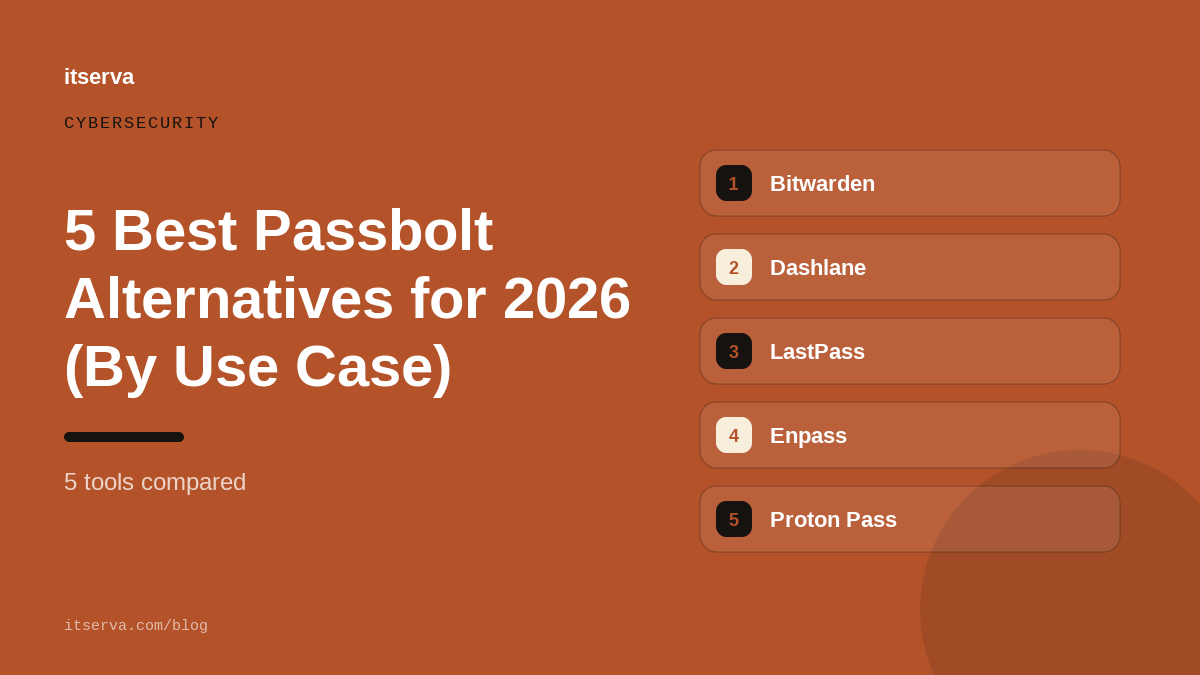
Why do teams look for a Passbolt alternative?
Passbolt is a team password manager built on open-source code, with shared vaults and individual encryption keys for every user. It works well when a team has someone able to run and maintain the server.
The switch is worth it when nobody on the team wants server duty. Compare hosting first, then the admin controls on the entry plan, then the annual cost for your exact seat count, since the cheapest headline rate rarely includes everything a team needs.
Quick comparison
| Tool | Best for | Starting price | Free plan |
|---|---|---|---|
| Bitwarden | Open-source teams that want hosted or self-hosted choice | $4/user/month (Teams, billed annually) | Yes (free personal plan; Teams trial) |
| Dashlane | Teams that want risk alerts with the vault | $8/user/month (Password Management, billed annually) | No (14-day free trial) |
| LastPass | Small teams that want a low entry price | $4.25/user/month (Teams, billed annually) | Yes (limited free plan; 14-day business trial) |
| Enpass | Teams that want vaults in their own cloud storage | $1.99/month (Premium, annual) | Yes (25 items, 1 vault) |
| Proton Pass | Privacy-first teams in the Proton ecosystem | $2.99/month (Pass Plus, billed annually) | Yes (unlimited logins and devices) |
The 5 best Passbolt alternatives
#1
Bitwarden
- Best for
- Open-source teams that want hosted or self-hosted choice
- Starting price
- $4/user/month (Teams, billed annually)
- Free plan
- Yes (free personal plan; Teams trial)
Bitwarden is the closest match to Passbolt for teams that liked open-source software. Teams costs $4 per user per month billed annually and includes shared collections, event logs, directory sync and SCIM provisioning. Enterprise costs $6 per user per month and adds single sign-on, enterprise policies, self-hosting and a free Families plan for every user.
The trade-off is polish. Bitwarden apps feel plain next to more polished rivals, and the cheapest plan leaves single sign-on and self-hosting to Enterprise. Bitwarden fits technical teams that want open-source password management with a hosted plan now and a self-hosted path later.
What we like
- Open-source code
- Self-hosting on Enterprise
- Teams includes event logs, directory sync and SCIM
- Free personal plan with unlimited passwords and devices
Watch out for
- Single sign-on needs Enterprise at $6 per user
- No free team plan, only a trial
#2
Dashlane
- Best for
- Teams that want risk alerts with the vault
- Starting price
- $8/user/month (Password Management, billed annually)
- Free plan
- No (14-day free trial)
Dashlane is a hosted password manager built around its Omnix platform. Password Management costs $8 per user per month billed annually and includes a secure vault, unlimited collections, AI-powered autofill, a password generator, secure sharing and a password health dashboard. It also includes SSO and SCIM integrations plus admin vault policies.
The trade-off is price. Dashlane costs twice as much per seat as Bitwarden Teams, and risk detection with phishing alerts sits on the separate Credential Protection tier. Dashlane fits teams that want a polished admin console with risk alerts and can pay $8 per user per month.
What we like
- Secure vault with unlimited collections
- AI-powered autofill and password generator
- Password health dashboard included
- SSO and SCIM on Password Management
Watch out for
- $8 per user is twice Bitwarden Teams
- Risk detection needs the Credential Protection tier
- No free plan, only a 14-day trial
#3
LastPass
- Best for
- Small teams that want a low entry price
- Starting price
- $4.25/user/month (Teams, billed annually)
- Free plan
- Yes (limited free plan; 14-day business trial)
LastPass is a familiar password manager with three business tiers. Teams costs $4.25 per user per month billed annually and includes an admin console, shared folders and essential security policies. Business costs $7 per user per month and adds more than 100 advanced security policies, group user management and a free Families account for each employee.
The trade-off is the step up to full control. Business Max costs $11 per user per month and is the tier with unlimited single sign-on apps plus AI, SaaS and web monitoring. LastPass fits small teams that want a low starting price with a clear upgrade path as admin needs grow.
What we like
- Low Teams price at $4.25 per user
- Admin console and shared folders on Teams
- Free Families account on Business
- Unlimited passwords in an encrypted vault
Watch out for
- Unlimited SSO apps need Business Max at $11
- Free plan works on one device type only
#4
Enpass
- Best for
- Teams that want vaults in their own cloud storage
- Starting price
- $1.99/month (Premium, annual)
- Free plan
- Yes (25 items, 1 vault)
Enpass is a password manager that never stores your vault on its own servers. Premium costs $1.99 per month and Family costs $3.99 per month, while the free plan covers 25 items in one vault. Vaults live in your own iCloud, Google Drive, OneDrive, Dropbox or Box account, so your passwords stay in storage you already control.
The trade-off is the team setup. Enpass has no hosted team vault, so sharing depends on the cloud storage each person connects, and the prices shown are personal plans. Enpass fits teams that already use Microsoft 365 or Google Workspace and want vaults kept in their own storage.
What we like
- Vaults stay in your own cloud storage
- Free plan for 25 items
- Premium at $1.99 per month
- Family plan at $3.99 per month
Watch out for
- No hosted team vault
- Prices shown are personal plans
#5
Proton Pass
- Best for
- Privacy-first teams in the Proton ecosystem
- Starting price
- $2.99/month (Pass Plus, billed annually)
- Free plan
- Yes (unlimited logins and devices)
Proton Pass is a privacy-first password manager from the makers of Proton Mail. Pass Plus renews at $2.99 per month billed annually, after a first year at $1.99 per month, and the free plan covers unlimited logins on unlimited devices. Paid features include unlimited vaults, secure sharing, an integrated two-factor authenticator, hide-my-email aliases and dark web monitoring.
The trade-off is the team tooling. Proton Pass has no business plan on its pricing page, so larger teams get fewer admin controls than Bitwarden or Dashlane offer. Proton Pass fits privacy-first teams that already use Proton Mail, VPN or Drive and want a free plan without device limits.
What we like
- Free plan with unlimited logins and devices
- End-to-end encryption under Swiss law
- Hide-my-email aliases and integrated 2FA
- 30-day money-back guarantee
Watch out for
- No business plan on its pricing page
- Pass Plus renews at $2.99 after a $1.99 first year
How we chose
We compared password managers with a team or business plan, shortlisting tools that offer shared vaults, admin controls and audit logs. We weighted hosting choice first, then admin controls such as single sign-on and provisioning, then the annual cost for a small team. Prices come from vendor pricing pages, checked in November 2026. Three other tools from our first shortlist were left out because their pricing pages showed no usable team price. No vendor paid for placement, and we did not run hands-on tests; we compare published information.
How to compare team prices without surprises
Multiply the monthly rate by 12 and by your seat count before you compare tools. A 10-person team pays $480 a year for Bitwarden Teams at $4 per user per month, $510 for LastPass Teams at $4.25, and $960 for Dashlane Password Management at $8.
Check which tier holds single sign-on before you budget. Bitwarden puts SSO on Enterprise at $6 per user per month, not Teams, and LastPass reserves unlimited single sign-on apps for Business Max at $11. Dashlane includes SSO and SCIM provisioning on its $8 Password Management plan.
How to choose
Start with hosting. If your team must keep vault data on its own servers, Bitwarden Enterprise is the only option here with self-hosting, while Enpass keeps vaults in cloud storage you already control.
Next, check which tier holds the admin features you need. Single sign-on, directory sync and provisioning often sit above the entry plan, so confirm them before you compare headline prices.
Finally, trial two tools with a small group. Move a few shared folders across, test autofill and mobile access, and check the admin reports before you migrate the whole team.