
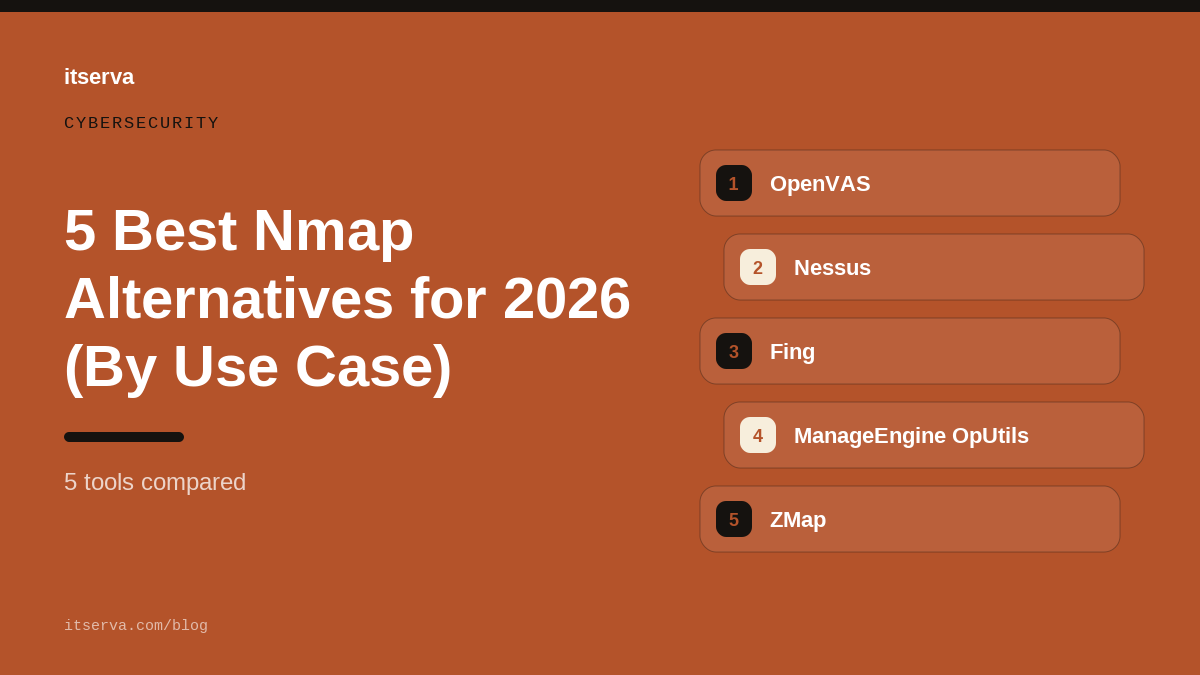
What does an Nmap alternative need to replace?
Nmap maps networks, finds open ports, identifies services and operating systems, and runs scripted checks. An alternative earns its place by covering the part of that job you actually use, whether that is quick discovery on a local network, fast scanning across huge address ranges, or full vulnerability assessment with reports.
Price splits the field sharply. Four of the five tools here cost nothing to start, while Nessus Professional starts at $4,790 a year. Match the tool to the job first, then check whether its free edition covers your network size, because a free scanner that cannot scan your whole estate is no saving at all.
Quick comparison
| Tool | Best for | Starting price | Free plan |
|---|---|---|---|
| OpenVAS | Best free Nmap alternative overall | Free (Community Edition) | Yes (Community Edition) |
| Nessus | Best professional vulnerability assessment | $4,790/year (Professional, 1-year license) | No |
| Fing | Best for home and small office networks | $8.99/month (Premium; $79.99/year) | Yes (free download) |
| ManageEngine OpUtils | Best for IP and switch port management | Free edition available | Yes (Free edition; 30-day trial of the full edition) |
| ZMap | Best for internet-wide research surveys | Free (open source) | Yes (open source) |
The 5 best Nmap alternatives
#1
OpenVAS
- Best for
- Best free Nmap alternative overall
- Starting price
- Free (Community Edition)
- Free plan
- Yes (Community Edition)
OpenVAS is a full-featured vulnerability scanner from Greenbone, developed since 2006, that goes well beyond listing open ports. It runs unauthenticated and authenticated tests across high-level and low-level internet and industrial protocols, tunes performance for large-scale scans, and draws its checks from a feed with daily updates. The scanner forms the OpenVAS Community Edition together with other open-source modules, so there is no license fee to start.
The trade-off is upkeep. Running the Community Edition means maintaining the scanner, its feed and its supporting services yourself, which is more work than launching a small port scanner, and there is no vendor support on the free edition. OpenVAS fits security teams and home labs that want deep vulnerability assessment at no license cost and can maintain the system themselves.
What we like
- Free Community Edition with no license fee
- Authenticated and unauthenticated testing
- Daily updated vulnerability feed
- Tuned for large-scale scans
Watch out for
- Self-hosted setup and maintenance
- No vendor support on the free edition
#2
Nessus
- Best for
- Best professional vulnerability assessment
- Starting price
- $4,790/year (Professional, 1-year license)
- Free plan
- No
Nessus is the commercial standard for vulnerability assessment, from Tenable, and it covers more than 117,000 CVEs with over 319,000 plugins, plus more than 100 new plugins released every week. Professional at $4,790 for a 1-year license includes unlimited vulnerability assessments, scoring with CVSS v4, EPSS and VPR, configuration and compliance audits, and configurable reports. More than 450 pre-configured templates help teams turn findings into reports quickly.
The trade-off is price and purpose. At $4,790 a year Nessus costs far more than any free scanner here, and it assesses vulnerabilities rather than mapping networks, so many teams still keep a port scanner alongside it. Expert at $6,790 a year adds web application scans and external attack surface discovery for teams that need them. Nessus fits consultants and security teams that need trusted, report-ready vulnerability assessment and can justify a paid license.
What we like
- More than 117,000 CVEs covered
- Unlimited assessments on Professional
- CVSS v4, EPSS and VPR scoring
- More than 450 report templates
Watch out for
- $4,790 a year for Professional
- Assesses vulnerabilities rather than mapping networks
- No free plan
#3
Fing
- Best for
- Best for home and small office networks
- Starting price
- $8.99/month (Premium; $79.99/year)
- Free plan
- Yes (free download)
Fing is a network scanning and monitoring platform that discovers every device on a network and identifies it by IP address, manufacturer and model, using one of the largest device recognition databases. It runs on Windows and macOS desktops and on iOS and Android, with speed tests, vulnerability checks and open-port detection built in. The app is free to download for desktop and mobile and is entirely ad-free, while Premium at $8.99 a month or $79.99 a year adds continuous monitoring.
The trade-off is depth. Fing answers everyday questions about who is on a network and whether anything new has joined, but it is not a penetration testing tool and will not replace Nmap for service detection or scripted checks. Always-on monitoring through Fing Agent needs a paid subscription and runs on a Raspberry Pi, Docker container or NAS. Fing fits home users and small offices that want friendly, ongoing visibility into their own network.
What we like
- Free to download, ad-free
- Large device recognition database
- Block and pause devices from the app
- Desktop, mobile and Agent monitoring
Watch out for
- Always-on monitoring needs a paid plan
- Not a penetration testing tool
- No service detection or scripting engine
#4
ManageEngine OpUtils
- Best for
- Best for IP and switch port management
- Starting price
- Free edition available
- Free plan
- Yes (Free edition; 30-day trial of the full edition)
ManageEngine OpUtils is a network management console whose scanning features serve IT teams rather than individual testers. It discovers IPs across subnets, maps switch ports to devices, tracks DHCP and DNS data, and watches for rogue devices, with tools that include a network scanner, a port scanner, a switch port mapper and an IP address manager. The free edition includes 11 tools, while the Professional edition includes every tool in the comparison table.
The trade-off is weight. OpUtils is an enterprise console built for ongoing address and switch management, so it is far more than needed for a one-off port scan, and the free edition covers only 11 of its tools. The fully functional edition runs for 30 days and then becomes the free edition automatically. ManageEngine OpUtils fits IT departments that manage switches and address space every day and want one console for the job.
What we like
- Free edition with 11 tools
- Switch port mapping
- Rogue device detection
- IP, DHCP and DNS tracking
Watch out for
- Enterprise console, not a lightweight scanner
- Free edition covers only part of the toolset
#5
ZMap
- Best for
- Best for internet-wide research surveys
- Starting price
- Free (open source)
- Free plan
- Yes (open source)
ZMap is a fast single-packet network scanner built for internet-wide surveys. On a gigabit connection it can scan the entire public IPv4 address space on a single port in under 45 minutes, and with a 10gigE connection and PF_RING it can finish in about 5 minutes. Around it sits a family of companion tools, including ZGrab for application-layer handshakes, ZDNS for fast DNS lookups and LZR for protocol identification.
The trade-off is focus. ZMap answers research questions about how many hosts expose a given port worldwide, rather than auditing one company's network in depth, and it scans one port at a time across the whole address space. Teams that need per-host detail pair it with Nmap or a vulnerability scanner after the survey. ZMap fits researchers and security teams studying internet-wide exposure trends at very large scale.
What we like
- Scans all of IPv4 on one port in under 45 minutes
- Companion tools ZGrab, ZDNS and LZR
- Built for research-grade surveys
Watch out for
- Single-port focus
- Research oriented, not a general audit tool
How we chose
We compared Nmap alternatives that cover network discovery, port scanning or vulnerability assessment, and ranked them by fit for different jobs rather than by one overall score. We weighted free and open-source options first for everyday discovery, then depth of results, then total cost for a small team. Each tool was judged on the job it does best, not on matching Nmap feature for feature. Prices come from vendor pricing and product pages checked in November 2026. No vendor paid for placement, and we did not run hands-on tests; we compare published information.
Port scanning is not the same as vulnerability assessment
A port scanner answers one question: which ports are open. A vulnerability scanner goes further and checks whether the services behind those ports have known flaws, missing patches or risky settings, then ranks the findings so a team knows what to fix first.
That gap explains the price split on this list. OpenVAS and Nessus cost time or money because they maintain large test feeds and report templates, while ZMap and Fing stay cheap or free because they stop at discovery and monitoring. Pick the depth your job needs: discovery for inventory, assessment for patching decisions, and never scan a network you do not own or have written permission to test.
How to choose
Start with the job, not the tool. If you only need to see what is on a local network, Fing or OpenVAS covers it for free; if you need to scan the whole internet for one port, ZMap is the only tool here built for that; and if you need a report that justifies patching work, Nessus or OpenVAS is the right depth.
Next, price a realistic year, not just the first month. Nessus Professional is $4,790 a year, Fing Premium is $79.99 a year, and the free tools still cost staff time to install, maintain and learn, so add that time to the comparison before you decide.
Finally, check the limits of each free edition against your network. A free scanner that covers only part of your estate, or a trial that drops back to a smaller edition after 30 days, can leave gaps, so confirm coverage for every subnet you need to scan.