
What does NVR software do, and who needs it?
NVR software records, manages, and plays back footage from IP cameras over a network. It also handles live viewing, motion detection, alerts, search, and remote access from a web browser or phone app.
The right choice depends on scale and hardware. A home with a few cameras can run free software or a NAS app, while a campus or retail chain needs an enterprise platform with central management, failover, and access control.
Quick comparison
| Tool | Best for | Starting price | Free plan |
|---|---|---|---|
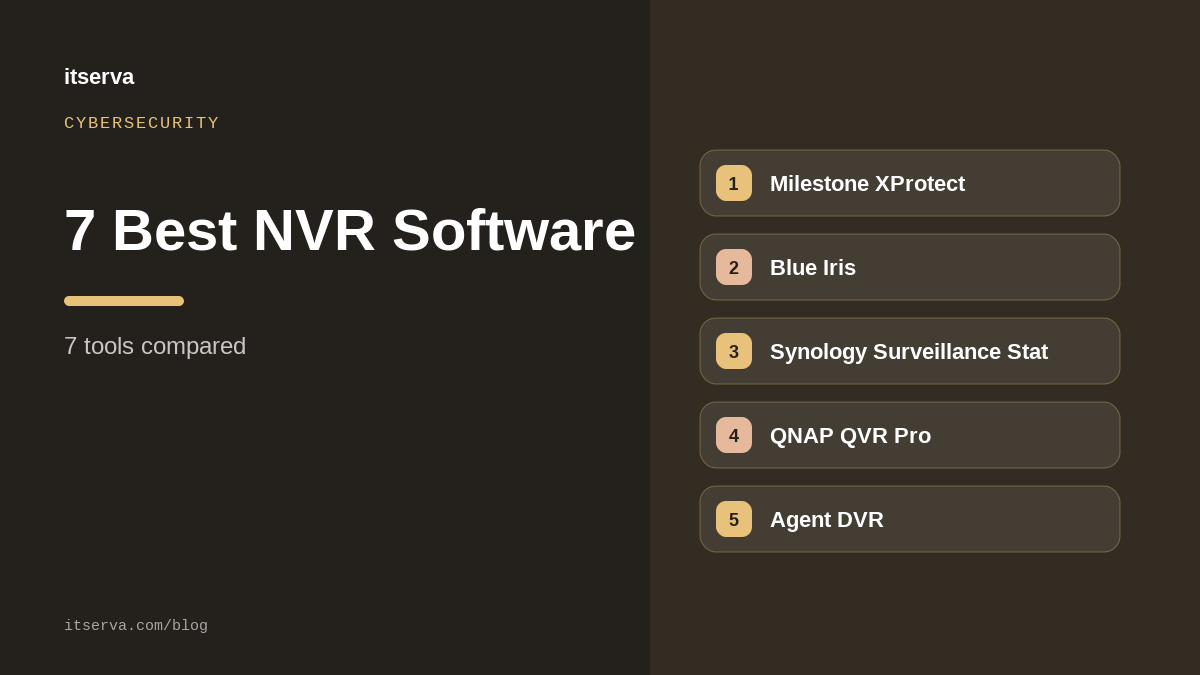
| Milestone XProtect | Best NVR software for enterprise video management | Custom pricing (per-camera licences via partners) | No |
| Blue Iris | Best budget NVR software for Windows | $99.95 one-time (Full, up to 128 cameras) | No (free demo) |
| Synology Surveillance Station | Best NVR software for Synology NAS owners | Free with Synology NAS (2 camera licences included) | Yes (2 cameras) |
| QNAP QVR Pro | Best free-channel NVR software for QNAP NAS owners | $69 per extra channel (1-channel licence) | Yes (8 channels) |
| Agent DVR | Best free NVR software for private local use | $7.95/month (Basic, per server) | Yes (private local use) |
| Luxriot EVO | Best mid-market NVR software for multi-server sites | Custom pricing (quote via partner) | No (45-day trial) |
| Genetec Security Center | Best unified security platform for large sites | Custom pricing | No |
The 7 best NVR software
#1
Milestone XProtect
- Best for
- Best NVR software for enterprise video management
- Starting price
- Custom pricing (per-camera licences via partners)
- Free plan
- No
Milestone XProtect is an open-platform video management system that records and manages IP camera footage on servers you own. It is sold in editions that step up from Express+ for a single site to Professional+, Expert, and Corporate for large multi-site deployments. Licences are bought per camera device, with a separate base licence and a Care Plus plan for updates and support.
The trade-off is that pricing is not published on a simple price list, so budgets need a partner quote and careful channel counting. Multi-sensor cameras can use more than one device licence, which raises the total for modern camera fleets. Milestone XProtect fits enterprises, cities, campuses, and transport operators that run many cameras across several sites.
What we like
- Open platform with broad camera support
- Editions scale from one site to many
- Large partner and integration ecosystem
- Central management for multi-site deployments
Watch out for
- No published list price
- Sold through partners, not direct checkout
- Per-device licensing adds up at scale
- Needs trained staff or an integrator
#2
Blue Iris
- Best for
- Best budget NVR software for Windows
- Starting price
- $99.95 one-time (Full, up to 128 cameras)
- Free plan
- No (free demo)
Blue Iris is Windows software that turns a PC into a local NVR for up to 128 cameras on the Full licence, which costs $99.95 one time. The LE licence costs $39.95 for 1 camera. It covers recording, live view, playback, motion detection, alerts, and remote viewing through its mobile app, and one year of basic maintenance is included.
The trade-off is that it runs only on Windows, so it needs a PC left on around the clock, and extended maintenance costs $44.95 per year after the first year. Commercial use needs the commercial licence at $39.95 per month. Blue Iris fits home users and small businesses that want strong local recording without a monthly subscription.
What we like
- One-time price with no monthly fee
- Supports up to 128 cameras on Full
- Motion detection, alerts, and remote viewing
- Free demo to try before buying
Watch out for
- Windows only
- Needs an always-on PC
- Extended maintenance costs extra
- Commercial use needs a separate licence
#3
Synology Surveillance Station
- Best for
- Best NVR software for Synology NAS owners
- Starting price
- Free with Synology NAS (2 camera licences included)
- Free plan
- Yes (2 cameras)
Synology Surveillance Station is software that turns a compatible Synology NAS into an NVR. Every NAS includes 2 free camera licences, and the software covers recording, live view, playback, motion detection, and remote access through web and mobile apps. Extra cameras need device licence packs sold in packs of 1, 4, or 8, and those licences are perpetual rather than subscriptions.
The trade-off is that the total cost rises with each camera past the first two, and the NAS processor limits how much video analysis it can run. It also only makes sense if you already own, or plan to buy, Synology hardware. Synology Surveillance Station fits homes and small businesses that already use a Synology NAS for storage.
What we like
- Free software with 2 camera licences
- Polished web and mobile apps
- No monthly fee for recording
- Perpetual extra licences
Watch out for
- Extra cameras need paid licences
- Tied to Synology hardware
- NAS processor limits analytics
- Synology does not publish licence pack prices
#4
QNAP QVR Pro
- Best for
- Best free-channel NVR software for QNAP NAS owners
- Starting price
- $69 per extra channel (1-channel licence)
- Free plan
- Yes (8 channels)
QNAP QVR Pro is surveillance software that runs on a QNAP NAS and includes 8 free camera channels. It covers recording, live view, playback, and event detection, and it can expand to 128 channels with extra licences. A 1-channel licence costs $69, a 4-channel licence costs $259, an 8-channel licence costs $479, and the Gold licence costs $499 and adds 8 channels.
The trade-off is that playback through QVR Pro Client is limited to the latest 14 days unless you buy the Unlimited Playback licence for $99. It also needs a QNAP NAS with at least 4 GB of memory, so it is not a choice for other hardware. QNAP QVR Pro fits QNAP NAS owners who want eight cameras covered with no software fee.
What we like
- 8 free camera channels
- Expands to 128 channels
- Perpetual channel licences
- Runs on the NAS you already own
Watch out for
- Playback limited to 14 days without a paid licence
- Tied to QNAP hardware
- Needs at least 4 GB of memory
- Gold licence costs $499
#5
Agent DVR
- Best for
- Best free NVR software for private local use
- Starting price
- $7.95/month (Basic, per server)
- Free plan
- Yes (private local use)
Agent DVR is cross-platform surveillance software from iSpyConnect that runs on Windows, macOS, Linux, Docker, and Raspberry Pi. It is free for private local use with no camera limit beyond what your hardware can handle, and it supports IP cameras, ONVIF devices, RTSP streams, and USB webcams. Local recording, motion detection, and playback are included in the free version.
The trade-off is that remote access, mobile apps, cloud storage, and business use all need a paid plan, starting with Basic at $7.95 per server per month. Standard costs $14.95 per month and adds HD streaming, while Professional costs $19.95 per month. Agent DVR fits technical home users who want free local recording and are happy to pay only for remote access.
What we like
- Free for private local use
- Runs on Windows, macOS, Linux, and Raspberry Pi
- No camera limit in the free version
- AI detection and many integrations
Watch out for
- Remote access needs a paid plan
- Business use needs a paid plan
- Interface can overwhelm beginners
- Support is mainly community based
#6
Luxriot EVO
- Best for
- Best mid-market NVR software for multi-server sites
- Starting price
- Custom pricing (quote via partner)
- Free plan
- No (45-day trial)
Luxriot EVO is Windows video management software sold in editions for different scales. Evo S is a single-server system, while Evo Global is built for multi-site, multi-server deployments with central management. A free trial runs for up to 45 days with access to all features, including video analytics, so buyers can test it against their own cameras before committing.
The trade-off is that Luxriot does not publish a price list, so costs come from a partner quote and depend on channel count and edition. Its integration ecosystem is smaller than the largest enterprise platforms, and deployment still needs Windows servers. Luxriot EVO fits regional businesses, schools, and retail chains that need dependable recording across several servers.
What we like
- 45-day trial with all features
- Multi-server and multi-site management
- Straightforward per-channel licensing
- Stable, easy deployment for mid-size sites
Watch out for
- No published price list
- Sold through partners
- Smaller integration ecosystem
- Windows servers required
#7
Genetec Security Center
- Best for
- Best unified security platform for large sites
- Starting price
- Custom pricing
- Free plan
- No
Genetec Security Center is a unified platform that brings video surveillance, access control, and license plate recognition into one system. The cloud version, Security Center SaaS, is priced per connection, with Standard and Premium tiers for video connections. Hardware such as Cloudlink appliances is sold separately, and multi-year pricing is available.
The trade-off is that the on-premise version has no published price list and is sold through certified partners, so large projects need a full quote for licences, hardware, and installation. It is also more platform than most small sites need, with setup and administration to match. Genetec Security Center fits large campuses, cities, and critical infrastructure that unify video with access control.
What we like
- Unifies video, access control, and plate recognition
- Published SaaS prices per connection
- Strong cybersecurity features
- Scales to very large deployments
Watch out for
- On-premise pricing needs a partner quote
- Premium pricing for large systems
- Needs certified partners to deploy
- More than most small sites need
How we chose
We compared NVR software that records IP cameras locally, from free DIY tools and NAS apps to enterprise video management platforms. We weighted camera compatibility and channel cost first, then local recording, remote viewing, analytics, and how clearly the vendor publishes its price. Prices come from vendor pricing pages checked in November 2026, and tools without a published price are shown as custom pricing. No vendor paid for placement, and we did not run hands-on tests; we compare published information.
Local recording versus cloud cameras: what changes the bill?
Local NVR software keeps footage on hardware you own, so the main costs are the licence, the server or NAS, and disks. Cloud cameras charge per camera per month, which can pass the cost of a local system within a year or two for larger camera counts.
Storage is the other hidden cost. Continuous recording at high resolution fills disks fast, so plan retention first: decide how many days you must keep, then size disks for that period plus headroom. Motion-based recording with a short pre-buffer cuts storage sharply for most sites.
How to choose
Start with your camera count and sites. Under 8 cameras at one site, a NAS app or Blue Iris usually wins on cost, while dozens of cameras across sites point to Luxriot EVO or Milestone XProtect, and unified security points to Genetec Security Center.
Next, check camera compatibility before you buy. List your exact camera models and verify each one against the vendor supported list, because ONVIF support alone does not guarantee advanced features such as analytics or motion alerts will work.
Finally, price the whole system, not just the software. Add licences for every camera past the free ones, the server or NAS, disks for your retention period, and any yearly maintenance, then compare those totals before you commit.