
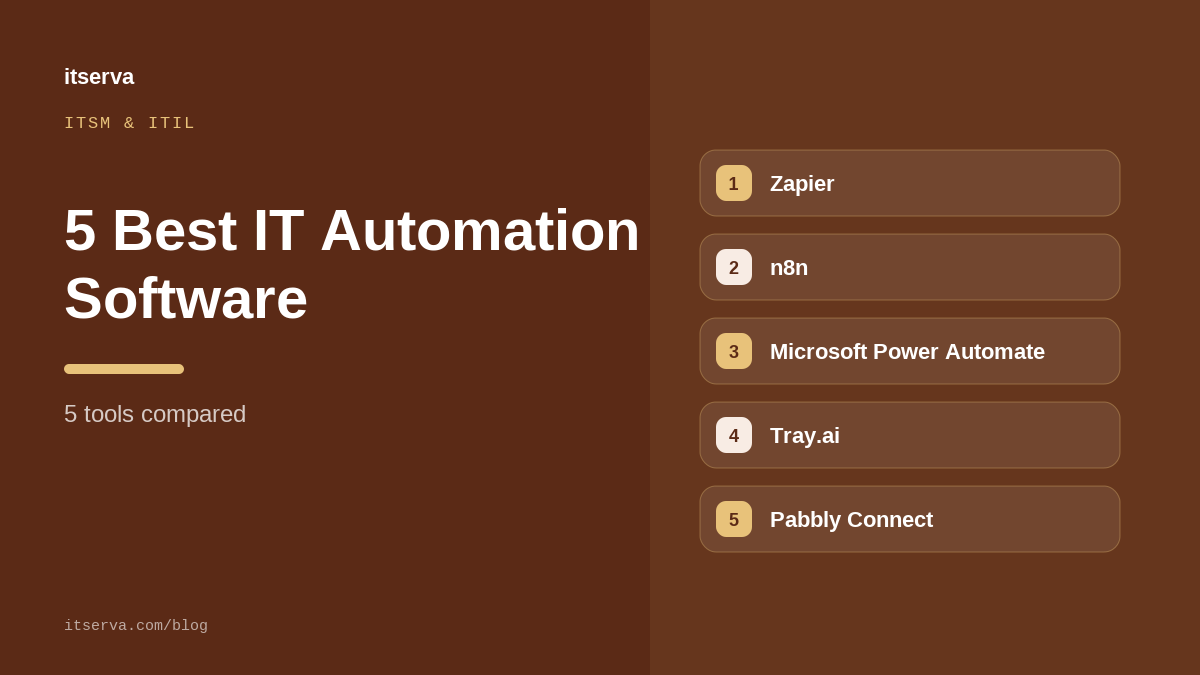
What counts as IT automation software?
IT automation software removes manual work between systems: moving data from one app to another, running scheduled jobs, handling approvals and keeping routine IT tasks going without human clicks. The label covers three different kinds of tools, so the first step is knowing which kind matches the job.
App connectors such as Zapier link cloud tools together, desktop automation drives software that has no API, and integration platforms such as Tray.ai govern automations across whole departments. Prices follow the billing unit each vendor chooses, so compare per-step, per-run and per-user pricing on the same monthly volume before deciding.
Quick comparison
| Tool | Best for | Starting price | Free plan |
|---|---|---|---|
| Zapier | Best IT automation software overall | $19.99/month (Professional, starting price) | Yes (100 tasks/month) |
| n8n | Technical teams that want full control | €20/month (Starter, billed annually) | Yes (self-hosted Community edition) |
| Microsoft Power Automate | Microsoft 365 shops | $15/user/month (Premium, paid yearly) | No (30-day free trial) |
| Tray.ai | Governed enterprise automation | From $50/month | No (30-day free trial) |
| Pabbly Connect | Budget automation with flat pricing | ₹1,799/month (Standard, regular price) | Yes (100 tasks, no credit card) |
The 5 best IT automation software tools
#1
Zapier
- Best for
- Best IT automation software overall
- Starting price
- $19.99/month (Professional, starting price)
- Free plan
- Yes (100 tasks/month)
Zapier is the default choice for connecting cloud apps without code. Professional starts at $19.99 a month and adds multi-step Zaps, webhooks and unlimited premium apps, while the free plan covers 100 tasks a month with two-step Zaps. Its catalog spans 9,000+ apps, from Slack and Google Sheets to Salesforce, and every plan includes Tables and Forms for light data work.
The trade-off is the billing unit. Every successful action step consumes a task, so a workflow with five action steps running 1,000 times in a month uses 5,000 tasks, and overage billing can push the monthly total well past the plan price. Teams should model real volume before choosing a task tier. Zapier fits non-technical teams that want the widest app coverage and the fastest setup.
What we like
- 9,000+ app integrations
- Free plan with 100 tasks a month
- Multi-step Zaps and webhooks on Professional
- Tables and Forms included on every plan
Watch out for
- Per-action-step billing adds up fast
- Team collaboration starts at $69 a month
- Advanced admin controls need Enterprise
#2
n8n
- Best for
- Technical teams that want full control
- Starting price
- €20/month (Starter, billed annually)
- Free plan
- Yes (self-hosted Community edition)
n8n is the automation tool for technical teams that want control over how workflows run. Cloud Starter costs €20 a month billed annually and covers 2,500 workflow executions a month, and the self-hosted Community edition costs nothing to license. Billing is per whole workflow run rather than per step, so long workflows cost the same as short ones.
The trade-off is the work that comes with control. Self-hosting means your team owns uptime, updates and backups, while the cloud plans stay simpler but cap monthly executions at the plan limit. The builder also assumes comfort with technical concepts, so non-technical staff may need help. n8n fits teams with a developer who can own the setup and wants the most automation per dollar.
What we like
- Bills per workflow run, not per step
- Free self-hosted Community edition
- Starter at €20 a month billed annually
- No charge when a workflow does not run
Watch out for
- Self-hosting needs maintenance
- Cloud plans cap monthly executions
- Pro jumps to €50 a month
#3
Microsoft Power Automate
- Best for
- Microsoft 365 shops
- Starting price
- $15/user/month (Premium, paid yearly)
- Free plan
- No (30-day free trial)
Microsoft Power Automate is the automation tool for teams that already run on Microsoft 365. Premium costs $15 per user per month paid yearly and adds premium connectors, while cloud flows, attended desktop flows and process mining cover everyday IT work. Higher tiers add unattended desktop flows and hosted machines for jobs that must run without a signed-in user, and a 30-day free trial lets teams test before paying.
The trade-off is the per-user model. The $15 price applies to each user who needs premium flows, so costs grow with headcount rather than with how much automation actually runs. Premium connectors also stay behind the paid plan, so the free trial is the way to confirm coverage before buying. Microsoft Power Automate fits organizations standardized on Microsoft 365 that automate approvals, alerts and routine IT tasks.
What we like
- $15 per user per month for Premium
- Attended and unattended desktop flows
- 30-day free trial
- Cloud flows across standard and premium connectors
Watch out for
- Per-user pricing grows with headcount
- No free plan, only a 30-day trial
- Hosted machines need higher tiers
#4
Tray.ai
- Best for
- Governed enterprise automation
- Starting price
- From $50/month
- Free plan
- No (30-day free trial)
Tray.ai is the enterprise integration platform for governed automation across departments. Pricing starts at $50 a month, and the iPaaS plans scale by workspaces, from 3 on Pro to 20 on Team and unlimited on Enterprise. Its catalog covers 12,000+ apps, databases, APIs and services, and usage is billed in Tasks with no per-user or per-connection fees.
The trade-off is that exact iPaaS pricing needs a quote. Plans are sized to expected usage and settled at a fixed annual cost, so buyers should run the 30-day free trial with 1 million Tasks to measure real consumption before signing. Governance features such as SSO and HIPAA controls also sit on higher tiers. Tray.ai fits mid-size and large IT teams that need one governed platform for integrations, agents and MCP tools.
What we like
- Starts at $50 a month
- 12,000+ apps, databases and APIs
- No per-user or per-connection fees
- 30-day trial with 1 million Tasks
Watch out for
- iPaaS plans need a quote
- Usage-based billing needs measuring first
- SSO and HIPAA need higher tiers
#5
Pabbly Connect
- Best for
- Budget automation with flat pricing
- Starting price
- ₹1,799/month (Standard, regular price)
- Free plan
- Yes (100 tasks, no credit card)
Pabbly Connect is the budget pick for teams that want flat, predictable automation pricing. The Standard plan costs ₹1,799 a month at its regular price and covers 10,000 tasks a month, while the free plan includes 100 tasks with no credit card required. Triggers and internal steps such as filters, routers and formatters do not consume tasks, and the platform connects 2,000+ apps.
The trade-off is the smaller ecosystem. With 2,000+ integrations it covers the popular apps, but niche or industry-specific tools may need a custom API module instead of a ready connector. The one-time-payment Unlimited plan also changes the math for heavy users who would rather pay once than monthly. Pabbly Connect fits small teams and solo operators that run steady, high-volume workflows on a tight budget.
What we like
- Standard at ₹1,799 a month for 10,000 tasks
- Free plan with 100 tasks
- Triggers and internal steps are free
- 2,000+ app integrations
- One-time-payment Unlimited plan
Watch out for
- Smaller catalog than Zapier
- Prices shown in rupees on the pricing page
- Niche apps may need a custom API module
How we chose
We compared app-to-app automation tools and integration platforms that IT teams use to connect systems, schedule work and remove manual steps, ranking them by breadth of app coverage, fit for common IT jobs and total starting cost. We weighted the range of connectors and the billing unit first, then free plans and trials, then governance and admin controls. Prices and free-plan limits come from each vendor's own pricing page, checked in November 2026. No vendor paid for placement, and we did not run hands-on tests; we compare published information.
Why the billing unit matters more than the headline price
Two tools with similar starting prices can cost very different amounts once real volume runs through them. Zapier charges for every action step, n8n charges for each whole workflow run, and Tray.ai charges for Tasks, so the same workload can be cheap on one platform and expensive on another. Model one real month of volume in each vendor's unit before comparing prices.
Credit-based tools work the same way. Make counts credits per module action and gives its free plan 1,000 credits a month, while Pabbly Connect leaves triggers and internal steps uncounted entirely. Ask how many billable units your busiest workflow uses, then multiply by how often it runs, and the cheapest option usually becomes clear.
How to choose
Start with the job, not the tool. If the work is syncing data between cloud apps, shortlist Zapier, n8n or Pabbly Connect; if it lives inside Microsoft 365, start with Power Automate; and if several departments need governed integrations, look at Tray.ai first.
Next, price a real month. Count the billable units your busiest workflows use, add the cost of every user who needs a paid seat, and compare totals rather than headline prices. A free plan or trial is the cheapest way to measure: run your actual workflows for two weeks and read the usage report before committing.
Finally, check who will maintain the automations. A tool only your developer can read becomes a risk when that person is away, so pick a builder your whole team can follow, and confirm the apps you rely on have ready connectors before you buy.