
What does IDS software actually watch?
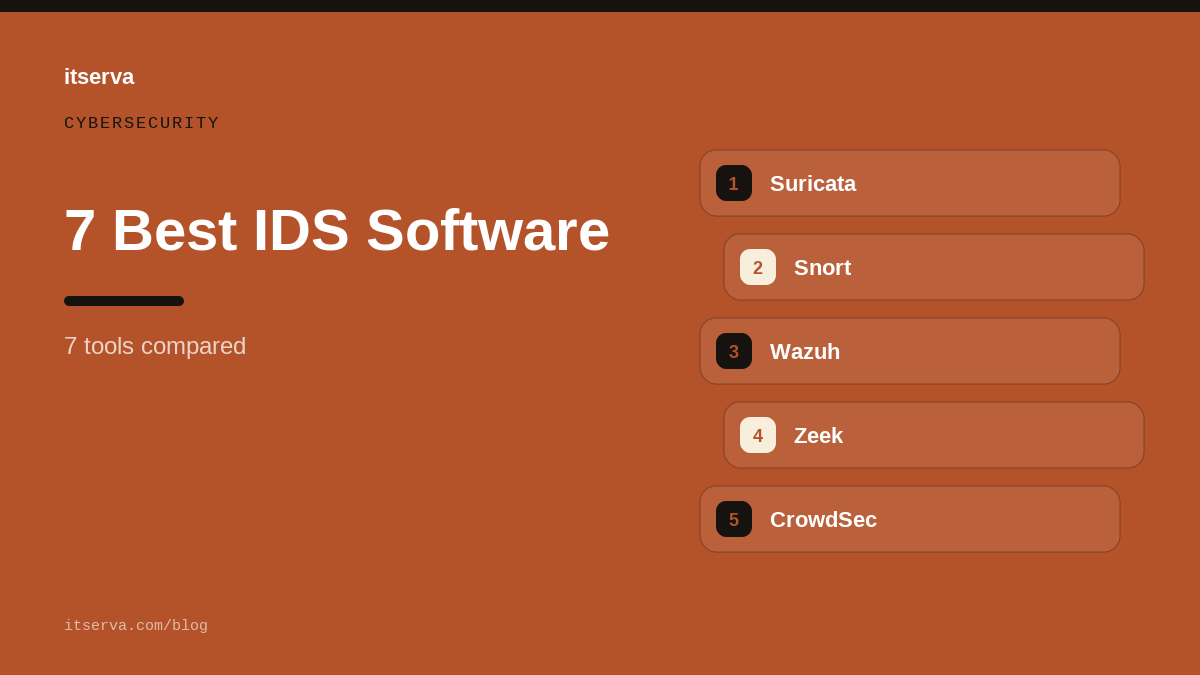
An intrusion detection system watches traffic or host activity for signs of an attack and raises an alert when it finds one. Network tools such as Suricata, Snort and Zeek sit on a network segment and inspect packets, while host tools such as Wazuh and OSSEC run agents on individual servers and watch logs, files and processes.
Most teams need both views eventually, because a network sensor cannot see what happens inside an encrypted session or on a laptop, and a host agent cannot see traffic between machines. The free tools on this list cover either side well, so the real cost is the staff time to install, tune and watch them.
Quick comparison
| Tool | Best for | Starting price | Free plan |
|---|---|---|---|
| Suricata | Best free network IDS overall | Free (open source) | Yes |
| Snort | Classic signature-based network IDS | Free (open source; paid Subscriber Ruleset available) | Yes |
| Wazuh | Host IDS plus free SIEM in one platform | Free (open source; paid Wazuh Cloud with free trial) | Yes |
| Zeek | Deep network traffic analysis and logging | Free (open source) | Yes |
| CrowdSec | Collaborative, crowd-powered blocking | Free (open-source engine; paid blocklists from $1,900/month) | Yes |
| OSSEC | Lightweight host-based intrusion detection | Free (open source; OSSEC+ free with registration) | Yes |
| SolarWinds Security Event Manager | Commercial SIEM with IDS for Windows shops | Custom pricing | No |
The 7 best IDS software tools
#1
Suricata
- Best for
- Best free network IDS overall
- Starting price
- Free (open source)
- Free plan
- Yes
Suricata is a high-performance, open-source threat detection engine that works as an IDS, an IPS and a network security monitor in one install. Its multi-threaded design spreads work across CPU cores, so it keeps pace with gigabit links that choke single-threaded sensors. It also logs HTTP, DNS, TLS and dozens of other protocols in structured JSON and extracts files from traffic for later analysis.
The trade-off is setup effort. The configuration is extensive, rule management needs regular attention, and the engine needs solid hardware to deliver the speed it promises. Suricata fits teams with a real network to protect and someone technical to run the sensor.
What we like
- Multi-threaded engine for fast networks
- IDS, IPS and network monitoring in one
- Structured JSON logs for forensics
- Free and open source
Watch out for
- Configuration is complex for beginners
- Needs decent hardware to shine
#2
Snort
- Best for
- Classic signature-based network IDS
- Starting price
- Free (open source; paid Subscriber Ruleset available)
- Free plan
- Yes
Snort is the best-known open-source intrusion prevention system in the world, maintained by Cisco Talos. It inspects packets against a ruleset and raises an alert when traffic matches a known attack pattern, and it can run as a packet sniffer, a packet logger or inline as a full prevention system that blocks malicious packets. The Community Ruleset is free, while the Subscriber Ruleset is developed and tested by Talos and delivered in real time.
The trade-off is throughput and noise. Snort's single-threaded design can struggle on very high-speed links, and the default rules need tuning before alerts become trustworthy. Snort fits teams with a Linux administrator who wants a proven, well-documented sensor on a modest network.
What we like
- Most documented IDS in existence
- Free Community Ruleset with Talos QA
- Works as sniffer, logger or full IPS
Watch out for
- Single-threaded design limits fast networks
- Rule tuning takes real effort
#3
Wazuh
- Best for
- Host IDS plus free SIEM in one platform
- Starting price
- Free (open source; paid Wazuh Cloud with free trial)
- Free plan
- Yes
Wazuh is an open-source security platform that combines host-based intrusion detection with log management, file integrity monitoring, vulnerability detection and incident response. Lightweight agents on each server report to a central manager, which correlates events into alerts on a web dashboard. The platform protects 15+ million endpoints, and the software itself costs $0, with a paid managed cloud version available on a free trial.
The trade-off is infrastructure and tuning. The full stack of manager, indexer and dashboard wants several gigabytes of RAM and real disk, and the default ruleset needs tuning before alerts are trustworthy. Wazuh fits teams with servers to protect that want host detection and SIEM coverage without a license bill.
What we like
- Complete SIEM and XDR at zero license cost
- Agents for Windows, Linux and macOS
- Active response can block threats automatically
- Compliance coverage for PCI DSS and HIPAA
Watch out for
- Full stack wants serious RAM and disk
- Default rules need tuning
#4
Zeek
- Best for
- Deep network traffic analysis and logging
- Starting price
- Free (open source)
- Free plan
- Yes
Zeek is an open-source network monitor that produces detailed, structured logs of everything crossing a network: every connection, every DNS query, every file transfer and every TLS handshake. It ships with 70+ log file types, tracks 3,000+ network events and runs in 10,000+ deployments worldwide. Its scripting language lets teams write policies that describe suspicious behaviour in their own environment, supported by 280+ community packages.
The trade-off is that Zeek is a framework, not a finished product. Out of the box it logs far more than it alerts, and turning those logs into detections takes scripting skill and time. Zeek fits security teams with an analyst who wants complete network visibility and the skill to build detections on it.
What we like
- Unmatched protocol analysis and structured logging
- Scriptable for custom detection logic
- 280+ community packages
Watch out for
- Not a turnkey IDS
- Needs scripting skill and pairs best with a SIEM
#5
CrowdSec
- Best for
- Collaborative, crowd-powered blocking
- Starting price
- Free (open-source engine; paid blocklists from $1,900/month)
- Free plan
- Yes
CrowdSec is a free, open-source security engine that watches logs for brute-force attempts, scans and exploit probes, then blocks the offending IPs. The difference from older tools is the crowd: when one user's CrowdSec blocks an attacker, that IP's reputation is shared across the network, so other users are protected before the attacker reaches them. Paid blocklists start at $1,900 per month for small businesses, and the IP Reputation API starts at $49 per month for 5,000 queries.
The trade-off is scope. CrowdSec is excellent at stopping mass attacks, bots and brute force before they reach applications, but it is not a deep packet inspection engine or a full SIEM. CrowdSec fits small teams that want a lightweight perimeter blocker to layer beside a network or host IDS.
What we like
- Community blocklists share attacker IPs
- Lightweight and easy to install
- Modern replacement for fail2ban-style blocking
Watch out for
- Focused on blocking known-bad IPs
- Enterprise features are paid
#6
OSSEC
- Best for
- Lightweight host-based intrusion detection
- Starting price
- Free (open source; OSSEC+ free with registration)
- Free plan
- Yes
OSSEC is a free, open-source host-based intrusion detection system that watches individual machines. It analyzes logs, checks file integrity, monitors the Windows registry, detects rootkits and can actively respond by blocking attackers, with agents for Windows, Linux, macOS and Unix. Registering for the free OSSEC+ tier adds hundreds of extra rules and threat intelligence feeds, and a commercial Atomic OSSEC version starts under $5 per device per month.
The trade-off is momentum and polish. Wazuh began as a fork of OSSEC and has since pulled ahead with a modern stack and dashboard, and OSSEC's interface and management experience feel dated. OSSEC fits teams that want the lightest possible host agent, already know the tool, or maintain an existing deployment.
What we like
- Lightweight agents with tiny footprint
- Log analysis, file integrity and rootkit detection
- Free OSSEC+ tier adds rules and threat intel
Watch out for
- Dated interface and management experience
- Most new deployments pick Wazuh instead
#7
SolarWinds Security Event Manager
- Best for
- Commercial SIEM with IDS for Windows shops
- Starting price
- Custom pricing
- Free plan
- No
SolarWinds Security Event Manager is a commercial SIEM with built-in intrusion detection, log collection from hundreds of sources, automated threat response and compliance reporting templates for PCI DSS, HIPAA and SOX. It deploys on Windows servers and is built for teams that want vendor support with a phone number rather than a self-managed open-source project. Pricing is quote-based, with no public numbers: buyers request a quote or build a self-hosted quote on the vendor's pricing page.
The trade-off is the commercial model. Quote-based pricing makes budgeting a conversation rather than a calculation, and the Windows-server deployment adds infrastructure to plan for. SolarWinds Security Event Manager fits companies that need compliance evidence and commercial support more than they need free software.
What we like
- Purpose-built SIEM with intrusion detection included
- Strong compliance reporting templates
- Familiar to Windows-centric IT teams
Watch out for
- Quote-based pricing with no public numbers
- Windows-server deployment adds infrastructure
How we chose
We compared intrusion detection tools that cover network traffic, host activity or both, ranked by overall fit for small and mid-size teams. We weighted free availability and detection depth first, then ease of running the tool day to day, then commercial support for teams that need it. Prices and free plans come from each vendor's own pricing or product page, checked in November 2026. No vendor paid for placement, and we did not run hands-on tests; we compare published information.
Why free IDS software still costs money
The software on this list is mostly free, but running it is not. A sensor needs a machine, storage for logs, and someone who tunes rules, chases false positives and updates the system when new threats appear. Teams that skip that work end up with noisy alerts they ignore, which is worse than having no sensor at all.
Budget staff hours before you budget software. A single sensor on your most important network segment, watched daily, beats five sensors nobody checks. If no one on the team has time for tuning, a commercial option with support, such as SolarWinds Security Event Manager, can cost less in practice than a free tool left unmaintained.
How to choose
Start with what you need to watch: network traffic between machines, activity on the machines themselves, or both. Suricata or Snort cover the network, Wazuh or OSSEC cover the hosts, and Zeek adds deep logging for teams with an analyst. CrowdSec layers on top of any of them as a perimeter blocker.
Next, count the staff time, not just the license cost. Six of the seven tools here are free, so the real question is who installs, tunes and watches the alerts. If the answer is nobody, pick the commercial route with support or wait until someone owns the job.
Finally, deploy one sensor on your most important segment first and tune it until alerts are trustworthy. Add coverage only after the first sensor earns trust, and keep a note of which rules you changed so the next person can follow your reasoning.