
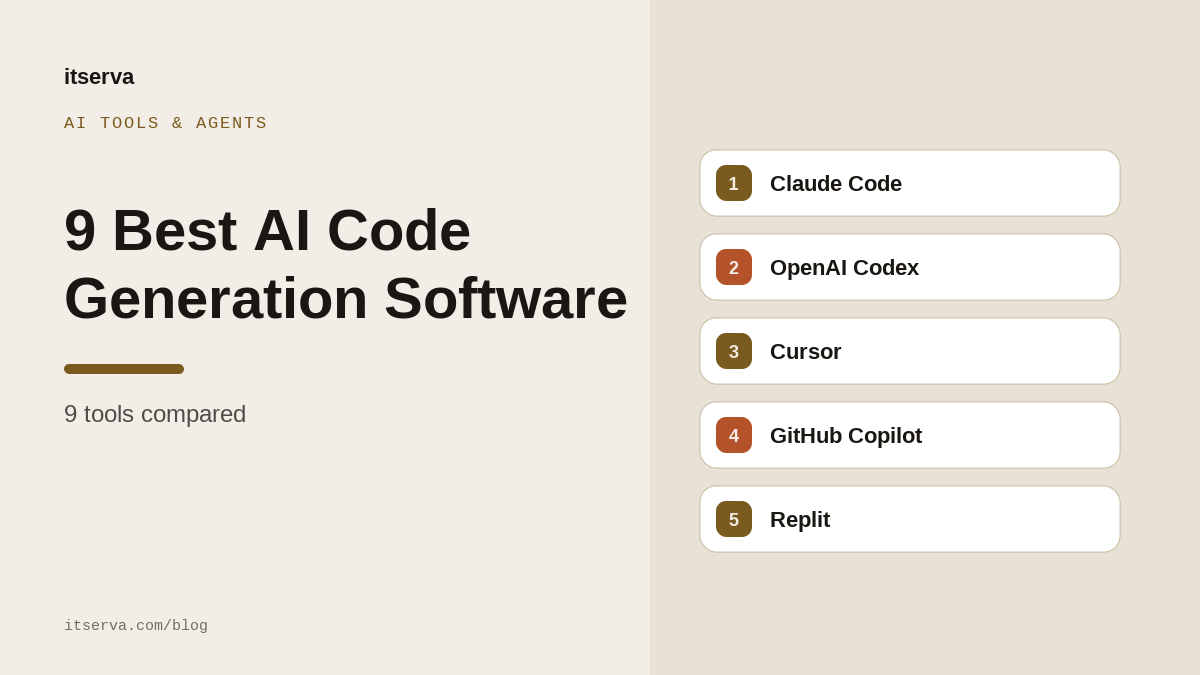
What do AI code generation tools actually do?
AI code generation tools now cover three jobs: inline completions as you type, chat that explains and rewrites code, and agents that plan and edit across many files. The best pick depends on which of those three you will use most, not on the brand name alone.
The cheapest plan is rarely the whole bill. Most tools now meter agent work with credits or weekly limits, so a $10 or $20 seat can cost more in a heavy week. Model choice also matters: tools that let you pick Claude, GPT or Gemini for each task age better than tools locked to one model family.
Quick comparison
| Tool | Best for | Starting price | Free plan |
|---|---|---|---|
| Claude Code | Best agentic coding overall | $20/month (Pro) | No (needs Claude Pro) |
| OpenAI Codex | Best for delegating parallel tasks | $20/month (ChatGPT Plus) | Yes (limited Codex tasks) |
| Cursor | Best AI-first code editor | $8/month (Plus) | Yes (limited agent use) |
| GitHub Copilot | Best value for most developers | $10/month (Pro) | Yes (2,000 completions/month) |
| Replit | Best for building apps in the browser | $20/month (Core) | Yes (daily Agent allowance) |
| Devin Desktop | Best for autonomous multi-file edits | $20/month (Pro) | Yes (light quota) |
| Tabnine | Best for private, regulated codebases | $12/user/month (Pro) | No (ended in 2025) |
| Amazon Kiro | Best for spec-driven AWS development | $20/month (Pro) | Yes (50 credits/month) |
| JetBrains AI | Best for JetBrains IDE users | $10/month (AI Pro) | Yes (unlimited local completion) |
The 9 best AI code generation tools
#1
Claude Code
4.7/5 on G2 (424 reviews, checked Nov 2026)
- Best for
- Best agentic coding overall
- Starting price
- $20/month (Pro)
- Free plan
- No (needs Claude Pro)
Claude Code is Anthropic's agentic coding tool for the terminal, desktop app and supported IDEs. It reads a codebase, plans changes across many files, runs commands and opens pull requests, and it works with Claude Opus, Sonnet and Haiku. It is included in every paid Claude plan, starting with Pro at $20 a month.
The trade-off is the usage meter. Pro's weekly agent windows are small, so heavy daily use hits the ceiling fast, and real all-day work needs Max from $100 a month. Limits reset weekly and are not published precisely. Claude Code fits developers who want the strongest multi-file output and accept a metered plan.
What we like
- Highest G2 rating in this list at 4.7/5
- Strongest output on multi-file refactors
- Runs in the terminal, IDEs and CI pipelines
- No separate subscription beyond Claude Pro
Watch out for
- Pro usage limits are small for daily agent work
- No free tier includes Claude Code
- Limits reset weekly and are not published precisely
#2
OpenAI Codex
4.7/5 on G2 (21 reviews, checked Nov 2026)
- Best for
- Best for delegating parallel tasks
- Starting price
- $20/month (ChatGPT Plus)
- Free plan
- Yes (limited Codex tasks)
OpenAI Codex is OpenAI's agentic coding tool, included in ChatGPT paid plans from Plus at $20 a month. It reads a repository, plans multi-file changes, runs tests in a sandbox and opens pull requests from the terminal, an IDE extension, the desktop app or the web. A cheaper Go plan at $8 a month includes Codex in some markets, and the free ChatGPT tier has a small Codex allowance.
The trade-off is the usage window. Plus limits Codex messages per five-hour window, and heavy use needs credits or a Pro plan from $100 a month. Model choice can also be opaque at times. OpenAI Codex fits developers who already pay for ChatGPT and want to hand off whole tasks to parallel agents.
What we like
- Same 4.7/5 G2 score as Claude Code
- Included in ChatGPT plans, no second bill
- Spawns parallel agents on separate worktrees
- Codex Security scans for real vulnerabilities
Watch out for
- Thin G2 sample of only 21 reviews
- Plus usage windows can frustrate heavy users
- Model choice is opaque at times
#3
Cursor
4.6/5 on G2 (334 reviews, checked Nov 2026)
- Best for
- Best AI-first code editor
- Starting price
- $8/month (Plus)
- Free plan
- Yes (limited agent use)
Cursor is an AI-first code editor built as a fork of VS Code, with tab autocomplete, chat and an agent mode that edits across files. The free plan includes limited agent and chat requests, and the entry paid plan is Plus at $8 a month. More than 70% of the Fortune 500 use it, according to the vendor's own count.
The trade-off is the 2026 pricing change. After the SpaceX acquisition the old $20 Pro plan went away, Plus covers Grok models only, and third-party models on higher plans bill at API rates. Pricing has changed twice in 2025 and 2026. Cursor fits developers who want an AI-first editor and accept Grok or a higher tier.
What we like
- Best agent and multi-file editing in the category
- Cheapest entry plan among the top editors
- Free plan with limited agent use
- Used by more than 70% of the Fortune 500
Watch out for
- Entry plan is Grok-only; other models cost extra
- Pricing changed twice in 2025 and 2026
- Trustpilot score is very low at 1.6/5 over billing
#4
GitHub Copilot
4.4/5 on G2 (403 reviews, checked Nov 2026)
- Best for
- Best value for most developers
- Starting price
- $10/month (Pro)
- Free plan
- Yes (2,000 completions/month)
GitHub Copilot is the AI pair programmer built into GitHub, with inline completions, chat, agent mode and code review across VS Code, Visual Studio, JetBrains and other editors. The free plan allows 2,000 completions a month, and Pro costs $10 a month with unlimited completions. It works with GPT, Claude, Gemini and more, and has over 50 million users.
The trade-off is the June 2026 billing change. Chat and agent work now draw on GitHub AI Credits, so heavy agent use can add metered cost on top of the $10 seat. Suggestions can also look right while being wrong. GitHub Copilot fits developers who already live in GitHub and want the cheapest serious seat.
What we like
- Cheapest seat with full model choice
- Largest user base at 50 million-plus users
- Works in the most editors and surfaces
- Unlimited completions on every paid plan
Watch out for
- AI Credits make heavy agent weeks unpredictable
- Suggestions can look right while being wrong
- Context is weaker across very large codebases
#5
Replit
4.4/5 on G2 (421 reviews, checked Nov 2026)
- Best for
- Best for building apps in the browser
- Starting price
- $20/month (Core)
- Free plan
- Yes (daily Agent allowance)
Replit is a browser-based workspace where its Agent writes, runs and publishes web and mobile apps from plain-language prompts, with databases and hosting built in. The free Starter plan includes a daily Agent allowance, and Core costs $20 a month. Core includes $20 of monthly model credits, and annual Core is $18 a month.
The trade-off is cost control. Agent work burns credits fast on larger projects, and reviewers report surprise bills and agents that break working code. That makes budgeting harder than a flat seat price. Replit fits beginners and fast prototypes more than large production codebases.
What we like
- Fastest route from an idea to a live app
- No setup: browser IDE, database and hosting in one
- 40 million-plus users, many of them beginners
- Core includes $20 of monthly model credits
Watch out for
- Agent can break working code on larger projects
- Credit billing draws frequent complaints
- Annual Core is $18 a month, monthly is $20
#6
Devin Desktop
4.3/5 on G2 (35 reviews, checked Nov 2026)
- Best for
- Best for autonomous multi-file edits
- Starting price
- $20/month (Pro)
- Free plan
- Yes (light quota)
Devin Desktop is Cognition's AI code editor, the new name for Windsurf after the June 2026 rebrand. Its Cascade agent plans and edits across files and the terminal, and it links to cloud Devin agents for background work. The free plan has a light quota and unlimited tab autocomplete, and Pro costs $20 a month.
The trade-off is trust. A March 2026 switch from credits to daily and weekly quotas, with Pro rising to $20, drew heavy criticism and pushed G2 scores down. Its G2 sample is also small at 35 reviews. Devin Desktop fits developers who want Cascade's autonomy and can live with quota limits.
What we like
- Cascade is strong at autonomous multi-file work
- Unlimited tab autocomplete even on the free plan
- Links local editing to cloud Devin agents
- Memories layer learns project conventions
Watch out for
- Quota change in March 2026 damaged goodwill
- G2 reviews fell to about 1.4/5 after the change
- Three owners in a year before the Cognition deal
#7
Tabnine
4.2/5 on G2 (72 reviews, checked Nov 2026)
- Best for
- Best for private, regulated codebases
- Starting price
- $12/user/month (Pro)
- Free plan
- No (ended in 2025)
Tabnine is a privacy-first AI code assistant that runs completions and chat inside the IDE, with private, VPC and air-gapped deployment for regulated teams. There is no free plan since 2025, and Pro costs $12 per user per month. Enterprise is $59 a month, and more than 1 million developers use it.
The trade-off is price for what you get. At $12 a month with no free tier, it costs more than Copilot while offering a narrower agent, and suggestions can be generic on complex code. Tabnine fits banks, health and government teams where code must never leave their network.
What we like
- Code never has to leave your network
- Private, VPC and air-gapped deployment options
- Used by more than 1 million developers
- Strong fit for finance and regulated teams
Watch out for
- No free plan since 2025
- Costs more than Copilot for a narrower agent
- Suggestions can be generic on complex code
#8
Amazon Kiro
4.1/5 on G2 (5 reviews, checked Nov 2026)
- Best for
- Best for spec-driven AWS development
- Starting price
- $20/month (Pro)
- Free plan
- Yes (50 credits/month)
Amazon Kiro is AWS's agentic IDE and the designated successor to Amazon Q Developer, whose new sign-ups closed in May 2026. It turns a prompt into a requirements file, a design document and a sequenced task list before any code is written. It runs on Code OSS, so most VS Code extensions carry over, and Pro costs $20 a month.
The trade-off is credit billing. Pro costs $20 a month for 1,000 credits, spec-mode requests cost five times vibe-mode ones, and reviewers report fast credit burn under heavy use. Its G2 sample is only 5 reviews. Amazon Kiro fits AWS teams who want planned, documented changes and can budget the meter.
What we like
- Spec workflow forces clarity before code
- Deep AWS context for Lambda, CDK and IAM
- IDE, CLI and web in one product
- Premium models included on Pro
Watch out for
- G2 sample is only 5 reviews
- Credit costs are hard to predict
- Autocomplete lags Cursor, per user reports
#9
JetBrains AI
3.2/5 on G2 (99 reviews, checked Nov 2026)
- Best for
- Best for JetBrains IDE users
- Starting price
- $10/month (AI Pro)
- Free plan
- Yes (unlimited local completion)
JetBrains AI is the AI layer built into IntelliJ IDEA, PyCharm, WebStorm and the other JetBrains IDEs, with completions that read the IDE's own type inference, plus chat and the Junie coding agent. The free plan includes unlimited local completion, and AI Pro costs $10 a month. JetBrains now brands the platform as JetBrains Air, with Junie as the headline agent.
The trade-off is the credit meter. Pro includes 10 AI credits a month, and agent runs burn through them fast, on top of a separate IDE subscription. It also has the lowest G2 score in this list at 3.2 out of 5. JetBrains AI fits developers who already pay for JetBrains IDEs and want AI without switching editors.
What we like
- Deepest IDE integration in this list
- Free plan has unlimited local completion
- AI Pro is bundled with the All Products Pack
- Junie agent handles multi-step tasks
Watch out for
- Lowest G2 rating in this list at 3.2/5
- Credits run out fast on agent work
- Needs a paid IDE subscription on top
How we chose
We compared nine AI code generation tools that cover completions, chat and agentic editing, ranked by overall fit for developers. We weighted agent depth first, then model choice, then the real monthly cost once credits and quotas are counted. Prices come from vendor pricing pages checked in November 2026, and ratings come from G2 with review counts from the same month. Tools with no purchasable plan or closed to new sign-ups were left out. No vendor paid for placement, and we did not run hands-on tests; we compare published information.
How credits and quotas change the real price
Almost every tool in this list now meters agent work separately from the seat price. Copilot uses GitHub AI Credits, Cursor and Devin Desktop use weekly quotas, and JetBrains AI uses monthly credits.
Before you standardise a team on one tool, run it for two weeks on real work and watch what the meter does. A $10 seat that needs top-ups every week costs more than a $20 seat with room to spare.
How to choose
Start with the editor and cloud you already use. Cursor replaces your editor, Copilot and Tabnine plug into the one you have, and Claude Code lives in the terminal.
Next, check the free tier first. Copilot, Cursor, Kiro and Replit all let you try the real product free, while Tabnine has no free plan, so budget from day one.
Finally, read the usage limits, not just the seat price. Agent credits, weekly quotas and per-token overages decide the real monthly bill, and if your employer bans code leaving the network, only Tabnine's private deployment and similar options qualify.