
What makes an analytics platform agentic?
An agentic analytics platform lets an AI agent carry out part of the analysis itself: it turns a plain-English question into a query, builds the chart and explains the result. Every platform here ships such an agent, but they differ in how much the agent can do before an analyst checks its work.
Enterprise platforms differ from small data tools in three ways: governed data models, user permissions and audit trails. A small tool answers a question from a spreadsheet, while these platforms decide who may see which numbers and keep a record of it.
Price is the hardest part to compare. Only ThoughtSpot, Power BI, Tableau and Qlik publish a starting price, and two of those are per-user rates that hide the cost of authors. Five platforms here publish no starting price at all.
Quick comparison
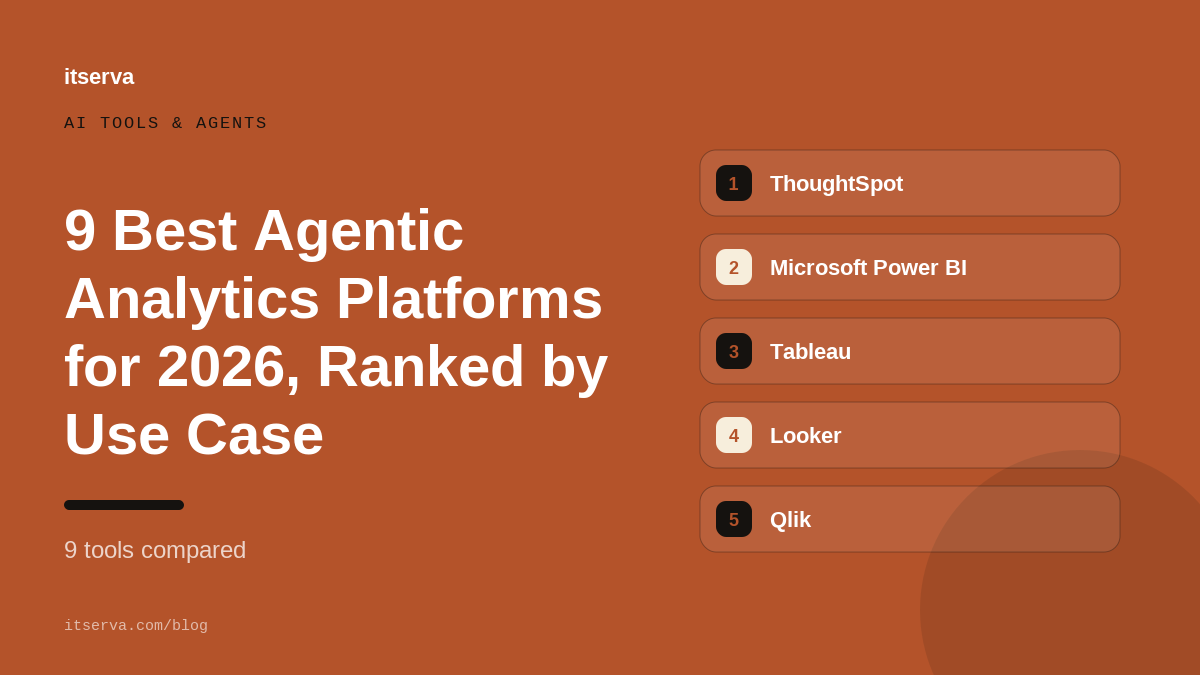
| Tool | Best for | Starting price | Free plan |
|---|---|---|---|
| ThoughtSpot | Best agentic analytics platform overall | $25/user/month (Essentials, yearly) | No (free trial) |
| Microsoft Power BI | For Microsoft 365 teams | $10/user/month (Pro) | Yes (Desktop app free) |
| Tableau | For polished dashboards | $15/user/month (Viewer, yearly) | No (free trial) |
| Looker | Governed analytics for Google Cloud | Custom (quote only) | No (Looker Studio free) |
| Qlik | For exploring unmodelled data | $300/month (Starter, yearly) | No |
| Databricks | Agentic BI on a lakehouse | Usage-based (no seat price) | Yes (Free Edition) |
| Domo | All-in-one cloud analytics | Custom (quote only) | No (free trial) |
| Sisense | For embedded analytics | Custom (quote only) | No (free trial) |
| Strategy One (MicroStrategy) | Governed BI for regulated teams | Custom (quote only) | No (30-day trial) |
The 9 best agentic analytics platforms
#1
ThoughtSpot
4.4/5 on G2 (340 reviews, checked Nov 2026)
- Best for
- Best agentic analytics platform overall
- Starting price
- $25/user/month (Essentials, yearly)
- Free plan
- No (free trial)
ThoughtSpot is a search-driven analytics platform built around Spotter, its AI agent that answers plain-English questions over cloud warehouse data. Essentials costs $25 per user a month billed annually, covers 5 to 50 users and up to 25 million rows, and includes dashboards, search and AI-generated insights.
The trade-off is that ThoughtSpot stores no data itself, so you also pay for a separate warehouse such as Snowflake, BigQuery or Databricks. Pro rises to $50 per user a month for up to 1,000 users and 250 million rows. ThoughtSpot fits enterprises that want business users asking questions without writing SQL.
What we like
- Spotter answers plain-English questions over live warehouse data
- Published per-user prices, unlike most rivals here
- Search-led design suits non-technical business users
- Dashboards and AI insights included on Essentials
Watch out for
- Needs a separate paid cloud warehouse
- Essentials caps at 50 users and 25 million rows
- No free plan
#2
Microsoft Power BI
4.5/5 on G2 (1,658 reviews, checked Nov 2026)
- Best for
- For Microsoft 365 teams
- Starting price
- $10/user/month (Pro)
- Free plan
- Yes (Desktop app free)
Microsoft Power BI is the analytics platform for teams that already live in Microsoft 365, Excel and Azure. Pro costs $10 per user a month and adds sharing, collaboration and scheduled refreshes, with up to 8 refreshes a day, while the free Desktop app covers report building on one PC.
The trade-off is Copilot. The AI assistant needs Premium Per User at $20 per user a month or Fabric capacity, so the agentic features cost double the Pro seat. Microsoft Power BI fits Microsoft shops that want governed dashboards at the lowest seat price in this list.
What we like
- Lowest paid seat price in this list
- Deep Excel, Teams and Azure integration
- Highest G2 rating here, 4.5 out of 5
- Free Desktop app for report building
Watch out for
- Copilot needs the $20 Premium Per User plan
- Most viewers need a paid licence too
#3
Tableau
4.4/5 on G2 (4,237 reviews, checked Nov 2026)
- Best for
- For polished dashboards
- Starting price
- $15/user/month (Viewer, yearly)
- Free plan
- No (free trial)
Tableau is the veteran of this list, now adding Tableau Agent across Prep and authoring, plus Tableau Pulse for AI-generated insight summaries. Viewer seats start at $15 per user a month billed annually, Explorer at $42 and Creator at $75 on the Standard edition.
The trade-off is role pricing. Only Creator seats can connect new data sources, and every deployment needs at least one Creator, so a team of viewers still pays $75 a month for one author. Tableau fits enterprises that prize polished, interactive dashboards above all.
What we like
- Largest review base here, 4,237 G2 reviews
- Strongest visual and dashboard design
- Tableau Agent works in Prep and authoring
- Pulse adds AI insight summaries
Watch out for
- Viewer seats cannot build or edit anything
- Annual contracts only, no monthly billing
- Every deployment needs a $75 Creator seat
#4
Looker
4.4/5 on G2 (1,656 reviews, checked Nov 2026)
- Best for
- Governed analytics for Google Cloud
- Starting price
- Custom (quote only)
- Free plan
- No (Looker Studio free)
Looker is Google Cloud's governed analytics platform, built on LookML, a central data model that defines every metric once. Teams model each metric once in LookML, then reuse it across dashboards, reports and AI answers. Gemini in Looker adds conversational analysis and AI-generated visualisations on top of that governed layer.
The trade-off is price transparency. Looker publishes no seat price, so every deal is a sales quote, and the platform rewards teams that invest in modelling. That modelling takes real analyst time, so smaller teams may find the setup heavy. Looker fits Google Cloud shops that want one governed definition of every number.
What we like
- One governed metric definition for the whole company
- Strong Google Cloud and BigQuery fit
- Looker Studio gives a free reporting tier
Watch out for
- No published price, so budgeting needs a sales quote
- LookML modelling takes real analyst time
#5
Qlik
4.4/5 on G2 (929 reviews, checked Nov 2026)
- Best for
- For exploring unmodelled data
- Starting price
- $300/month (Starter, yearly)
- Free plan
- No
Qlik is a cloud analytics platform built on an associative engine that lets users explore relationships across data instead of following fixed drill paths. Starter costs $300 a month billed annually for 10 users and 10 GB of data, and includes Qlik Answers agents.
The trade-off is capacity pricing. Standard costs $825 a month for 25 GB and Premium $2,750 a month for 50 GB, with no charge for extra users, so the bill grows with data, not seats. Qlik fits teams exploring data nobody has modelled yet.
What we like
- Associative engine finds links fixed dashboards miss
- No per-user charge from Standard upwards
- Serves more than 40,000 customers
Watch out for
- Starter data cannot be topped up at any price
- Standard jumps to $825 a month
#6
Databricks
4.6/5 on G2 (1,383 reviews, checked Nov 2026)
- Best for
- Agentic BI on a lakehouse
- Starting price
- Usage-based (no seat price)
- Free plan
- Yes (Free Edition)
Databricks is a lakehouse platform whose AI/BI tools, Genie and AI/BI Dashboards, let business users ask questions in plain English over governed data. Genie learns from table metadata, example queries and usage, and answers with charts and text. Its Unity Catalog governs access across the lakehouse, so users ask questions over data they are allowed to see.
The trade-off is that this is a data platform first. There is no flat seat price: AI/BI usage is billed on Databricks consumption, so costs move with compute. That makes monthly bills hard to forecast for teams new to consumption pricing. Databricks fits enterprises that already run their data on Databricks.
What we like
- Highest G2 rating in this list, 4.6 out of 5
- Genie answers over governed lakehouse data
- One platform for engineering, AI and analytics
- Free Edition for learning
Watch out for
- No flat price, so costs are hard to forecast
- Needs data already on Databricks to shine
#7
Domo
4.3/5 on G2 (1,085 reviews, checked Nov 2026)
- Best for
- All-in-one cloud analytics
- Starting price
- Custom (quote only)
- Free plan
- No (free trial)
Domo is a cloud platform that combines data integration, dashboards and apps, with AI agents and chat-based answers on governed data. It lists more than 1,000 connectors, so teams can pull in SaaS, spreadsheet and warehouse sources without building pipelines.
The trade-off is pricing. Domo sells on credit-based custom quotes with no published starting price, and reviewers warn costs can be hard to predict. That unpredictability matters for budgeting, since credit use rises with the number of users, apps and alerts running. Domo fits executives who want one place for reporting, alerts and apps.
What we like
- More than 1,000 connectors in one platform
- Apps and alerts sit beside dashboards
- Rated 4.3 out of 5 from 1,085 G2 reviews
Watch out for
- No published price, only custom quotes
- Credit-based billing can be hard to forecast
#8
Sisense
4.2/5 on G2 (1,063 reviews, checked Nov 2026)
- Best for
- For embedded analytics
- Starting price
- Custom (quote only)
- Free plan
- No (free trial)
Sisense is an analytics platform aimed at product teams that embed dashboards inside their own software. Its API-first design and customisable dashboards let developers ship white-labelled analytics to customers. Product teams use it to put charts and reports inside the software their own customers already use, with data modelling built in.
The trade-off is that Sisense publishes no prices at all, so every deal is a sales conversation, and the platform fits embedding better than casual business reporting. That makes it a specialist choice rather than a general-purpose reporting tool. Sisense fits SaaS companies that sell analytics as part of their product.
What we like
- Strongest embedding story in this list
- Flexible dashboards and data modelling
- Rated 4.2 out of 5 from 1,063 G2 reviews
Watch out for
- No published pricing anywhere
- Less suited to casual business-user reporting
#9
Strategy One (MicroStrategy)
4.2/5 on G2 (600 reviews, checked Nov 2026)
- Best for
- Governed BI for regulated teams
- Starting price
- Custom (quote only)
- Free plan
- No (30-day trial)
Strategy One (MicroStrategy) is an enterprise analytics platform with governed semantic models, pixel-perfect reporting and AI agents. Its governed semantic models define each metric once, and its pixel-perfect reporting suits formal, paginated reports for large organisations. It targets large organisations that need strict governance over who sees which numbers.
The trade-off is cost and complexity. Pricing is quote-based, with a complex licence, and the platform is heavyweight for smaller teams, so it suits organisations with mature BI teams and strict rules. Strategy One (MicroStrategy) fits regulated enterprises with mature BI teams.
What we like
- Deep governance for regulated enterprises
- Pixel-perfect and paginated reporting
- Rated 4.2 out of 5 from 600 G2 reviews
Watch out for
- Quote-only pricing with a complex licence
- Heavyweight for smaller teams
How we chose
We compared enterprise analytics platforms that ship an AI agent, ranked by overall fit for teams that need governed, shared reporting. We weighted the strength of the AI agent first, then governance and data modelling, then published pricing and G2 ratings with review counts. Prices come from vendor pricing pages, checked in November 2026, and where a vendor shows no price the list says so instead of guessing. No vendor paid for placement, and we did not run hands-on tests; we compare published information.
Enterprise pricing traps to watch
Per-user prices hide author costs. Tableau Viewer seats are $15 a month, but someone must hold a $75 Creator seat to build anything, and Power BI viewers need paid licences too unless the company buys capacity.
Capacity pricing flips the maths. Qlik Standard costs $825 a month whatever the headcount, so a 500-person rollout can cost less per head than a 10-person one, while a small team pays for data it never uses.
Custom quotes are the norm, not the exception. Five of the nine platforms here publish no starting price, so budget for a sales process and ask for the price of the AI agent separately: some vendors charge for it on top.
How to choose
Start with where your data lives, then check who will ask the questions. ThoughtSpot and Databricks need a cloud warehouse or lakehouse, while Power BI and Tableau also work from files and spreadsheets, so pick the platform that fits the data you already have.
Next, count authors, not viewers. Viewers are cheap on Tableau and Power BI, but authors cost $75 and $10 a month respectively, so budget for the people who build, not just the people who read. Check what the AI agent costs too: some agents are included, some need a higher plan, and some are metered by the query, so ask for the agent price in writing before you sign.
Finally, run a trial on your own data. A demo on sample data hides modelling work and governance gaps, so load a real dataset, ask the agent real questions, and check the answers against numbers you trust.