
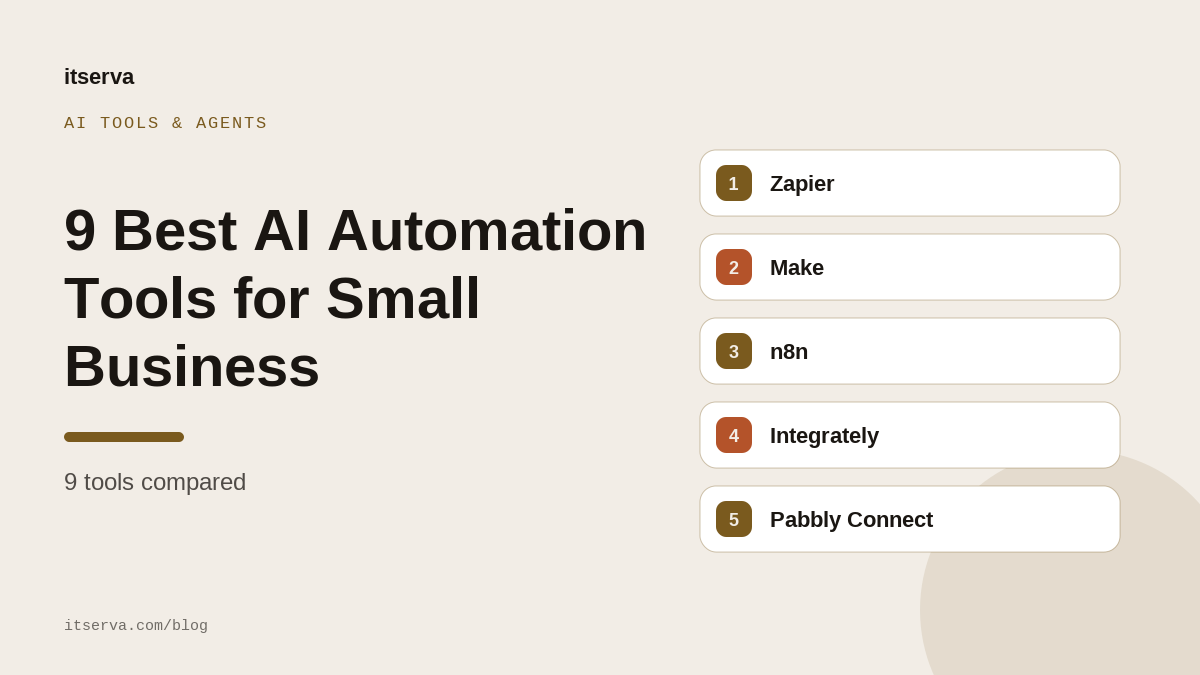
What should a small business look for in an AI automation tool?
A small business does not need the most powerful automation tool. It needs one that starts cheap, sets up fast and covers the apps already in use, from email and invoicing to the shop and the CRM.
Price is the first filter, and the billing unit matters as much as the price. Zapier counts tasks, Make counts credits, n8n counts whole executions and ActiveCampaign charges by contact count, so the same workload can cost very different amounts. Ratings are the second filter: every tool here scores at least 4.4 out of 5 on G2 or Capterra.
Quick comparison
| Tool | Best for | Starting price | Free plan |
|---|---|---|---|
| Zapier | Best AI automation tool overall | $19.99/month (Professional, yearly) | Yes (100 tasks/month) |
| Make | Best value for visual workflows | $12/month (Core, yearly) | Yes (1,000 credits/month) |
| n8n | Best for technical teams and self-hosting | €20/month (Starter, yearly) | Yes (self-hosted Community Edition) |
| Integrately | Best one-click automations | $19.99/month (Starter, yearly) | Yes (100 tasks/month) |
| Pabbly Connect | Best budget pick with lifetime plans | $16/month (Standard, yearly) | Yes (100 tasks/month) |
| Albato | Best low-cost Zapier alternative | $15/month (Pro, yearly) | Yes (100 transactions/month) |
| IFTTT | Best for simple, cheap automations | $2.09/month (Starter, yearly) | Yes (1,000 credits/month) |
| ActiveCampaign | Best for email and marketing automation | $15/month (Starter, yearly) | No (trial only) |
| Microsoft Power Automate | Best for Microsoft 365 businesses | $15/user/month (Premium, yearly) | No (trial only) |
The 9 best AI automation tools for small business
#1
Zapier
4.5/5 on G2 (2,088 reviews, checked Nov 2026)
- Best for
- Best AI automation tool overall
- Starting price
- $19.99/month (Professional, yearly)
- Free plan
- Yes (100 tasks/month)
Zapier is a no-code automation platform that links more than 9,000 apps through workflows called Zaps, so a new order, lead or invoice can move between tools without manual copying. The free plan covers 100 tasks a month, while Professional starts at $19.99 a month billed yearly and adds multi-step Zaps, premium apps, webhooks and AI fields. AI agents, Tables and Forms come with every account.
The trade-off is the task meter, because every successful action step counts as a task, so a five-step workflow run 2,000 times uses 10,000 tasks and can push the bill up fast. Free and Professional plans are single-user only, and pay-per-task overages cost more than plan tasks. Zapier fits small businesses that run short, simple workflows across many apps and want the widest choice of connections.
What we like
- Largest app library of any tool here
- Free plan covers 100 tasks a month
- AI agents, Tables and Forms included
- 14-day free trial of Professional, no card needed
Watch out for
- Costs rise fast as workflows get longer
- Free and Professional plans are single-user only
- Pay-per-task overages cost more than plan tasks
#2
Make
4.6/5 on G2 (336 reviews, checked Nov 2026)
- Best for
- Best value for visual workflows
- Starting price
- $12/month (Core, yearly)
- Free plan
- Yes (1,000 credits/month)
Make is a visual automation platform where workflows are drawn on a canvas, with branching, routers and filters for jobs that need more than a straight line. The free plan includes 1,000 credits a month and two active scenarios, and Core costs $12 a month billed annually for 10,000 credits and unlimited scenarios. Make connects 3,500+ apps and includes the Maia AI assistant on paid plans.
The trade-off is the learning curve, since the canvas takes longer to master than a simple list builder and credit counting needs some getting used to. Some AI actions cost extra credits, and its Trustpilot score is low at 2.6 out of 5. Make fits small businesses that want complex, branching workflows at a low monthly price.
What we like
- Cheapest paid plan in the top three
- Visual canvas handles branching well
- Unlimited scenarios on every paid plan
- Start-up plan gives firms under 20 staff 50% off Business
Watch out for
- Steeper learning curve than Zapier
- Trustpilot score is low at 2.6 out of 5
- Some AI actions cost extra credits
#3
n8n
4.7/5 on G2 (323 reviews, checked Nov 2026)
- Best for
- Best for technical teams and self-hosting
- Starting price
- €20/month (Starter, yearly)
- Free plan
- Yes (self-hosted Community Edition)
n8n is a workflow automation platform with a visual node editor, code steps and AI agent nodes for teams that want full control over how automations run. The Community Edition is free to self-host with unlimited executions, and n8n Cloud Starter costs €20 a month billed annually for 2,500 executions. Every plan includes unlimited users and unlimited workflows.
The trade-off is that n8n expects technical comfort, because building and fixing workflows takes more skill than on Zapier or Make, and self-hosting means looking after updates and backups yourself. Cloud prices are in euros, not dollars, and Starter caps each run at 5 minutes. n8n fits small businesses with a technical person on staff or high volumes where per-step billing gets expensive.
What we like
- Free self-hosted edition with no execution cap
- One execution costs the same whatever its steps
- Highest G2 rating in this list at 4.7 out of 5
- No per-seat pricing on any plan
Watch out for
- Cloud prices are in euros, not dollars
- Needs technical skill to get the most from it
- Starter caps each run at 5 minutes and 5 at once
#4
Integrately
4.7/5 on G2 (713 reviews, checked Nov 2026)
- Best for
- Best one-click automations
- Starting price
- $19.99/month (Starter, yearly)
- Free plan
- Yes (100 tasks/month)
Integrately is a no-code automation platform built around ready-made workflows, so a business can pick two apps, switch on a common automation and have it running in minutes. It lists more than 20 million ready automations across 1,500+ apps, and the free plan covers 100 tasks a month. Starter costs $19.99 a month billed annually for 2,000 tasks and 20 automations.
The trade-off is depth, because one-click automations cover common jobs well but unusual workflows need building from scratch, and Starter covers only one user. Paid plans jump from $19.99 to $39 for more tasks, and its app library is smaller than Zapier or Make. Integrately fits small businesses that want the fastest setup and mostly need standard connections between popular apps.
What we like
- Fastest setup: most automations switch on in one click
- Live chat support on every plan
- Triggers and failed actions are never counted as tasks
Watch out for
- Starter covers one user only
- Smaller app library than Zapier or Make
- Paid plans jump from $19.99 to $39 for more tasks
#5
Pabbly Connect
4.5/5 on Capterra (86 reviews, checked Nov 2026)
- Best for
- Best budget pick with lifetime plans
- Starting price
- $16/month (Standard, yearly)
- Free plan
- Yes (100 tasks/month)
Pabbly Connect is a budget automation tool that links 2,000+ apps with multi-step workflows, routers, filters and webhooks. The free plan covers 100 tasks a month, and Standard costs $16 a month billed annually for 10,000 tasks, or $19 month to month. Pabbly also sells one-time lifetime plans from $349, which no other tool here offers.
The trade-off is polish, since reviewers praise the price but report an older-looking interface, a learning curve and slower support on harder cases. Its AI Assistant and code steps need the Unlimited plan, and customer service scores 4.2 out of 5 on Capterra. Pabbly Connect fits small businesses on a tight budget that want generous task limits and are happy to pay once instead of monthly.
What we like
- Lowest task price per dollar in this list
- Lifetime plans remove the monthly bill
- Triggers and internal steps do not use tasks
- SOC 2 Type 2 and ISO 27001 certified
Watch out for
- Interface looks dated next to Zapier and Make
- Customer service scores 4.2 out of 5 on Capterra
- AI Assistant and code steps need the Unlimited plan
#6
Albato
4.6/5 on G2 (510 reviews, checked Nov 2026)
- Best for
- Best low-cost Zapier alternative
- Starting price
- $15/month (Pro, yearly)
- Free plan
- Yes (100 transactions/month)
Albato is a no-code automation platform that connects 1,000+ apps with two-way sync, webhooks and built-in AI agents. The free plan covers 100 transactions a month with 5 automations, and Pro costs $15 a month billed annually for unlimited automations and up to 2 million transactions. Albato also offers a Teams plan with shared workspaces.
The trade-off is that Albato is smaller than the big names, so its app library is narrower and some niche tools are missing, which means checking the stack is covered before paying. The free plan allows only 5 automations, and annual billing is the only way to reach the $15 price. Albato fits small businesses that want a low-cost Zapier alternative with generous transaction limits and helpful support.
What we like
- Unlimited automations on the cheapest paid plan
- Generous transaction limits for the price
- Customer support is the top-praised strength on G2
Watch out for
- Free plan allows only 5 automations
- Fewer apps than Zapier, Make or Integrately
- Annual billing is the only way to the $15 price
#7
IFTTT
4.5/5 on G2 (117 reviews, checked Nov 2026)
- Best for
- Best for simple, cheap automations
- Starting price
- $2.09/month (Starter, yearly)
- Free plan
- Yes (1,000 credits/month)
IFTTT is the simplest tool here, where each Applet links one trigger to one or more actions across 1,000+ services, including smart-home devices. The free plan covers 1,000 credits a month with unlimited Applets, and Starter costs $2.09 a month billed annually for 5,000 credits. IFTTT now adds AI steps and an MCP server for AI assistants.
The trade-off is business depth, because there is no branching, no data transformation and no shared team workspace, and polling triggers check only every 15 minutes on Starter. Trustpilot rates it 1.6 out of 5 from 61 reviews, so expectations should stay modest. IFTTT fits a very small business that needs a few simple, cheap automations and nothing more.
What we like
- Cheapest paid plan in this list by far
- Simplest setup: an Applet takes minutes
- Free plan includes every feature and unlimited Applets
Watch out for
- No branching or data transformation
- Polling delays make it weak for time-sensitive work
- Trustpilot rates it 1.6 out of 5 from 61 reviews
#8
ActiveCampaign
4.4/5 on G2 (14,647 reviews, checked Nov 2026)
- Best for
- Best for email and marketing automation
- Starting price
- $15/month (Starter, yearly)
- Free plan
- No (trial only)
ActiveCampaign is a marketing automation platform with a visual builder, more than 950 ready-made automation recipes and an AI builder that drafts automations from a sentence. Starter costs $15 a month billed annually for 1,000 contacts, with email automation and site tracking. It serves more than 180,000 customers, mostly small and mid-sized businesses.
The trade-off is that Starter is limited, because each automation allows only 5 actions, there is one user seat, and the price climbs steeply as the contact list grows. There is no permanent free plan, only a trial, so email-heavy businesses should budget for growth. ActiveCampaign fits a small business where email follow-up drives revenue and the list stays small.
What we like
- Deepest email automation builder in this list
- 950+ ready-made automation recipes
- Strong inbox placement: 94.2% in independent testing
Watch out for
- Starter caps each automation at 5 actions
- Price rises steeply with contact count
- No permanent free plan
#9
Microsoft Power Automate
4.4/5 on G2 (1,094 reviews, checked Nov 2026)
- Best for
- Best for Microsoft 365 businesses
- Starting price
- $15/user/month (Premium, yearly)
- Free plan
- No (trial only)
Microsoft Power Automate is the automation tool for businesses already on Microsoft 365, with deep links to Outlook, Teams, Excel and SharePoint. Premium costs $15 per user a month billed annually and adds cloud flows, attended desktop flows and AI Builder credits. There is no permanent free plan, only a free trial.
The trade-off is the Microsoft bubble, because outside Microsoft 365 premium connectors cost extra and the builder feels harder to learn than Zapier. Per-user pricing adds up as the team grows, and premium connectors can push costs up mid-project. Microsoft Power Automate fits a small business that already pays for Microsoft 365 and wants automation inside the tools it uses every day.
What we like
- Best fit if the business already runs on Microsoft 365
- Desktop flows automate legacy Windows apps
- AI Builder credits included in Premium
Watch out for
- No permanent free plan
- Per-user pricing adds up as the team grows
- Premium connectors can push costs up mid-project
How we chose
We compared automation tools most often recommended for small businesses and kept the nine with a verified rating on G2 or Capterra, a published price and a plan a small business can afford. We weighted breadth of app coverage first, then the cheapest paid plan and free-plan limits, then ease of use for non-technical teams. Prices come from vendor pricing pages, checked in November 2026, and ratings and review counts come from G2 and Capterra. No vendor paid for placement, and we did not run hands-on tests; we compare published information.
Free plans vs paid plans: where the money goes
Free plans cover the basics well. Zapier, Make, n8n, Integrately, Pabbly Connect, Albato and IFTTT all do useful work without paying, and n8n can be self-hosted free with no execution cap.
Paid plans mostly add limits and speed: more tasks, faster checks, multi-step workflows and priority support. The cheapest paid plans here run from $2.09 to $19.99 a month, so price the time saved, not just the subscription.
How to choose
Start with the three workflows you repeat most. Write down the apps each one touches and how often it runs, because that list decides which billing unit fits: tasks, credits or executions.
Next, try the free plan with one real workflow. Build the single most repetitive job first and run it for a week; if it saves time without breaking, the tool earns a paid plan. Check the app directory for every app in the workflow before paying, since a missing connection means rebuilding elsewhere.
Finally, budget for the renewal price, not the offer. First-month deals and yearly discounts end, so work out what the plan costs at its regular monthly price over a full year.