
What is bare metal backup and recovery?
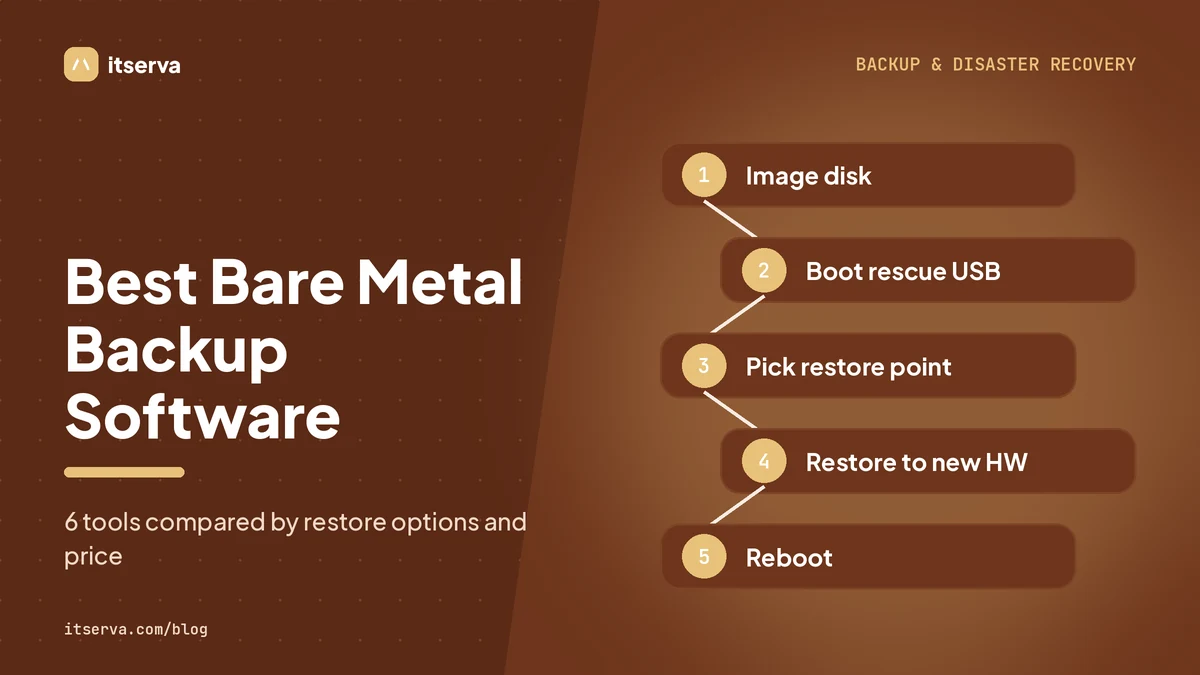
Bare metal backup captures a full image of a machine, including the operating system, apps, settings and data. Bare metal recovery rebuilds that machine on an empty drive, or a new computer, without reinstalling Windows first.
Two features make it work: bootable recovery media that starts the restore when the system will not boot, and drivers that let an image run on different hardware. Without both, a dead motherboard can still mean a full rebuild.
Quick comparison
| Tool | Best for | Starting price | Free plan |
|---|---|---|---|
| Veeam Agent for Microsoft Windows | Best free bare metal backup for Windows | Free (paid editions by quote) | Yes |
| Acronis True Image | Restores to different hardware | $44.99/year first year (Essentials) | No (30-day trial on some features) |
| Iperius Backup | Windows servers and P2V | Perpetual license (price not listed) | Yes (Iperius Backup Free) |
| EaseUS Todo Backup | Low-cost yearly licenses | $29.95/year (Home) | Yes (free Windows edition) |
| AOMEI Backupper | Free system image for home PCs | Free (Standard); paid editions listed | Yes (Standard) |
| NovaBACKUP | Hybrid local and cloud backup | $69.95/year (PC Agent) | No |
The 6 best bare metal backup tools
#1
Veeam Agent for Microsoft Windows
- Best for
- Best free bare metal backup for Windows
- Starting price
- Free (paid editions by quote)
- Free plan
- Yes
Veeam Agent for Microsoft Windows is a free image backup tool for Windows desktops, laptops and tablets. It backs up whole machines, volumes or folders to an external drive, NAS or Veeam repository, offers bare-metal restores and builds recovery media on USB, SD card, disc or ISO.
The trade-off is scope. The free agent targets PCs, and Veeam points Windows servers to Backup & Replication Community Edition, which covers up to 10 workloads. Veeam Agent fits IT pros and home users who want enterprise-grade imaging without a license fee.
What we like
- Free image backup
- Bare-metal restore included
- Flexible recovery media
- Backs up to NAS or external drives
Watch out for
- Aimed at PCs, not servers
- Paid editions need a quote
#2
Acronis True Image
- Best for
- Restores to different hardware
- Starting price
- $44.99/year first year (Essentials)
- Free plan
- No (30-day trial on some features)
Acronis True Image combines image backup, disk cloning and universal restore, which lets an image boot on different hardware. Essentials lists $44.99 for the first year for 1, 3 or 5 computers, and Advanced at $51.09 adds malware protection and cloud storage.
The trade-off is that the listed prices are first-year discounts, and renewal costs more. Essentials also has no cloud copy. Acronis fits home users and small offices that want a polished app for full-system restores.
What we like
- Universal restore on every plan
- Disk cloning included
- Covers up to 5 computers
- Malware protection on Advanced
Watch out for
- Renewal prices are higher
- No cloud storage on Essentials
#3
Iperius Backup
- Best for
- Windows servers and P2V
- Starting price
- Perpetual license (price not listed)
- Free plan
- Yes (Iperius Backup Free)
Iperius Backup lists the fullest bare metal toolkit here: incremental and differential drive images, bare-metal restore, recovery media with pre-installed drivers, restore to dissimilar hardware, P2V conversion and instant boot on Hyper-V. It also backs up VMs, SQL Server and Microsoft 365.
The trade-off is that the homepage does not show prices or explain edition limits. Iperius fits small businesses and MSPs that want server imaging and other backup jobs under one perpetual license.
What we like
- Restore to dissimilar hardware
- P2V conversion
- Perpetual license
- Instant boot on Hyper-V
Watch out for
- Prices not on the homepage
- Windows-focused
#4
EaseUS Todo Backup
- Best for
- Low-cost yearly licenses
- Starting price
- $29.95/year (Home)
- Free plan
- Yes (free Windows edition)
EaseUS Todo Backup has clear per-computer pricing. Home costs $29.95 per year or $59 for lifetime upgrades, Workstation $39 per year, and Server $199 per year. A free Windows edition offers one-click system, disk and file backup.
The trade-off is that the store page does not spell out which editions include restore to new hardware, so check the edition comparison first. EaseUS fits users who want a cheap, simple imaging tool for a desktop or a single server.
What we like
- Low yearly price
- Lifetime upgrade option
- Server editions available
- 30-day money-back guarantee
Watch out for
- Licenses cover one computer
- Edition features not on the store page
#5
AOMEI Backupper
- Best for
- Free system image for home PCs
- Starting price
- Free (Standard); paid editions listed
- Free plan
- Yes (Standard)
AOMEI Backupper Standard is free and backs up the OS, a full disk or files to a local or external drive, NAS or network share. It supports incremental and event-triggered backups and can build a WinPE or Linux bootable disc for recovery.
The trade-off is that restore to dissimilar hardware is not named on the main page, and paid editions for business, servers and technicians are priced separately. AOMEI Backupper fits home users who want a free full-system backup.
What we like
- Free Standard edition
- WinPE and Linux boot media
- Event-triggered backups
- Server and Technician editions
Watch out for
- Dissimilar hardware restore not confirmed
- Prices not on the homepage
#6
NovaBACKUP
- Best for
- Hybrid local and cloud backup
- Starting price
- $69.95/year (PC Agent)
- Free plan
- No
NovaBACKUP sells per-machine agents with disaster recovery, incremental forever backup and hybrid local plus cloud copies. The PC Agent for local backup costs $69.95 per year, and the Server Agent with 250 GB of cloud storage costs $399.95 per year, both with local support.
The trade-off is that its offer page lists disaster recovery but does not detail bare metal or new-hardware restore. NovaBACKUP fits small businesses that want a supported agent with a cloud copy included.
What we like
- Cloud storage bundled on some plans
- SQL and VM backup on Server Agent
- 256-bit AES encryption
- Local support included
Watch out for
- One machine per agent
- Bare metal details not listed
How we chose
We compared tools that create full system images and can restore a machine to an empty drive, ranked by fit for Windows PCs and small business servers. We weighted confirmed bare-metal and dissimilar hardware restore first, then recovery media options, then price and free editions. Features and prices come from each vendor's own product and store pages in USD, checked in November 2026. No vendor paid for placement, and we did not run hands-on tests: we compare published information.
Bare metal restore vs dissimilar hardware restore
A plain bare metal restore puts an image back on the same or identical hardware, such as a replaced hard drive. That works with most imaging tools.
A dissimilar hardware restore moves the image to a different machine, which needs new storage and chipset drivers injected at restore time. Acronis calls this universal restore, and Iperius lists it directly. If you plan to replace failed hardware with a new model, confirm this feature.
How to choose
Start with the machine type. Windows PCs are well served by the free Veeam Agent or AOMEI Standard, while servers need a server edition from EaseUS, NovaBACKUP, Iperius or Veeam.
Next, decide if you need new-hardware restores. If yes, shortlist Acronis or Iperius. For whole-server strategies, our guide to backup software for servers covers VM-focused tools.
Finally, build the recovery media on day one and boot from it once. A bare metal backup is only useful if the rescue USB starts and can see your backup drive.