
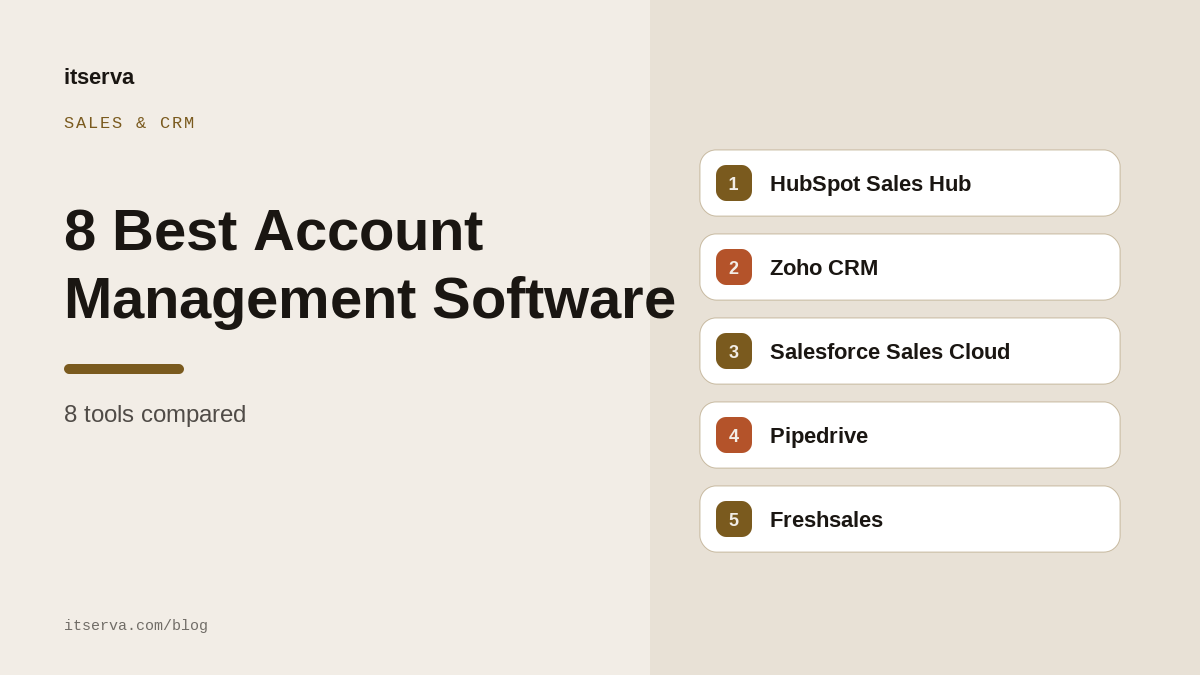
What does account management software do after the deal closes?
Account management software keeps post-sale relationships organized after a deal closes. It links stakeholder hierarchies, conversation history, renewal dates and expansion opportunities in one shared account record, so nothing is lost when an account changes hands.
The price ladder matters more than the headline rate. Entry plans often cover only basic contact storage, while automation, email sequences and account health tracking sit on mid-tier plans that cost two to four times more per seat, and seat minimums or onboarding fees can reshape the first-year total.
Quick comparison
| Tool | Best for | Starting price | Free plan |
|---|---|---|---|
| HubSpot Sales Hub | Best overall for unified account tracking | $20/seat/month (Starter, regular) | Yes (up to 2 users) |
| Zoho CRM | Best value for small and mid-sized teams | $14/user/month (Standard, yearly) | Yes (up to 3 users) |
| Salesforce Sales Cloud | Best for complex enterprise account hierarchies | $25/user/month (Starter Suite) | Yes (Free Suite, up to 2 users) |
| Pipedrive | Best for visual renewal and upsell pipelines | $14/seat/month (Lite, yearly) | No (14-day trial) |
| Freshsales | Best for built-in phone and multichannel outreach | $9/user/month (Growth, yearly) | Yes (up to 3 users) |
| monday CRM | Best for post-sale onboarding and project handoffs | $12/seat/month (Basic, yearly) | No (14-day trial) |
| Close | Best for high-touch phone and email account teams | $9/user/month (Solo, yearly) | No (free trial) |
| Copper | Best for Google Workspace agencies and consultancies | $23/seat/month (Basic, yearly) | No (14-day trial) |
The 8 best account management software tools
#1
HubSpot Sales Hub
4.4/5 on G2 (14,407 reviews, checked Nov 2026)
- Best for
- Best overall for unified account tracking
- Starting price
- $20/seat/month (Starter, regular)
- Free plan
- Yes (up to 2 users)
HubSpot Sales Hub is an all-in-one CRM that keeps contacts, companies, deal pipelines and email tracking in one shared workspace for account teams. Its free tier supports up to 2 users with core contact records, deal boards, live chat and three email templates per account. Starter costs $20 per seat per month at the regular rate and removes HubSpot branding while adding 500 calling minutes and one phone number.
The trade-off is a steep jump when automation enters the picture. Sequences and custom workflows need Professional at $90 per seat per month plus a mandatory $1,500 onboarding fee, and AI prospecting draws on metered HubSpot Credits. HubSpot Sales Hub fits growing B2B teams that want sales, marketing and service records in one portal.
What we like
- Free tier for up to 2 users
- One shared timeline for emails, calls, meetings and tickets
- Fast adoption with minimal setup
- Connects with HubSpot Service Hub and Marketing Hub
Watch out for
- Sequences need the $90/seat/month Professional plan
- $1,500 onboarding fee on Professional, $3,500 on Enterprise
- AI prospecting uses metered HubSpot Credits
#2
Zoho CRM
4.1/5 on G2 (2,962 reviews, checked Nov 2026)
- Best for
- Best value for small and mid-sized teams
- Starting price
- $14/user/month (Standard, yearly)
- Free plan
- Yes (up to 3 users)
Zoho CRM is a full-featured platform that tracks account hierarchies, renewal pipelines and customer interactions at low per-seat rates. Its free edition covers up to 3 users with 5,000 records, 10 MB of storage, basic workflow rules and mobile apps. Standard costs $14 per user per month billed annually and raises capacity to 100,000 records with sales forecasting and custom dashboards.
The trade-off is setup effort and tier-gated extras. The interface takes time to configure, the Zia AI assistant and guided Blueprints need Professional at $23 per user per month, and extra storage costs more past plan limits. Zoho CRM fits budget-conscious teams that want deep customization and tight links to Zoho Desk and Zoho Books.
What we like
- Low $14/user/month annual entry price
- Free edition for up to 3 users
- Custom views and account hierarchies
- Direct links to Zoho Desk, Projects and Books
Watch out for
- Setup and layout customization can feel complex
- Zia AI needs Professional at $23/user/month
- Extra storage costs more past plan limits
#3
Salesforce Sales Cloud
4.4/5 on G2 (27,596 reviews, checked Nov 2026)
- Best for
- Best for complex enterprise account hierarchies
- Starting price
- $25/user/month (Starter Suite)
- Free plan
- Yes (Free Suite, up to 2 users)
Salesforce Sales Cloud is an enterprise-grade CRM built to manage parent-child account structures, territory assignments and multi-year renewal forecasting. Small teams can start on the free suite for up to 2 users or Starter Suite at $25 per user per month with no annual lock-in and Slack integration. Starter also adds 2,000 monthly marketing email sends, sales flows and commerce tools.
The trade-off is steep tier escalation and administration overhead. Pro Suite jumps to $100 per user per month billed annually, API-enabled editions start at $195 on Core and reach $550 on Max, and setup often needs a dedicated admin. Salesforce Sales Cloud fits mid-market and enterprise organizations with dedicated revenue operations support.
What we like
- Strongest data modeling for parent-child accounts and territories
- Starter Suite has month-to-month billing at $25/user/month
- Large AppExchange ecosystem for account planning add-ons
- Largest G2 review base on this list
Watch out for
- Steep jump from Starter ($25) to Pro Suite ($100) and Core ($195)
- API access needs Core or a paid add-on
- Setup often needs a dedicated admin
#4
Pipedrive
4.3/5 on G2 (5,128 reviews, checked Nov 2026)
- Best for
- Best for visual renewal and upsell pipelines
- Starting price
- $14/seat/month (Lite, yearly)
- Free plan
- No (14-day trial)
Pipedrive is a visual pipeline CRM that helps account managers track renewals, upsells and follow-up activities across customizable Kanban boards. Lite starts at $14 per seat per month billed annually with a 14-day trial, unlimited custom pipelines and up to 2,500 open deals per seat. There is no free plan, and an AI report builder is included on the entry tier.
The trade-off is that email automation sits well above the entry price. Full two-way email sync, automated workflows and email sequences need Growth at $39 per seat per month billed annually, and email marketing costs extra on every plan. Pipedrive fits sales-driven account teams that want fast visual deal management without heavy CRM clutter.
What we like
- Clean visual pipeline for renewal stages and rotting deals
- Affordable $14/seat/month annual entry tier
- Post-sale Projects and e-signatures built into Premium
- Fast onboarding with minimal admin setup
Watch out for
- No permanent free tier, only a 14-day trial
- Email sync and sequences need $39/seat/month Growth
- Email marketing costs extra on every plan
#5
Freshsales
4.5/5 on G2 (1,244 reviews, checked Nov 2026)
- Best for
- Best for built-in phone and multichannel outreach
- Starting price
- $9/user/month (Growth, yearly)
- Free plan
- Yes (up to 3 users)
Freshsales is an AI-assisted sales CRM from Freshworks that brings contact timelines, built-in telephony, email and chat into a single account workspace. Its free plan supports up to 3 users with contact lifecycle stages, custom fields and basic pipeline views. Growth starts at $9 per user per month billed annually and adds visual sales pipelines, basic workflows, SMS and WhatsApp messaging.
The trade-off is that account structure is a paid upgrade. Multi-pipeline tracking, account hierarchies and Freddy AI deal insights need Pro at $39 per user per month billed annually, while custom modules and field-level permissions sit on Enterprise at $59. Freshsales fits SMB teams that manage client check-ins across phone, SMS and email.
What we like
- Low $9/user/month annual entry price plus a free tier
- Built-in phone, SMS and WhatsApp reduce dialer costs
- Connects with Freshdesk support tickets
- High 4.5/5 G2 rating for day-to-day usability
Watch out for
- Account hierarchies need the $39/user/month Pro tier
- Freddy AI sessions incur separate usage fees
- Custom modules restricted to Enterprise at $59/month
#6
monday CRM
4.5/5 on G2 (2,000 reviews, checked Nov 2026)
- Best for
- Best for post-sale onboarding and project handoffs
- Starting price
- $12/seat/month (Basic, yearly)
- Free plan
- No (14-day trial)
monday CRM is a visual board-based workspace that links pre-sale deals directly with post-sale onboarding projects in one system. Basic starts at $12 per seat per month billed annually with unlimited pipelines, 1,000 contacts, custom dashboards and built-in quote and invoice generation. Free unlimited read-only viewers let executives inspect account boards at no cost.
The trade-off is bucket seat pricing with a 3-seat minimum. A team of four pays for five seats, the true entry cost is $432 per year, and automations do not appear until Standard at $17 per seat per month billed annually. monday CRM fits agencies and service teams that want account managers and delivery staff collaborating in one visual system.
What we like
- No-code boards, timelines and dashboards adapt to post-sale delivery
- Free unlimited read-only viewers
- Strong 4.5/5 G2 rating across 2,000 reviews
- Quote and invoice generation from Basic
Watch out for
- 3-seat minimum and 5-seat increments mean paying for unused seats
- Automations excluded from Basic and capped on Standard
- No permanent free tier on the CRM product
#7
Close
4.7/5 on G2 (2,169 reviews, checked Nov 2026)
- Best for
- Best for high-touch phone and email account teams
- Starting price
- $9/user/month (Solo, yearly)
- Free plan
- No (free trial)
Close is a conversation-first CRM built to log every call, SMS, email and voicemail automatically on each client account. Solo starts at $9 per user per month billed annually for up to 10,000 leads, with built-in calling, SMS, two-way email sync and centralized task lists. Dynamic Smart Views surface accounts that are overdue for check-ins without manual review.
The trade-off is that the cheapest tier is strictly solo. Solo is limited to one user, so multi-person teams must start on Essentials at $35 per user per month billed annually, and Power Dialer workflows need Growth at $99. Close fits lean, outbound-heavy account teams that prioritize rapid phone and email follow-ups.
What we like
- Highest G2 score on this list at 4.7/5
- Native calling, SMS, call recording and email sync
- Affordable $9/user/month Solo plan
- Smart Views surface accounts overdue for check-ins
Watch out for
- No permanent free tier, and Solo is capped at one user
- Team plans jump to $35/user/month on Essentials
- Custom reporting is lighter than Salesforce or Zoho CRM
#8
Copper
4.5/5 on G2 (1,158 reviews, checked Nov 2026)
- Best for
- Best for Google Workspace agencies and consultancies
- Starting price
- $23/seat/month (Basic, yearly)
- Free plan
- No (14-day trial)
Copper is a relationship-focused CRM built specifically for Google Workspace, embedding account records, tasks and email history directly inside Gmail and Google Calendar. Basic starts at $23 per seat per month billed annually for up to 2,500 contacts, with a Gmail Chrome sidebar, calendar sync and project tracking. Email threads and meeting history are captured automatically without manual logging.
The trade-off is a higher starting price without a free tier. Workflow automation and bulk email stay locked behind Professional at $59 per seat per month billed annually, and Basic excludes pipeline reports. Copper fits agencies, consultancies and relationship-driven teams that run client communication out of Gmail.
What we like
- Deepest native Google Workspace integration
- Email threads and meeting history captured automatically
- 4.5/5 G2 rating across 1,158 reviews
- Built-in project boards for post-sale deliverables
Watch out for
- No free plan, and $23/seat/month is higher than Zoho or Pipedrive
- Basic caps contacts at 2,500 and excludes automation
- Not suited for teams standardized on Microsoft 365
How we chose
We compared established CRM platforms widely used for post-sale retention, renewal pipelines and stakeholder tracking, ranking them by overall fit for account management teams. We weighted a usable free or low-cost entry plan first, then where automation and account hierarchy features unlock, then total first-year cost including seat rules and onboarding fees. Prices come from vendor pricing pages and public pricing summaries, checked in November 2026, and ratings come from G2 with review counts. No vendor paid for placement, and we did not run hands-on tests; we compare published information.
Why the mid-tier jump matters most
Entry prices rarely reflect what an account management team pays once automation turns on. Pipedrive Lite costs $14 per seat per month, but email sync and sequences need Growth at $39, nearly tripling the bill. HubSpot Sales Hub jumps from $20 to $90 per seat plus a mandatory $1,500 onboarding fee on Professional.
Seat rules reshape small-team budgets too. monday CRM enforces a 3-seat minimum and sells seats in 5-user buckets above that, so a 4-person team pays for 5 seats. Close restricts its $9 Solo plan to a single user before moving teams to $35 per user per month on Essentials.
How to choose
Start with where your client conversations already live. If account managers spend all day in Gmail and Google Calendar, a Workspace-native tool like Copper eliminates manual logging; if they rely on outbound calls and texts, Close or Freshsales includes native telephony.
Next, map the exact tier where sequences and workflows unlock. Check whether automated renewal reminders, multi-step email sequences and custom dashboards sit on the entry plan or require a mid-tier upgrade like HubSpot Professional at $90 per month or Pipedrive Growth at $39 per month.
Finally, calculate first-year total cost for your exact team size, including seat minimums and setup fees, then trial two tools with real accounts. Import a batch of real accounts and verify that sales notes, contract renewal dates and support tickets stay visible on one account record before rolling the system out.