
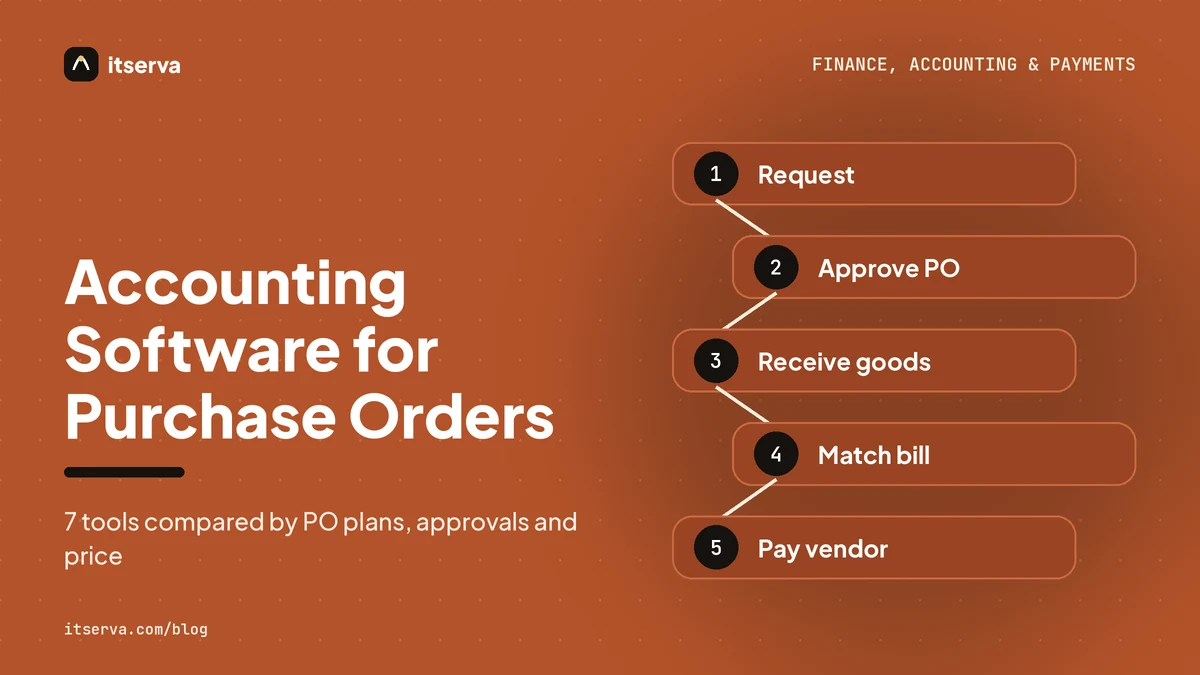
Why do purchase orders belong in your accounting software?
A purchase order records what you agreed to buy, from whom and at what price, before the bill arrives. When POs live in the same system as your books, the bill can be matched to the order and paid without re-typing.
That matching catches overcharges and duplicate bills. The catch is that many accounting tools keep POs off their entry plans, so the real starting price is often the second or third tier.
Quick comparison
| Tool | Best for | Starting price | Free plan |
|---|---|---|---|
| Xero | Built-in POs on entry plans | $27/month (Starter) | No (30-day trial) |
| Zoho Books | POs with purchase approvals under $50/month | $40/month (Professional, yearly) | Yes (no POs) |
| QuickBooks Online | US accountant compatibility and stock POs | $140/month (Plus, for POs) | No |
| Sage 50 | Job costing and inventory-heavy purchasing | $132.17/month (Pro Accounting) | No (30-day test drive) |
| AccountEdge | Local desktop accounting with inventory | $20/month (Pro) | No (30-day trial) |
| Odoo | Modular purchasing, stock and accounting | $24.90/user/month (Standard, first year) | Yes (One App Free) |
| Zoho Inventory | Order-driven POs and multi-warehouse stock | $29/month (Standard, yearly) | Yes (50 orders/month) |
The 7 best accounting tools for purchase orders
#1
Xero
4.4/5 on G2 (1,862 reviews, checked Nov 2026)
- Best for
- Built-in POs on entry plans
- Starting price
- $27/month (Starter)
- Free plan
- No (30-day trial)
Xero is the cheapest route to real purchase orders in a cloud ledger, since POs come with every US plan. Starter at $27 a month includes 20 invoices and 5 bills a month, quotes, bank reconciliation and a 30-day cash flow forecast. Standard costs $54 and Premium $82, adding longer forecasts and multi-currency.
The trade-off is that Starter's limit of 5 bills a month is tight for any business that raises many POs, and the 90% intro discount lasts only 3 months. Xero fits small buyers who want POs without paying for a large plan.
What we like
- POs on every US plan
- Low entry price
- Quotes and bank reconciliation
- 30-day trial
Watch out for
- Starter caps bills at 5/month
- Intro discount is short
#2
Zoho Books
4.4/5 on G2 (332 reviews, checked Nov 2026)
- Best for
- POs with purchase approvals under $50/month
- Starting price
- $40/month (Professional, yearly)
- Free plan
- Yes (no POs)
Zoho Books Professional costs $40 a month on yearly billing, or $50 monthly, and includes POs, purchase approvals and 5 users. That makes it the most affordable approval workflow on this list. Higher tiers add 10 or 15 users, a vendor portal, fixed assets and deeper inventory controls.
The trade-off is that POs are missing from the Free and Standard plans, and two-way or three-way PO matching needs the BillPay add-on. Zoho Books fits small teams that want a manager to approve purchases before they are sent.
What we like
- Purchase approvals on Professional
- 5 users included
- Vendor portal on higher tiers
- 14-day trial
Watch out for
- No POs on Free or Standard
- PO matching needs BillPay add-on
#3
QuickBooks Online
4.3/5 on Capterra (8,425 reviews, checked Nov 2026)
- Best for
- US accountant compatibility and stock POs
- Starting price
- $140/month (Plus, for POs)
- Free plan
- No
QuickBooks Online lets you turn a purchase order into a vendor bill or expense and run open PO reports. POs start on Plus at $140 a month for up to 5 users and an accountant, and Advanced at $340 a month adds 25 users, deeper reporting and workflow automation.
The trade-off is cost. Simple Start at $38 and Essentials at $85 do not include POs, so buyers who mainly need purchasing face a steep jump. QuickBooks Online fits US businesses whose accountant already works in QuickBooks.
What we like
- POs convert to bills
- Open PO reports
- Largest review base here
Watch out for
- No POs below Plus
- Expensive if POs are the main need
#4
Sage 50
3.9/5 on G2 (163 reviews, checked Nov 2026)
- Best for
- Job costing and inventory-heavy purchasing
- Starting price
- $132.17/month (Pro Accounting)
- Free plan
- No (30-day test drive)
Sage 50 includes PO and approval tools from its Pro Accounting plan at $132.17 a month, with FIFO and LIFO costing, assemblies, job costing and automated bank reconciliation. Premium Accounting costs $182.50 and Quantum $271.17, adding users and change orders. It offers cloud and desktop options.
The trade-off is a higher price than cloud-first tools, a single user on Pro and a one-year minimum commitment. Sage 50 fits contractors and distributors whose purchasing ties to jobs and stock.
What we like
- Job costing
- FIFO and LIFO inventory
- PO approvals on every plan
Watch out for
- One-year commitment
- Pro is single-user
- Lowest rating here
#5
AccountEdge
4.3/5 on Capterra (93 reviews, checked Nov 2026)
- Best for
- Local desktop accounting with inventory
- Starting price
- $20/month (Pro)
- Free plan
- No (30-day trial)
AccountEdge is a desktop accounting app for Mac and Windows. AccountEdge Pro at $20 a month covers purchases, expenses, invoicing, inventory and time billing, and every plan allows up to 10 company files. Network Edition costs $30 for 2 users, and Hosted costs $50 per user.
The trade-off is that Pro is single-user and runs locally, so remote browser access and add-ons cost extra. AccountEdge fits small businesses that prefer desktop software and want purchasing and inventory at a low price.
What we like
- Purchasing and inventory from $20
- Mac and Windows
- Up to 10 company files
Watch out for
- Pro is single-user desktop
- Remote access costs extra
#6
Odoo
4.2/5 on Capterra (1,341 reviews, checked Nov 2026)
- Best for
- Modular purchasing, stock and accounting
- Starting price
- $24.90/user/month (Standard, first year)
- Free plan
- Yes (One App Free)
Odoo links purchase orders, stock receipts and vendor bills when you run its Purchase, Inventory and Accounting apps together. Standard costs $24.90 per user a month for the first year on yearly billing, then $31.10. Custom adds Odoo Studio, multi-company and external API access, and One App Free covers a single app.
The trade-off is that per-user pricing rises after year one and a multi-app setup takes more effort. Odoo fits growing companies that want purchasing, warehouse and books in one modular system.
What we like
- POs linked to stock receipts
- Free single-app plan
- Multi-company on Custom
Watch out for
- Price rises after year one
- Multi-app setup effort
#7
Zoho Inventory
4.5/5 on Capterra (424 reviews, checked Nov 2026)
- Best for
- Order-driven POs and multi-warehouse stock
- Starting price
- $29/month (Standard, yearly)
- Free plan
- Yes (50 orders/month)
Zoho Inventory is an inventory system that handles POs and connects to accounting apps. The free plan covers 50 orders a month, 1 user and 1 location. Standard costs $29 a month on yearly billing for 500 orders, 300 POs, 3 users and 2 locations, and Premium and Plus add batch and serial tracking.
The trade-off is monthly order and PO caps, and it is not a full accounting system on its own. Zoho Inventory fits product sellers who raise POs from sales demand across several warehouses.
What we like
- Highest rating here
- Multi-location stock
- Batch and serial tracking on higher plans
Watch out for
- Monthly order and PO caps
- Not a standalone ledger
How we chose
We compared accounting and inventory tools that create, approve and track purchase orders. We weighted which plan actually includes POs first, then approval and matching features, then the yearly cost of the cheapest PO-ready plan. Prices are US list prices from vendor pages and pricing guides, and ratings with review counts come from G2 or Capterra as noted, checked in November 2026. No vendor paid for placement, and we did not run hands-on tests: we compare published information.
Two-way vs three-way PO matching
Two-way matching compares the vendor bill with the purchase order. Three-way matching adds the goods receipt, so you only pay for what actually arrived.
Three-way matching matters most when you buy physical stock. Odoo links POs to stock receipts, while Zoho Books needs its BillPay add-on for two-way and three-way matching.
How to choose
Start with the plan that includes POs, not the cheapest plan. Xero includes them from $27, Zoho Books from $40, and QuickBooks Online only from $140.
Next, decide whether you need approvals. If a manager must sign off before an order goes out, Zoho Books Professional and Sage 50 include approval tools. For broader bookkeeping picks, see our accounting software list.
Finally, look at stock. If POs drive inventory across locations, Zoho Inventory or Odoo will track receipts better than a ledger alone.