
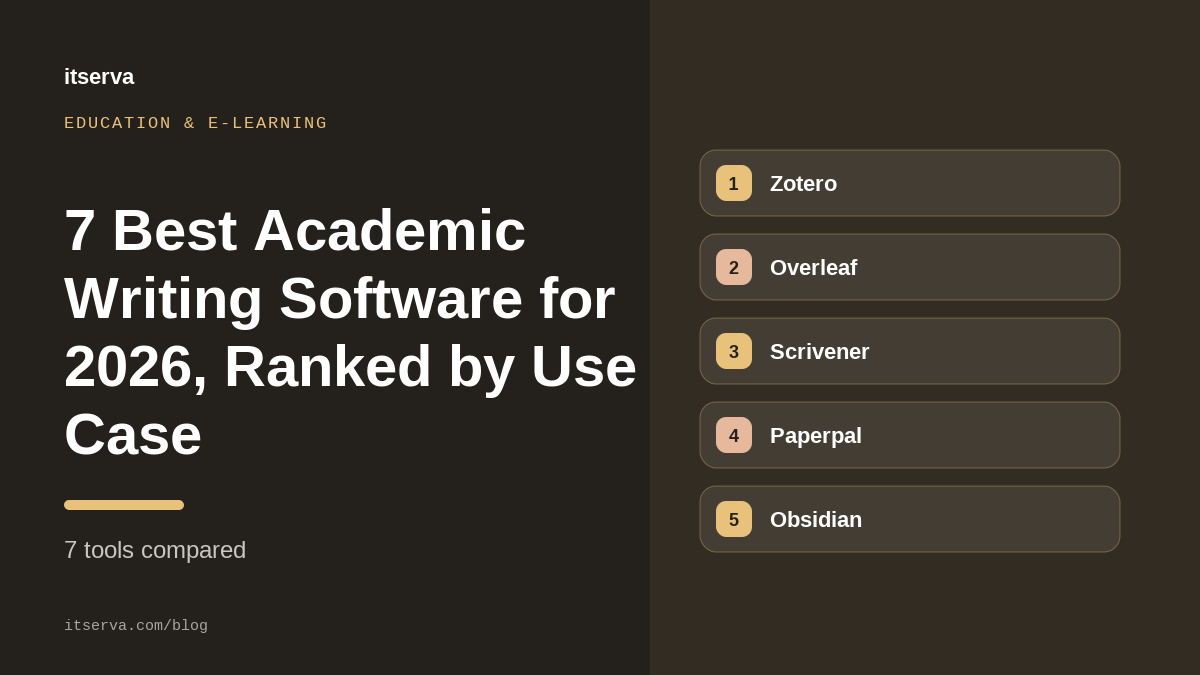
Why does academic writing need more than a word processor?
Academic writing stretches across months, with sources, notes, drafts, citations and revisions all changing at once. A plain word processor stores text, but it does not track where ideas came from or keep a bibliography consistent.
The tools here cover different jobs: reference management, long-form structure, LaTeX typesetting, note linking and language checks. Most researchers combine two or three of them rather than expecting one app to do everything.
Quick comparison
| Tool | Best for | Starting price | Free plan |
|---|---|---|---|
| Zotero | Best for reference management and citations | $20/year (2 GB storage) | Yes (300 MB cloud storage) |
| Overleaf | Best for collaborative LaTeX manuscripts | $98/year (Student) | Yes (1 collaborator per project) |
| Scrivener | Best for structuring long theses and books | $59.99 one-time (desktop) | No (30-day trial) |
| Paperpal | Best for academic editing and manuscript checks | $86.40/year (Prime) | Yes (200 edits/month) |
| Obsidian | Best for networked research notes in Markdown | $48/year (Sync) | Yes (core app free) |
| LanguageTool | Best for multilingual grammar and style checking | $69.90/year (Premium) | Yes (10,000 characters) |
| Grammarly | Best for broad real-time grammar and clarity checks | $144/year (Pro) | Yes (100 AI prompts/month) |
The 7 best academic writing software
#1
Zotero
4.4/5 on G2 (99 reviews, checked Nov 2026)
- Best for
- Best for reference management and citations
- Starting price
- $20/year (2 GB storage)
- Free plan
- Yes (300 MB cloud storage)
Zotero is an open-source reference manager that gathers sources from the browser, stores PDFs and inserts citations in Word, LibreOffice and Google Docs. It supports more than 9,000 citation styles and works on Mac, Windows, Linux, iOS and Android. The free plan covers unlimited items with 300 MB of cloud storage.
The trade-off is storage. Large PDF collections can fill the 300 MB free allowance quickly, so heavy readers may need the $20 per year plan for 2 GB, with larger tiers at $60 and $120 per year. Zotero fits students and researchers who want open-source citation control across desktop and mobile.
What we like
- Open-source with 9,000+ citation styles
- Word, LibreOffice and Google Docs plugins
- Free plan with unlimited items
- Storage from $20 per year for 2 GB
Watch out for
- 300 MB free storage fills fast with PDFs
- Advanced tagging and sync take time to learn
#2
Overleaf
4.6/5 on G2 (76 reviews, checked Nov 2026)
- Best for
- Best for collaborative LaTeX manuscripts
- Starting price
- $98/year (Student)
- Free plan
- Yes (1 collaborator per project)
Overleaf is a browser-based LaTeX editor that compiles documents online and supplies journal templates for technical papers. It needs no local LaTeX installation, and the free plan allows unlimited projects with one collaborator per project. Paid plans add full document history, longer compile times and track changes.
The trade-off is the free tier's limits. Version history lasts only 24 hours, compile timeouts are short at 10 seconds, and the Standard plan rises to $199 per year for non-students. Overleaf fits researchers in mathematics, engineering and computer science who co-author LaTeX papers.
What we like
- No local LaTeX setup needed
- Journal templates built in
- Student plan at $98 per year
- Up to 10 collaborators on paid plans
Watch out for
- Free plan allows only 1 collaborator
- Free version history lasts 24 hours
- Standard plan rises to $199 per year
#3
Scrivener
4.5/5 on G2 (87 reviews, checked Nov 2026)
- Best for
- Best for structuring long theses and books
- Starting price
- $59.99 one-time (desktop)
- Free plan
- No (30-day trial)
Scrivener is a desktop drafting app that organises chapters, notes and research files inside one project binder. Its binder and corkboard views keep long manuscripts in order, and it runs locally offline on Mac or Windows. A 30-day free trial lets writers test the full app before buying.
The trade-off is licensing and collaboration. Each desktop platform needs its own $59.99 licence, or $50.99 with an education discount, and there is no real-time multi-author editing. Scrivener fits graduate students drafting long multi-chapter theses or dissertations offline over several years.
What we like
- One-time price, no subscription
- Binder and corkboard for long manuscripts
- Works offline
- 30-day free trial
Watch out for
- Separate licence per platform
- No real-time co-editing
- Manual export for final formats
#4
Paperpal
4.7/5 on Trustpilot (483 reviews, checked Nov 2026)
- Best for
- Best for academic editing and manuscript checks
- Starting price
- $86.40/year (Prime)
- Free plan
- Yes (200 edits/month)
Paperpal is an academic editing assistant that checks grammar, consistency, references and plagiarism in scholarly drafts. Its free plan includes 200 grammar edits per month and 5 daily writing and polishing uses. Prime expands those limits to 20,000 edits per month with 2 GB of library storage.
The trade-off is monthly caps. Free users hit limits on edits and PDF chat quickly, and full journal-fit reports with higher check limits need the Pro plan at $208.80 per year. Paperpal fits researchers and non-native English authors polishing papers before journal submission.
What we like
- Built for academic language and references
- Free plan with 200 monthly edits
- Prime at $86.40 per year
- Consistency and plagiarism checks
Watch out for
- Free plan caps edits and PDF chat
- Full journal-fit reports need higher tiers
#5
Obsidian
4.5/5 on G2 (14 reviews, checked Nov 2026)
- Best for
- Best for networked research notes in Markdown
- Starting price
- $48/year (Sync)
- Free plan
- Yes (core app free)
Obsidian is a local-first note app that stores research notes as plain Markdown files with backlinks and graph views. The core app is free for personal use and needs no account, so notes stay portable and under the writer's control. Plugins extend it for citations, outlines and daily notes.
The trade-off is paid sync and setup. Official encrypted cloud sync costs $48 per year, web publishing costs $96 per year, and there is no built-in live co-editing. Obsidian fits researchers building interconnected literature notes from their own local files over time.
What we like
- Free core app, local Markdown files
- Backlinks and graph view
- Sync from $48 per year
- Large plugin library
Watch out for
- Sync and publishing are paid add-ons
- Setup takes time for new users
- No built-in live co-editing
#6
LanguageTool
4.4/5 on G2 (45 reviews, checked Nov 2026)
- Best for
- Best for multilingual grammar and style checking
- Starting price
- $69.90/year (Premium)
- Free plan
- Yes (10,000 characters)
LanguageTool is a grammar, punctuation and style checker that works across browsers, editors and desktop apps in several languages. Its free tier covers basic checks up to 10,000 characters and 3 daily AI paraphrased sentences. Premium raises the limit to 150,000 characters with more than 20,000 style checks.
The trade-off is the free limit. Long chapters exceed 10,000 characters quickly, so regular academic use usually needs Premium at $69.90 per year billed annually. LanguageTool fits multilingual researchers and writers editing drafts across more than one language in their work.
What we like
- Multilingual grammar and style checks
- Premium at $69.90 per year
- Works in browsers without a subscription
- 150,000-character limit on Premium
Watch out for
- Free checks stop at 10,000 characters
- Only 3 daily AI paraphrases free
#7
Grammarly
4.5/5 on G2 (14,153 reviews, checked Nov 2026)
- Best for
- Best for broad real-time grammar and clarity checks
- Starting price
- $144/year (Pro)
- Free plan
- Yes (100 AI prompts/month)
Grammarly is a writing assistant that checks spelling, grammar, punctuation and tone across browsers, documents and desktop apps. Its free plan covers core grammar and spelling checks plus 100 AI prompts per month. Pro adds 2,000 monthly AI prompts, full-sentence rewrites and plagiarism checks.
The trade-off is price and interruption. Pro costs $144 per year billed annually, or $30 per month on monthly billing, and inline suggestions can interrupt drafting or overcorrect formal phrasing. Grammarly fits writers who want real-time grammar and clarity feedback across everyday apps.
What we like
- Works across browsers, docs and apps
- Free plan with 100 monthly AI prompts
- Pro adds rewrites and plagiarism checks
- Large review base on G2
Watch out for
- Pro costs $144 per year
- $30 per month on monthly billing
- Suggestions can interrupt drafting
How we chose
We compared seven established tools that cover the main academic writing jobs: reference management, long-form drafting, LaTeX typesetting, research notes and language checks. We weighted fit for a specific academic task first, then free-plan usefulness, then annual cost for a single researcher. Prices and plan limits come from vendor pricing pages and public review ratings, checked in November 2026, with regular annual or one-time prices in US dollars. No vendor paid for placement, and we did not run hands-on tests; we compare published information.
How academic writing costs add up
Most researchers pay for two things at once: a drafting or notes app and a language checker. A free combination such as Zotero with Obsidian covers citations and notes for $0, while adding Paperpal Prime at $86.40 per year and Obsidian Sync at $48 per year brings the yearly total to $134.40.
One-time licences change the maths over a thesis. Scrivener at $59.99 once can cost less than a single year of Grammarly Pro at $144, so compare three-year totals before choosing between a subscription and a purchase.
How to choose
Start with your main bottleneck. If citations slow you down, choose Zotero first; if structure is the problem, choose Scrivener or Obsidian; if equations dominate, choose Overleaf.
Next, check free and campus options before paying. Test free plans with a real chapter or reference library, and ask whether your university already covers a tool. Then compare yearly totals, including storage, sync and editing add-ons, rather than headline prices.
Finally, check output formats. Make sure your editor exports cleanly to DOCX, PDF or LaTeX as your department or journal requires, and confirm that citations survive the move between tools.